Important
• Before specifying the frame type, make sure the printer is on and connected to the network.
Note
• You can specify the frame type by using RemoteUI if the printer's IP address is configured.
• For instructions on installing imagePROGRAF Device Setup Utility, see "Installing imagePROGRAF Device Setup Utili-
ty." ➔ P.645 .
Specifying the frame type using imagePROGRAF Device Setup Utility
1
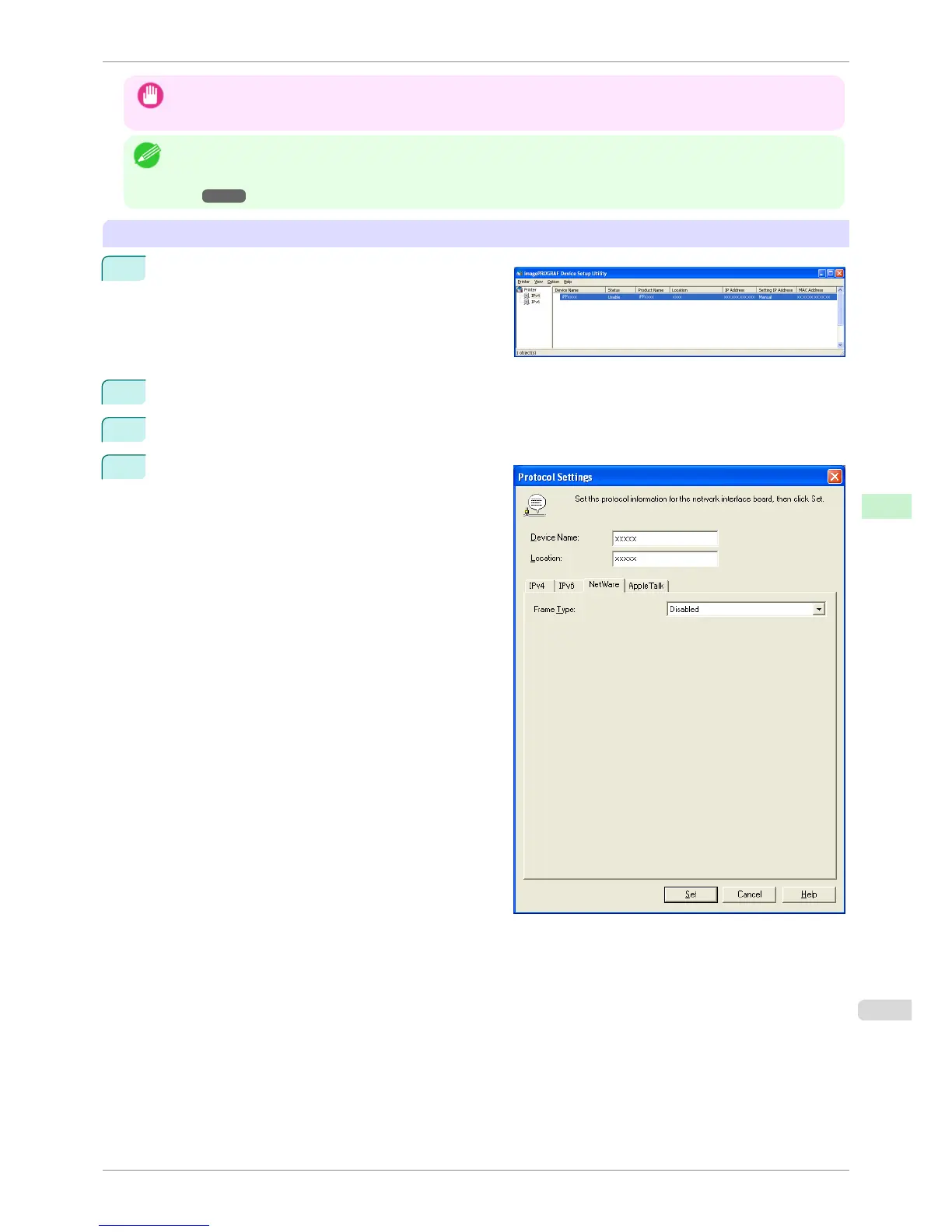
Start imagePROGRAF Device Setup Utility.
2
In the list of printers, select the printer to configure.
3
Choose Protocol Settings from the Printer menu.
4
Click the NetWare tab and select the frame type in
the NetWare Frame Type list.
iPF6400S
Specifying the Printer's Frame Type
User's Guide
Network Setting NetWare Settings
633













 To Next Page