This operation is available in RemoteUI, imagePROGRAF Status Monitor, and imagePROGRAF Printmonitor.
Important
• Jobs stored in the shared mailbox may be automatically deleted under some conditions. To prevent jobs from being
deleted, move them from the shared mailbox to personal boxes. (See "Using the Printer Hard Disk.") ➔ P.666
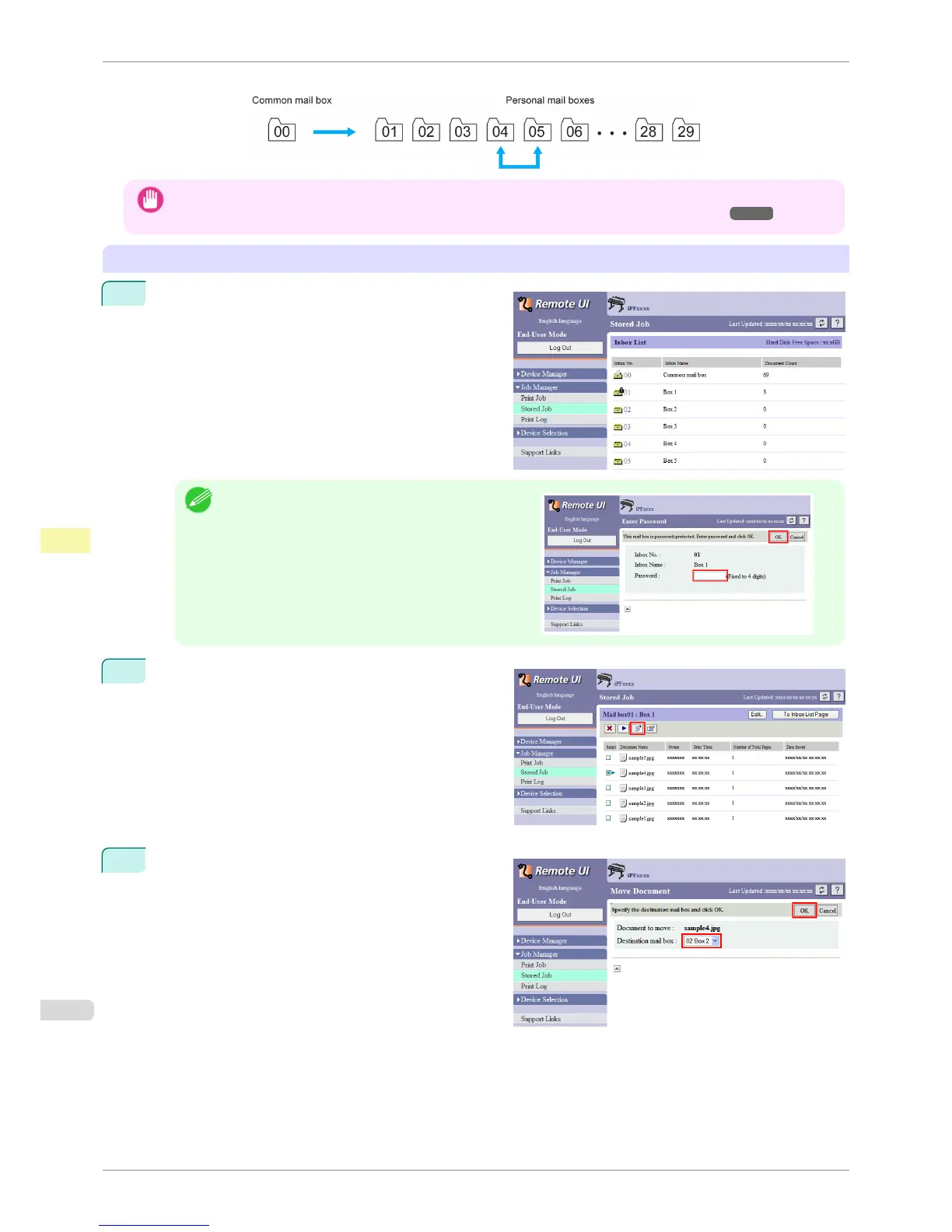
Using RemoteUI
1
On the Stored Job page, choose the box.
Note
•
Enter a password if one has been set.
2
Select the print job and click Move Document.
3
On the Move Document page, select the name or
number of the destination personal box in the Desti-
nation mail box list and click OK.
For details, refer to the RemoteUI help file.
Moving Saved Jobs
iPF6400S
User's Guide
Print Job Management Basic Print Job Operations
682













 To Next Page