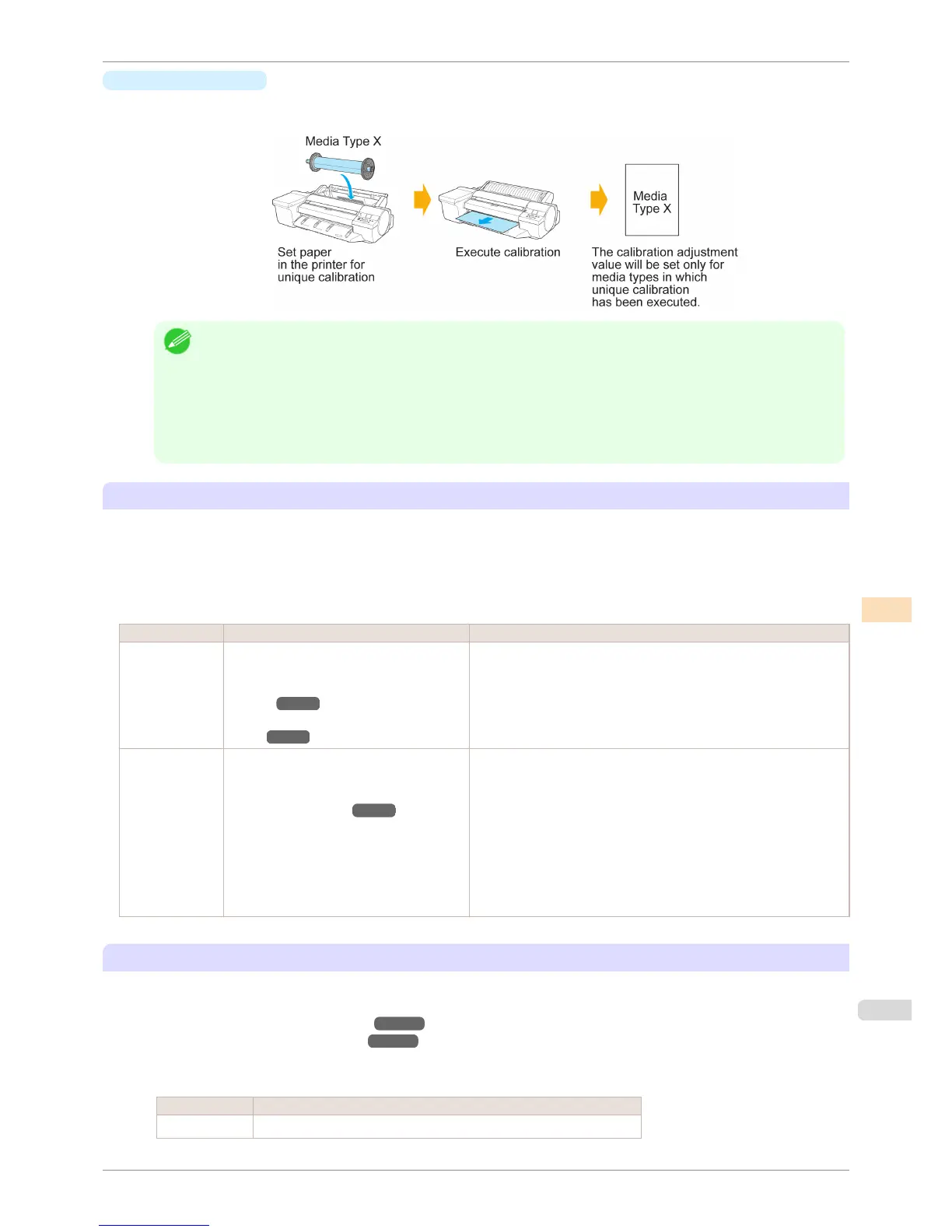
•
Unique calibration
If color calibration is executed on paper categorized as Unique calibration, calibration adjustment values are
set only for the media type that the color calibration was executed on.
Note
• Even if paper categorized as Unique calibration is used, if the media type has yet to execute color calibration even
once and does not have any dedicated calibration adjustment values, the calibration adjustment values are over-
written when Common calibration is executed.
• Calibration values configured by color calibration using the printer sensor and calibration values configured by color
calibration using the optional Spectrophotometer Unit are managed as separate data.
Because of this, the calibration values configured using the Spectrophotometer Unit are not overwritten when Com-
mon calibration is executed using the printer sensor.
Checking the Applied Calibration Values
Depending on the paper type, it may be possible to execute color calibration using both the printer sensor and the
Spectrophotometer Unit and to have two sets of calibration values.
In this case, the calibration values that were set when color calibration was executed the last time are applied when
printing.
The currently applied calibration values can be checked using the Color Calibration Management Console or
Control Panel menu.
How to Check How to Operate Displayed Content
Check in the
Color Calibra-
tion Manage-
ment Console.
Display the Paper Status dialog box and
view the Type.
(See "Calibration Sheet (Win-
dows).") ➔ P.763
(See "Calibration Sheet (Mac
OS).") ➔ P.795
•
Auto Adjust: Calibration values set using the printer sensor
•
Auto Adjust (High Precision): Calibration values set using the
Spectrophotometer Unit
Check in the
menu of the
Control Panel.
From Set./Adj. Menu, select Adjust Printer
> Calibration > Calibration Log and then
view Adjustment Type.
(See "Menu Settings.") ➔ P.587
•
Common Calibration: Calibration values set using the printer sen-
sor (Common calibration)
•
Unique Calibration: Calibration values set using the printer sensor
(Unique calibration)
•
UniqCal HiPrec/Std: Calibration values set using the Spectropho-
tometer Unit (Pattern Size is Standard)
•
UniqCal HiPrec/Lge: Calibration values set using the Spectropho-
tometer Unit (Pattern Size is Large)
To Confirm the Paper Information Registered on the Printer
•
Refer to the Calibration sheet on the Color Calibration Management Console when checking details on the
computer.
(See "Calibration Sheet (Windows).") ➔ P.763
(See "Calibration Sheet (Mac OS).") ➔ P.795
•
To print media information, select Paper Details on the Control Panel menu.
The following is displayed in the Calibration field.
Display Meaning
Standard Supports color calibration using the printer sensor
iPF6400S
Adjustment Types of Color Calibration
User's Guide
Color Management Color Calibration
749













 To Next Page