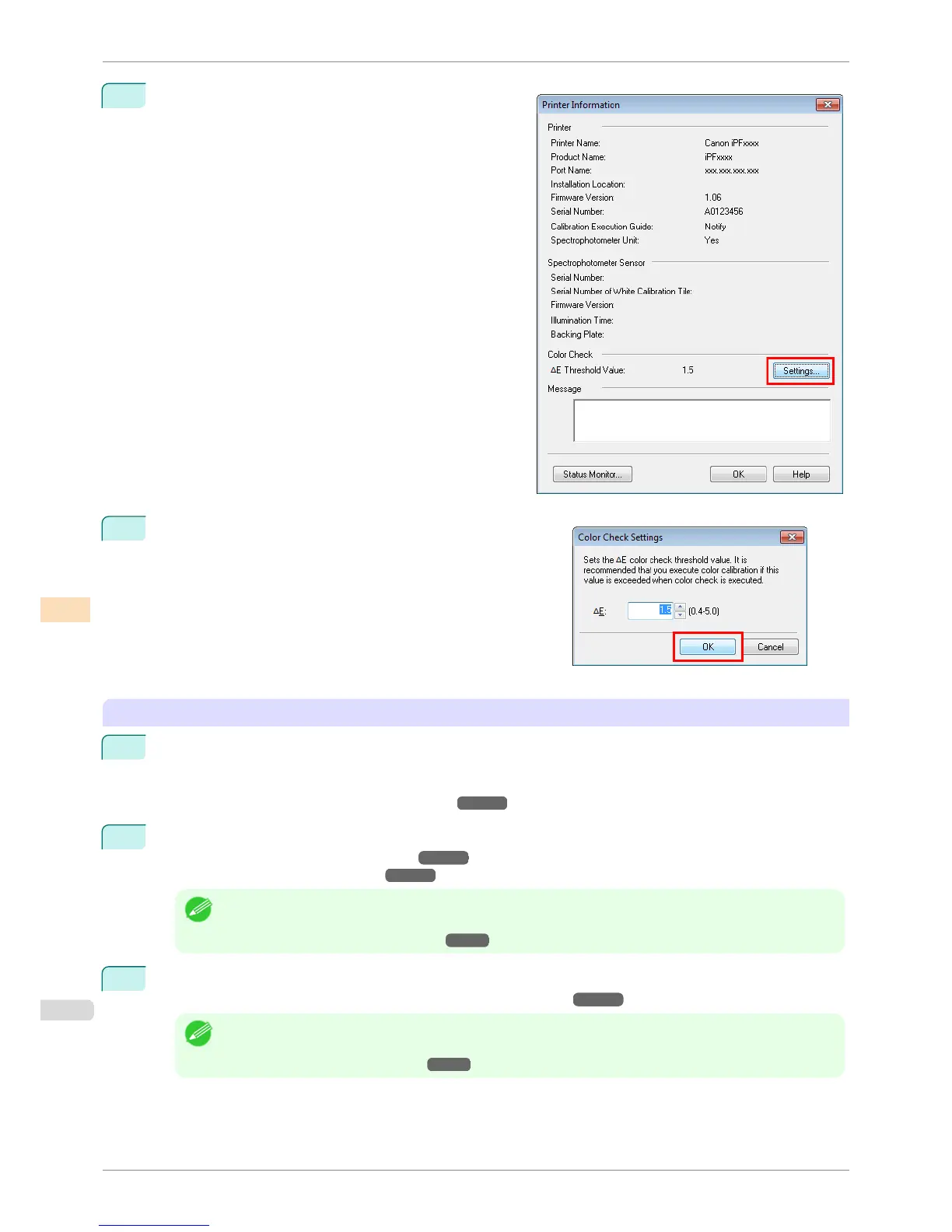
2
Click the Settings button for Color Check in the Printer
Information dialog box.
3
Enter the color check threshold value in ΔE and click the OK
button.
Getting the Printer Ready
1
Confirm whether the paper to be loaded can be used for color checks.
Paper for color check is paper that can be used with the Auto Adjust (High Precision) setting on the
spectrophotometer unit.
(See "Displaying the Paper Reference Guide.") ➔ P.464
2
Load the paper.
(See "Loading Rolls on the Roll Holder.") ➔ P.471
(See "Loading Rolls in the Printer.") ➔ P.473
Note
• If Adj. Quality has not been executed even once on the paper you are using, execute Adj. Quality in the con-
trol panel menu.
(See "Automatic Banding Adjustment.") ➔ P.715
3
Select the White/Black Backing Plate color.
(See "Switching the White/Black Backing Plate (Optional) Color.") ➔ P.746
Note
• For the color of the White/Black Backing Plate, select the color from when color calibration was executed using
the spectrophotometer unit.
(See "Executing Color Calibration.") ➔ P.768
Executing Color Check
iPF6400S
User's Guide
Color Management Color Calibration Management Console (Windows)
778













 To Next Page