4
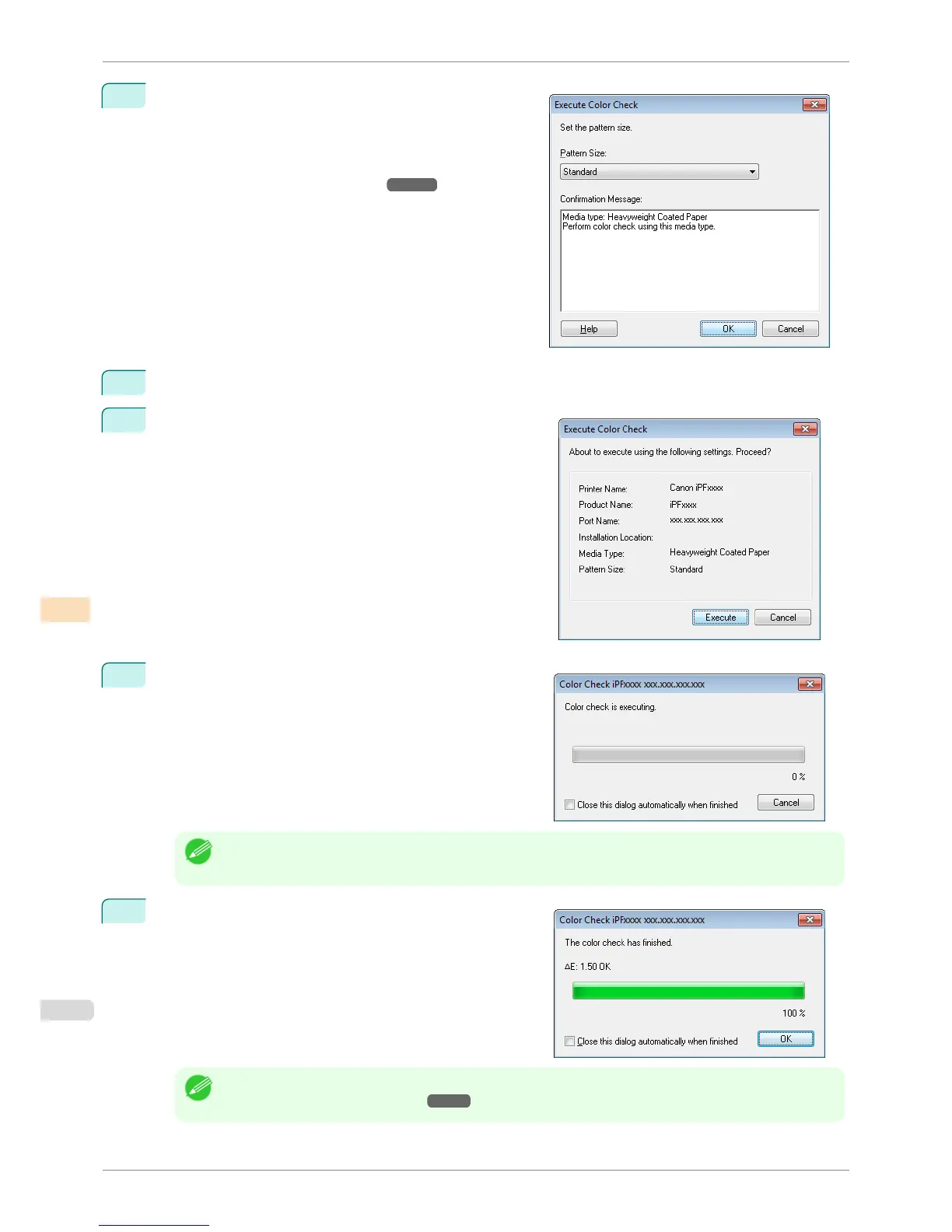
The Execute Color Check dialog box is displayed.
Select Pattern Size.
To increase the precision of the color check, we recom-
mend that you configure the same settings as when Auto
Adjust (High Precision) was executed in color calibration.
(See "Executing Color Calibration.")
➔P.768
5
Click the OK button.
6
When the Execute Color Check dialog box is displayed,
check the details.
7
Click the Execute button.
The color check is executed.
Note
• You can exit the color check in the middle by clicking the Cancel button. However, it may take some time to
end.
8
Check the results.
Note
• We recommend that you execute color calibration if the results exceed the threshold values.
(See "Executing Color Calibration.") ➔ P.768
Executing Color Check
iPF6400S
User's Guide
Color Management Color Calibration Management Console (Windows)
780













 To Next Page