Important
• In order to display printers where the printer driver is installed, you either need to turn on the Synchronize with Printers
that Use the Printer Driver setting in the Printer List Options dialog box or register the printers in the Color Calibra-
tion Management Console.
The Printer List Options dialog box can be displayed by selecting Manage Printer List > Options from the File menu.
• For registration in the Color Calibration Management Console, click Register from Manage Printer List in the File
menu.
•
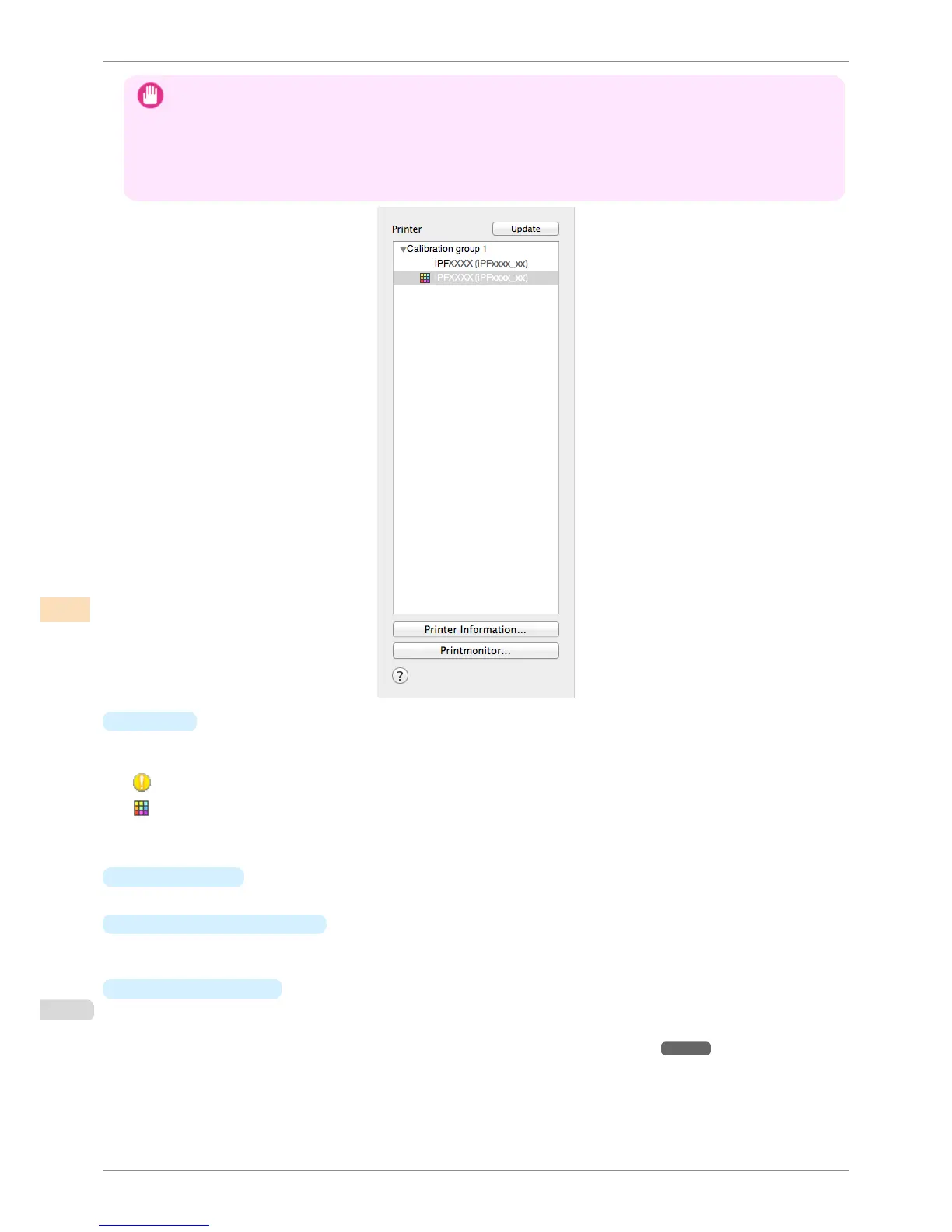
Printer
If color calibration is executed on the paper being fed, printers that are being fed the same paper are displayed
under the Calibration group.
is displayed on printers that have a message related to color calibration.
is displayed on printers where the spectrophotometer unit is installed.
Double-click the printer name to display the Printer Information dialog box, allowing you to check the detailed
printer information.
•
Update
button
Click this button to refresh the Printer list with the latest information.
•
Printer Information
button
Click this button to display the Printer Information dialog box for the selected printer, allowing you to check
the detailed printer information.
•
Printmonitor
button
Click this button to start the imagePROGRAF Printmonitor for the selected printer, allowing you to confirm in-
formation such as the status of print jobs.
For details on Printmonitor, see "The Features of imagePROGRAF Printmonitor." ➔ P.652
Printer List
iPF6400S
User's Guide
Color Management Color Calibration Management Console (Mac OS)
794













 To Next Page