3
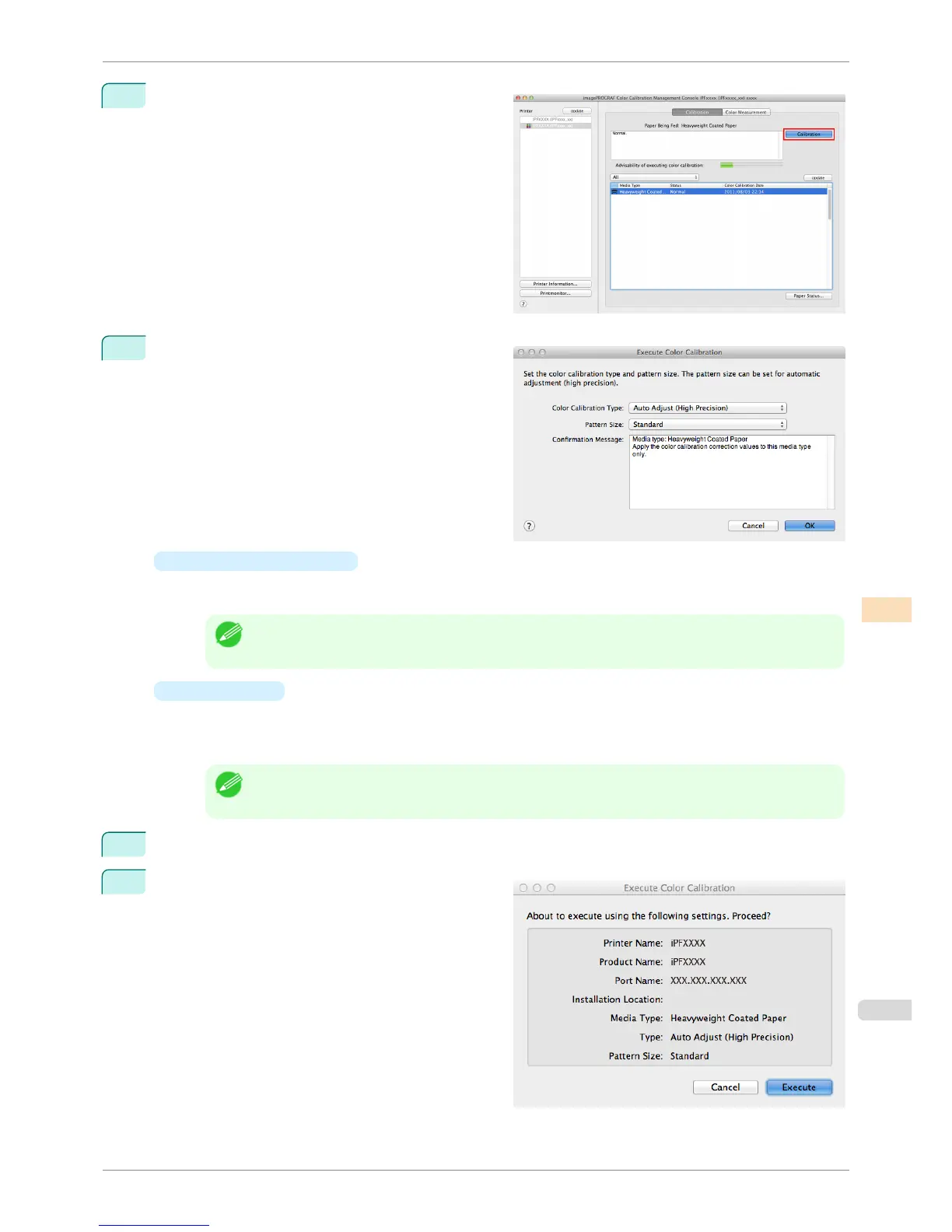
Click the Calibration button.
4
The Execute Color Calibration dialog box is dis-
played.
•
Color Calibration Type
Select Auto Adjust (High Precision) to execute color calibration using the spectrophotometer unit, or
select Auto Adjust to execute color calibration using the sensors in the printer.
Note
• Enabled when a printer that has a spectrophotometer unit installed is selected.
•
Pattern Size
You can select this setting when Auto Adjust (High Precision) is selected in Color Calibration
Type.
We recommend Larger when you want to prioritize the color measurement precision.
Note
• Enabled when a printer that has a spectrophotometer unit installed is selected.
5
Click the OK button.
6
When the Execute Color Calibration dialog box is
displayed, check the details.
iPF6400S
Executing Color Calibration
User's Guide
Color Management Color Calibration Management Console (Mac OS)
801













 To Next Page