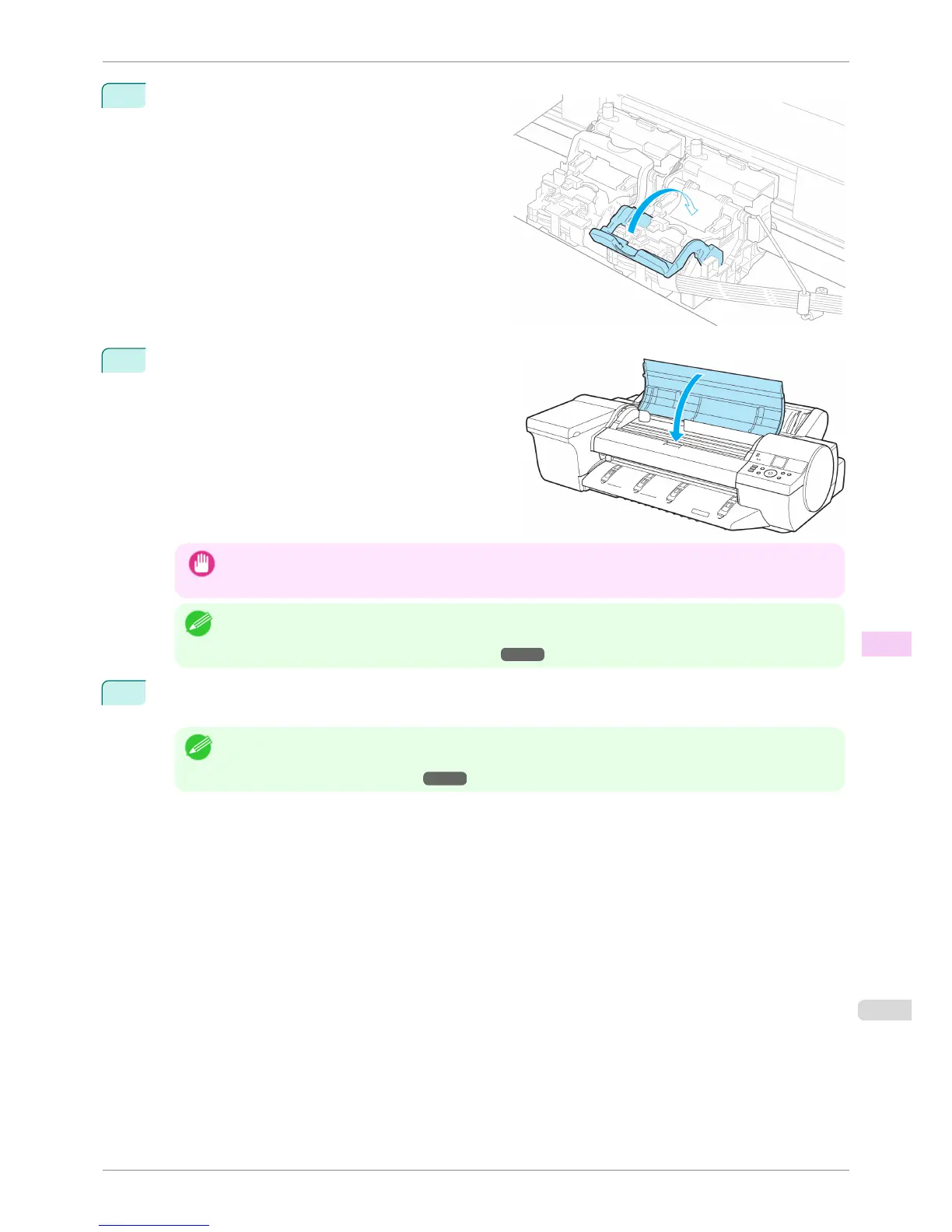
10
Push the Printhead Fixer Lever toward the back of
the printer until it clicks.
11
Close the Top Cover.
Ink is being filled. It takes about nine minutes for ink to
fill the system.
Important
• Never remove an Ink Tank while the system is filling with ink.
Note
• The procedure is now finished if you have set Rep.P.head Print to Off in the Control Panel menu.
In this case, execute the Initial adjustmt of Head Posi. Adj. from the Control Panel menu.
(See "Adjustment When Installing the Printhead.") ➔ P.711
12
Follow the instructions on the Display Screen to advance the paper.
After the paper is advanced the Initial adjustmt of Head Posi. Adj. will be executed automatically.
Note
• When printing fine lines or text at high precision on glossy or semi-glossy photo or proofing paper, set the opti-
mal Printhead height before aligning the printhead.
(See "Enhancing Printing Quality.") ➔ P.706
iPF6400S
Replacing the Printhead
User's Guide
Maintenance and Consumables Printheads
831













 To Next Page