Note
• Printable area: The area that can be printed.
• Guaranteed Print Area: We recommend printing within this area.
• To print so that your original matches the print area exactly, use an oversized paper size that includes the required mar-
gin. (See "Printing on Oversize Paper.") ➔ P.74
• When printing from the Top Paper Feed Slot, you can choose a bottom margin of either 3 mm (0.12 in) or 23 mm (0.91
in).
Specifying Paper Source > Manual in the printer driver leaves a bottom margin of 23 mm (0.91 in). On the other hand,
choosing Manual (3mm margins) in Paper Source sets the bottom margin at 3 mm (0.12 in), which provides a larger
area for printing.
However, Manual (3mm margins) is not available with the following paper.
• Fine Art Photo
• Fine Art Heavyweight Photo
• Fine Art Textured
• Types of paper are subject to change.
For details on types of paper, see the Paper Reference Guide. (See "Types of Paper.") ➔ P.460
Rolls
•
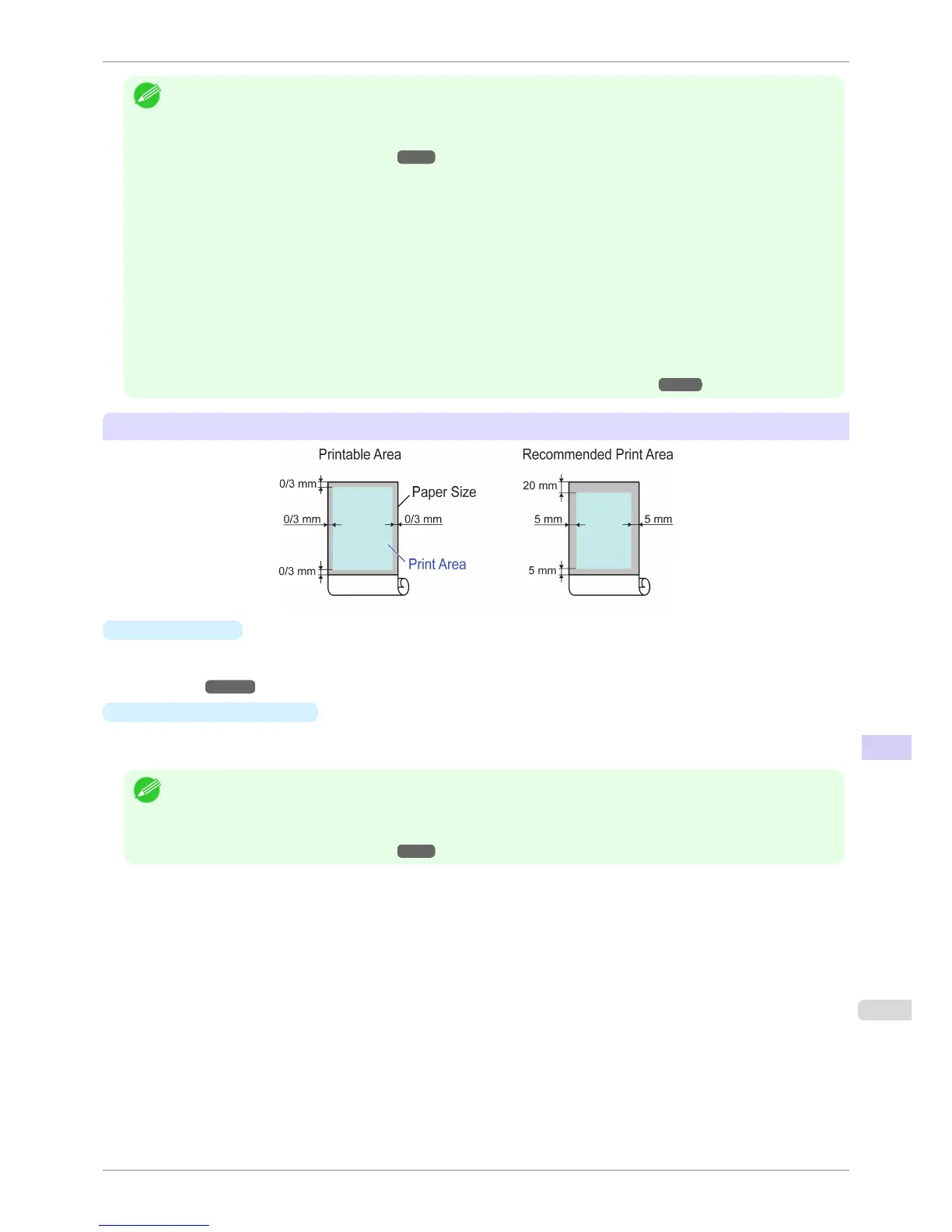
Printable Area
A margin of 3 mm (0.12 in) on all sides is required. During borderless printing, the margin on all sides is 0 mm.
For information on paper compatible with borderless printing, see the Paper Reference Guide. (See "Types
of Paper.") ➔ P.460
•
Recommended Print Area
A margin of 20 mm (0.79 in) on top, 5 mm (0.20 in) on bottom, and 5 mm (0.20 in) on left and right sides is
required.
Note
• Printable area: The area that can be printed.
• Guaranteed Print Area: We recommend printing within this area.
• To print so that your original matches the print area exactly, use an oversized paper size that includes the required mar-
gin. (See "Printing on Oversize Paper.") ➔ P.74
iPF6400S
Print Area
User's Guide
Specifications Printer Specifications
929













 To Next Page