37
Additional Applications
C
C
5
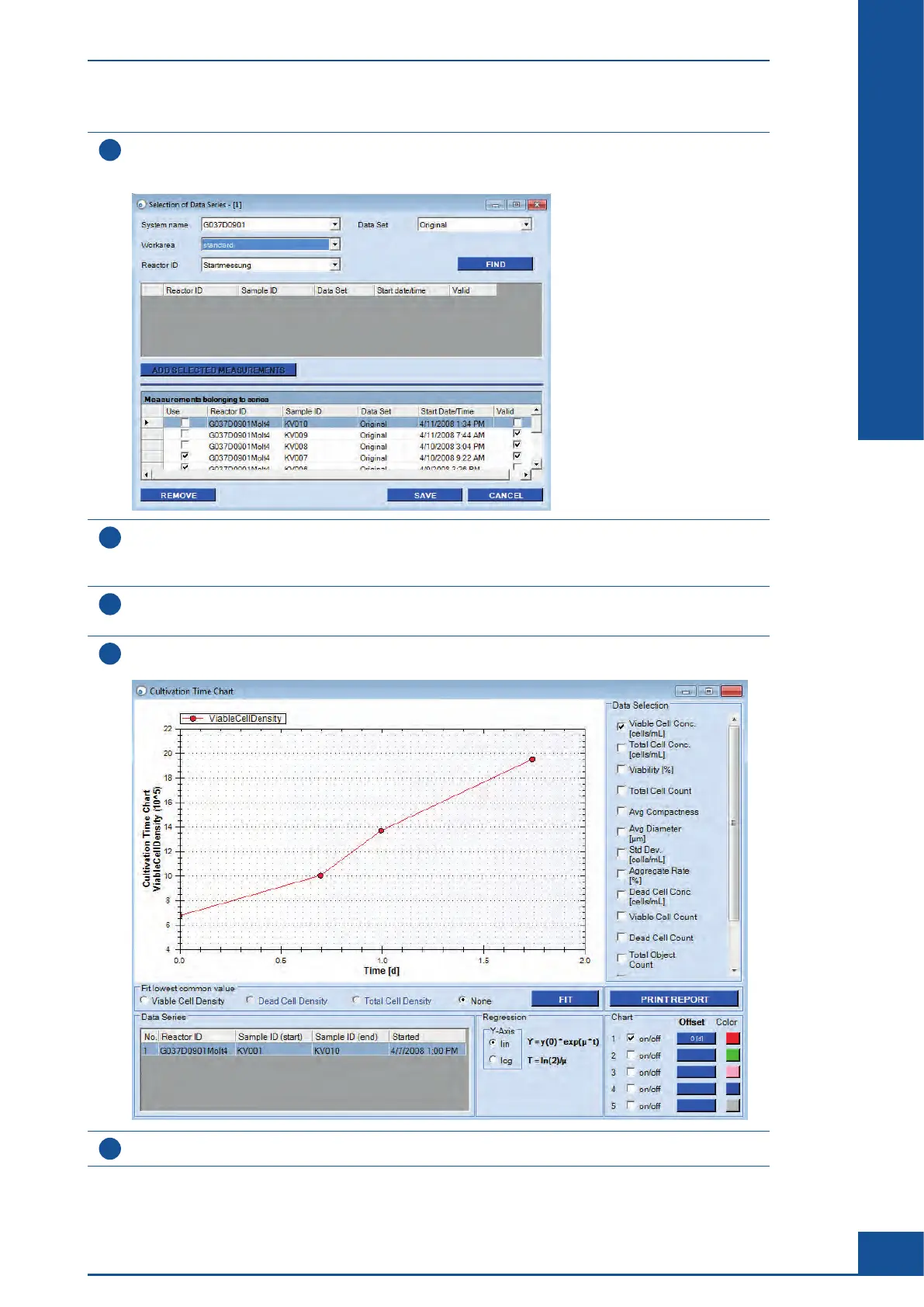
Click on EDIT in the bottom part of the dialog box to edit the list of measurements included in the chart.
The Selection of Data Series dialog box is displayed, showing all measurements used for the chart in the
bottom of the dialog box.
6
Temporarily remove all measurements from the lag and plateau phases via the Use checkbox. Deselect
the checkbox in the Use column for the measurements to be temporarily removed from the CTC.
To add the measurement back to the chart again, select the Use checkbox again.
7
Click on SAVE to save the changes.
The dialog box closes and the CTC Views dialog box is displayed.
8
Click on VIEW CHART to confirm that only results from the measurements relating to the log phase are
shown:
9
Close the dialog box.
ccc
Monitoring Growth of Cells Over Time
Result Analysis



 To Next Page