133
DLITE
Effects
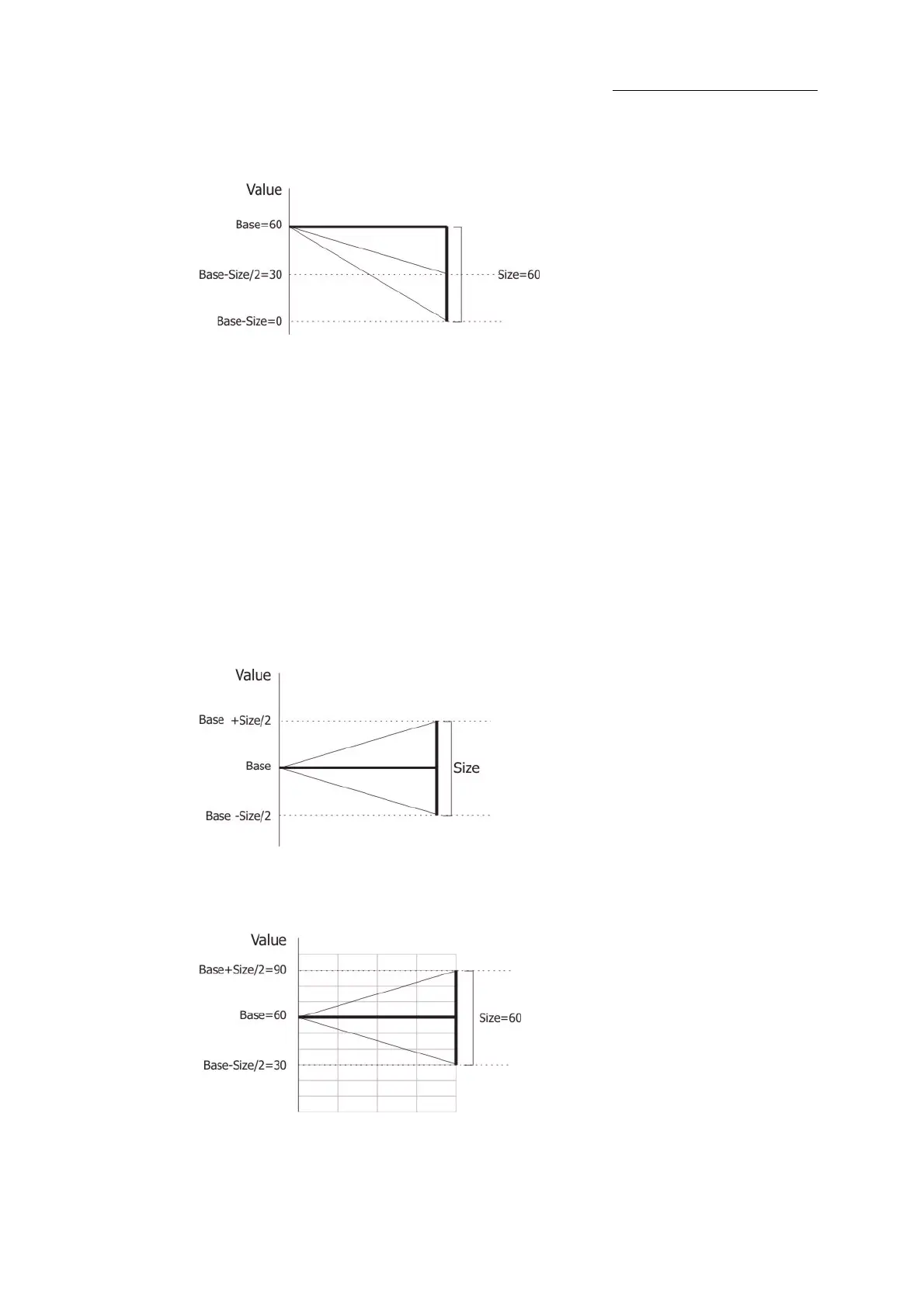
The effect runs from the base (60) to 30 and to 0
To set the direction and scope
1 Select the fixtures and set parameter levels.
2 Press
EFFECT to open the Effect screen.
3 Tap
MORE....
4 Tap
UP CENTER DOWN until the desired setting is displayed next to the fixture number on
the touch screen grid.
Size
Size determines how much movement takes place from the effect’s starting point (the base). Size is
a percentage. The size range is from 0% to 100%. The size default is zr or 50 or FL depending on
the type of parameter.
Figure 32: Size schematic
Example 1: The base is 60, size is 60, swing is center. The range of movement is base +30 and base
- 30.



 To Next Page