4
Compulite
Chapter 1
User interface
Dlite has two graphical user interfaces:
The touch screen
The external monitor
Touch screen
The touch screen contains a grid showing objects or playbacks, context sensitive soft buttons, wheel
labels, and a command line.
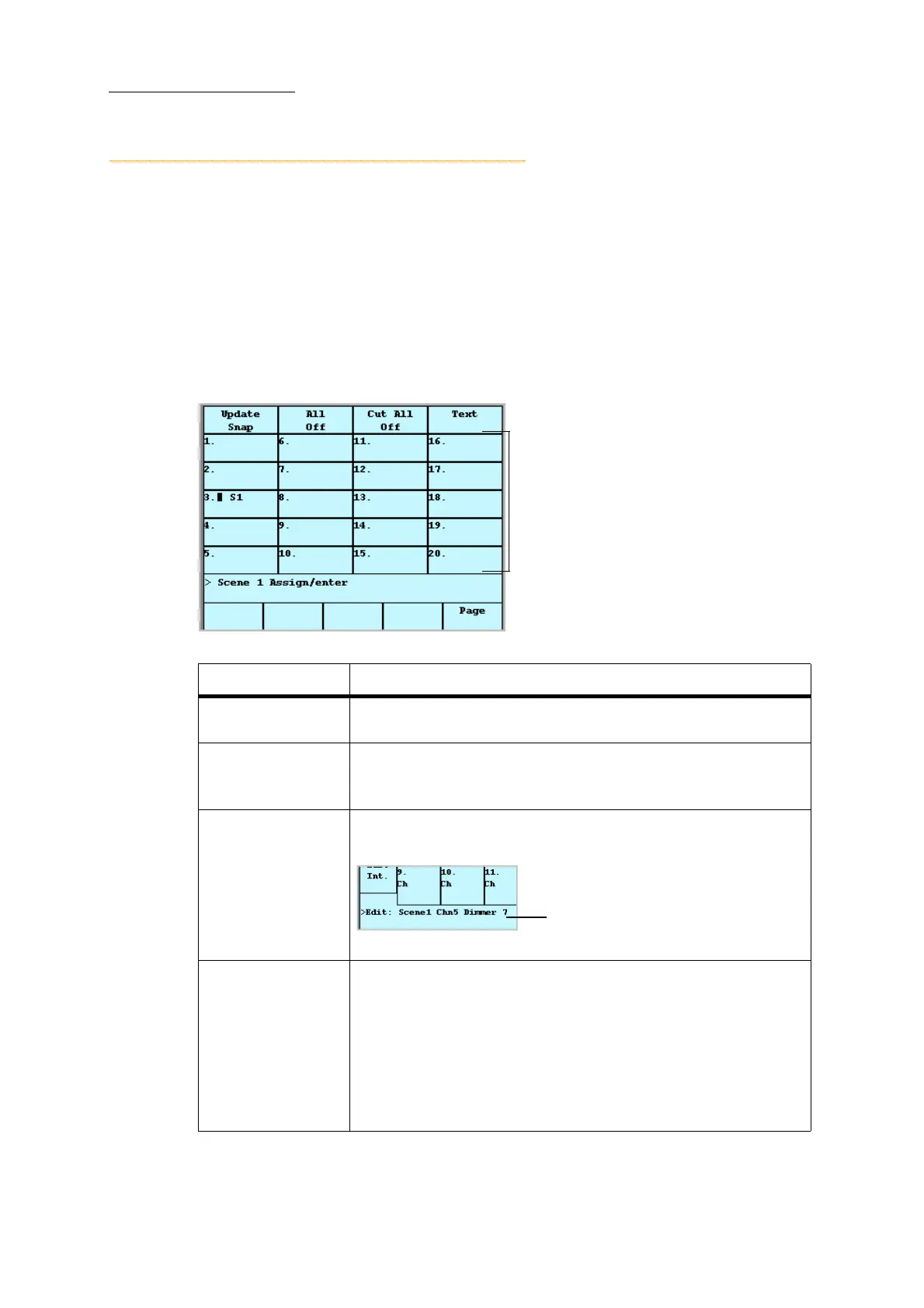
Figure 3: When the editor is idle, the touch screen grid shows the loads on the playbacks
Touch screen area What it is
Soft buttons
Soft buttons are options available on the touch screen. The soft buttons
are context sensitive.
Touch screen grid
In object mode, the touch screen grid represents the UKs (universal
keys). Objects can be selected by tapping the object number on the touch
screen grid.
Command line
The command line is the area where commands, entered using the
console keys or the soft buttons, are displayed.
Figure 4: Touch screen detail showing the command line
Wheel tags
Wheel tags are context sensitive. The touch screen area above each
wheel shows the wheel’s use in the current operation. Examples:
• When a spot is selected, the wheels are used to set parameter levels.
• When editing fade times, the wheels are used to set the times for the
various options.
• When editing effects, the wheels are used to set effect attributes.
• Wheel 3 is used for paging the touch screen grid.
Soft Buttons
Touch screen grid
Command line
Wheel tags and soft buttons
Command line



 To Next Page