134
Compulite
Chapter 9
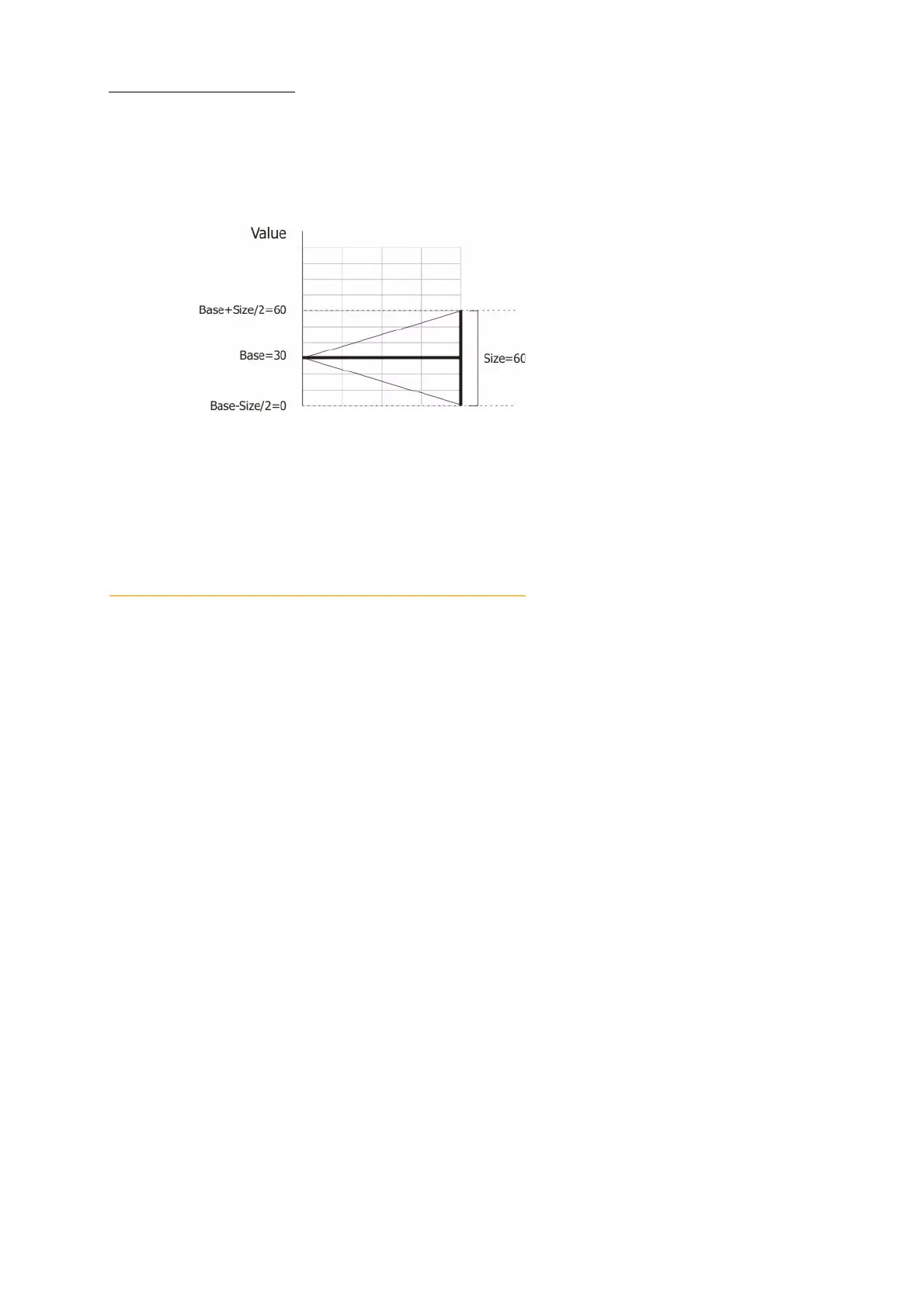
Example 2: The base is 30, size is 60, swing is center. The range of movement is base +30 and base
- 30. The parameter value limits are 60 at the top of the effect and 0 (zero) at the bottom of the
effect.
To change the size
1 Select the fixtures and the parameter.
2 Press
EFFECT to open the Effect screen.
3 Use the size wheel to set the value.
Time attributes
The time attributes are:
Rate
Offset
Rate
The effect’s rate is how many seconds it takes to complete an effect cycle. Example: A rate setting
of 4 seconds means that the entire effect cycle is completed in 4 seconds.
Rates can be positive or negative. A negative rate causes the effect to switch directions. Example: A
circle effect assigned a rate of 10 seconds runs clockwise. A circle effect assigned a rate of -10
seconds runs counter clockwise.
To change the rate
1 Select the fixtures and the parameter.
2 Press
EFFECT to open the Effect screen.
3 Use the time wheel (wheel 1) to set the rate value.
Offset
The offset controls when a spot begins its action within the time cycle.



 To Next Page