Field Service Ver. 1.0 Aug. 2005 7. Other
61
bizhub 200/250/350Maintenance
7.3.18 High Voltage Unit
1. Open the Right Door.
2. Remove the Imaging Unit.
3. Remove the Upper Rear Cover.
☞ 50
4. Remove the Rear Cover.
☞ 51
5. Remove the Toner Suction Fan Motor.
☞ 86
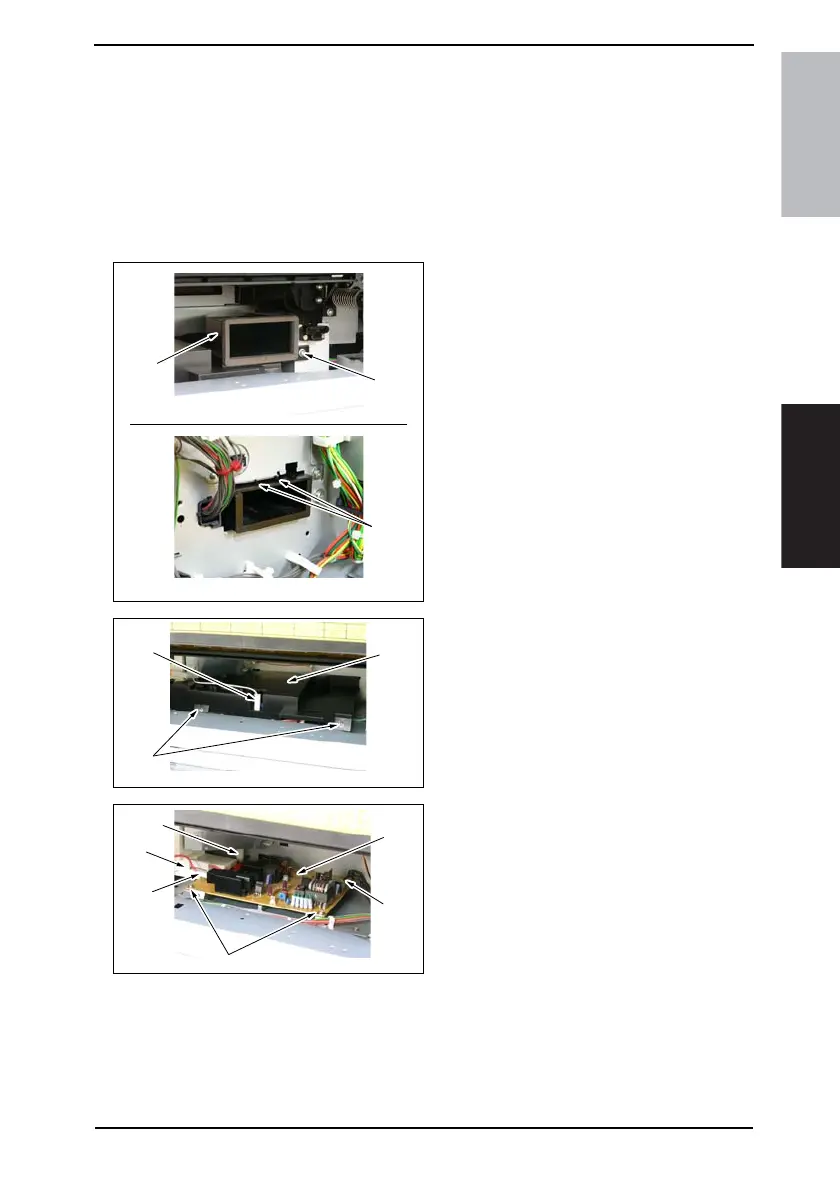
6. Remove the screw [1] and unhook
two tabs [2] on the rear side surface.
Then, remove the Toner Suction
Duct [3].
7. Unplug the connector [4] and remove
two screws [5] and the High Voltage
Unit Cover [6].
8. Unplug four connectors [7] and
remove two screws [8] and the High
Voltage Unit [9].
4040F2C672DA
[1]
[2]
[3]
4040F2C609DA
[6]
[5]
[4]
4040F2C610DA
[7]
[8]
[7]
[7]
[7]
[9]











 To Next Page