9. Utility/Counter Mode Field Service Ver. 1.0 Aug. 2005
120
bizhub 200/250/350
Adjustment / Setting
E. Auto Reset when Account is changed
9.3.4 User’s Choice 4/6
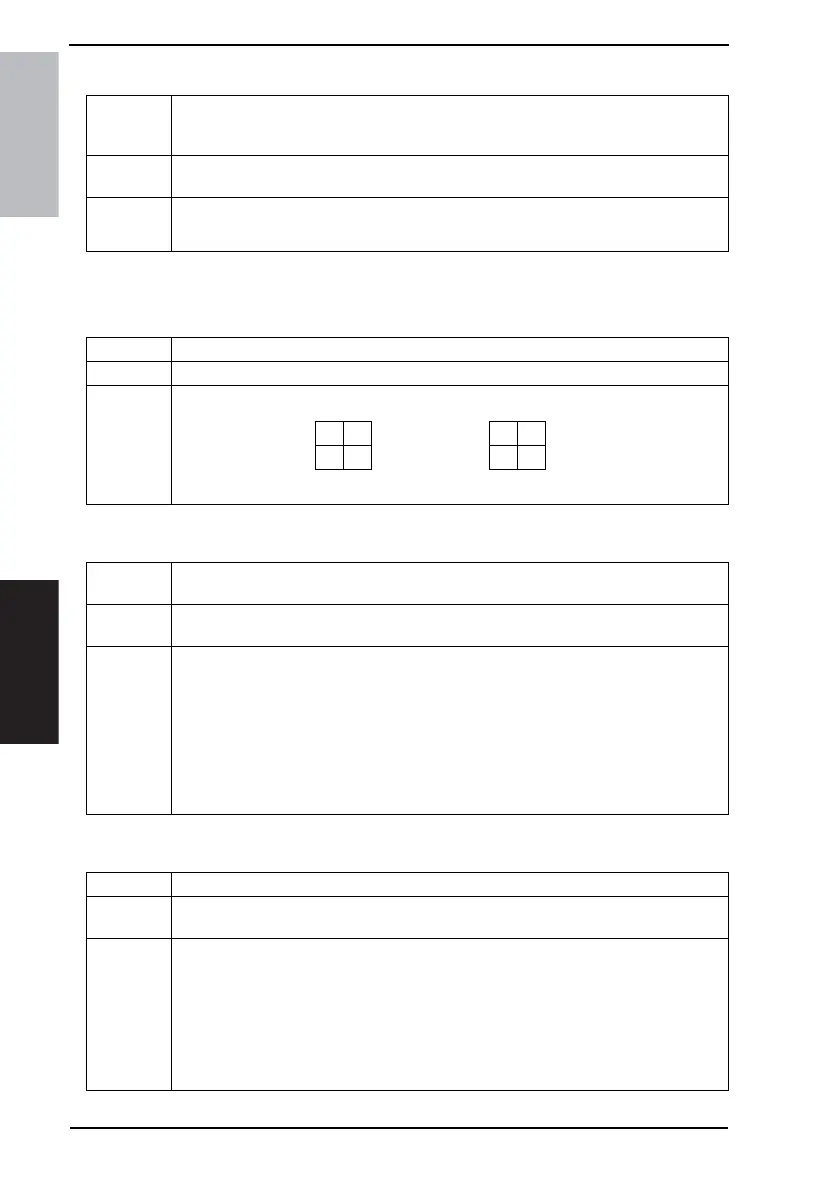
A. 4in1 Copy Order
B. Default Quality/Density Modes
C. Default Copy Density Levels
Functions
• To set so that the screen changes to the initial one when the Plug-in Counter is
removed, a Data Controller card is removed, or the administrator access code is
entered to access the Admin. Management mode.
Use
• To select not to allow the screen to change to the initial one even when the users are
changed as they use a machine for account management.
Setting/
Procedure
• The default setting is “ON”
“ON” OFF
Functions • To select the layout of copied images when a 4in1 Copy setting is selected.
Use • To change the layout of copied images when a 4in1 Copy setting is selected.
Setting/
Procedure
• The default setting is the following layout of copied images.
12 13
34 24
Default
Functions
• To set the default image density and image quality selected when the screen shifts to
the initial one.
Use
• To change the default image density and image quality selected when the screen shifts
to the initial one.
Setting/
Procedure
<Density>
• The default setting is “Auto”.
“Auto” Manual
<Original Type>
• The default setting is “Text”
“Text” Photo Text & Photo
Dot Matrix
Functions • To set the default image density level when the Auto or Manual Exposure is selected.
Use
• To change the default image density level when the Auto or Manual Exposure is
selected.
Setting/
Procedure
When “Auto” is selected:
• The default setting is “Std.”
Lighter “Std.” Darker
When “Manual” is selected:
• The default setting is “EXP5”
EXP1 (Light)
through EXP9 (Dark)











 To Next Page