Field Service Ver. 1.0 Aug. 2005 17. Functions of switches and parts on PWBs
217
bizhub 200/250/350Adjustment / Setting
17. Functions of switches and parts on PWBs
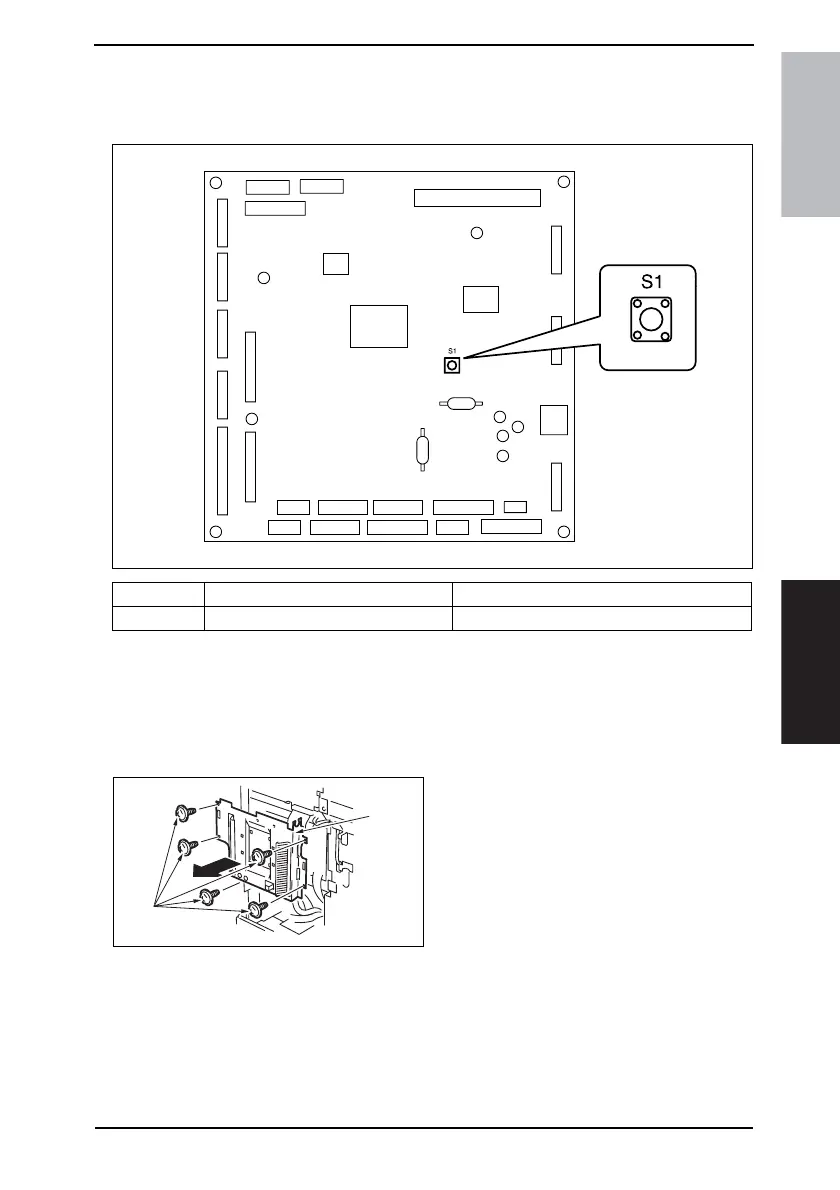
17.1 Test Print Switch (S1)
17.1.1 Procedure
1. Remove the
Upper Rear Cover.
☞ 50
2. Remove the Rear Cover.
☞ 51
3. Remove the five [1] and the Mechan-
ical Control Board Cover [2].
4. Press S1 to start the feed operation.
5. Press S1 a second time to stop the feed operation.
Symbol Name Description
S1 Test Print Switch Produces the test pattern for Function F12.
4040F3C527DA
4040F2C561DA
[2]
[1]











 To Next Page