Field Service Ver. 1.0 Aug. 2005 7. Other
101
bizhub 200/250/350Maintenance
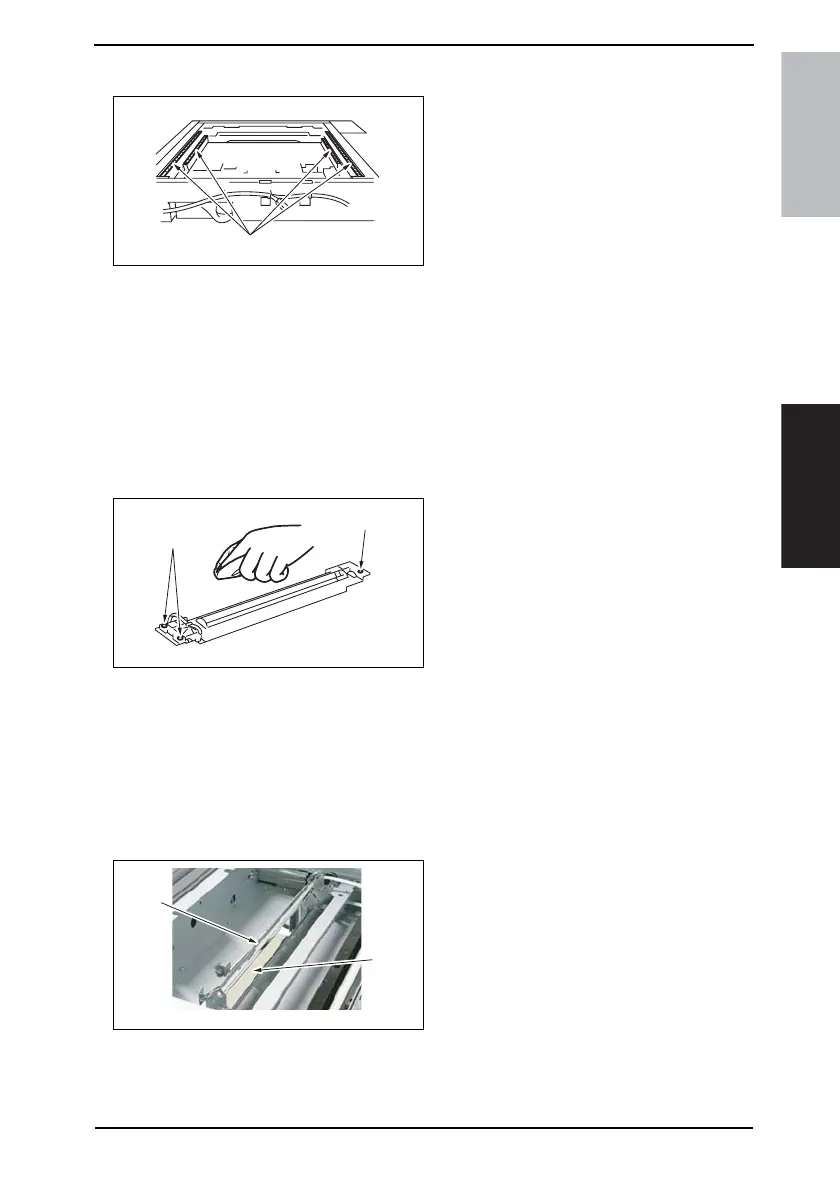
7.4.12 Scanner Rails
1. Remove the IR Upper Left Cover.
☞ 49
2. Remove the Front Holding Bracket.
☞ 49
3. Remove the Original Glass.
☞ 49
4. Using a soft cloth dampened with
alcohol, wipe the Scanner Rails [1]
clean of dirt.
7.4.13 Bushings
1. Remove the IR Upper Left Cover.
☞ 49
2. Remove the Front Holding Bracket.
☞ 49
3. Remove the Original Glass.
☞ 49
4. Remove the Exposure Unit.
☞ 78
5. Using a soft cloth dampened with
alcohol, wipe the Bushings [1] clean
of dirt.
NOTE
• When installing the Exposure Unit,
be sure to perform scanner position
adjustment.
☞ 212
7.4.14 Mirrors
1. Remove the IR Upper Left Cover.
☞ 49
2. Remove the Front Holding Bracket.
☞ 49
3. Remove the Original Glass.
☞ 49
4. Using a soft cloth dampened with
alcohol, wipe the Mirrors [1] clean of
dirt.
4040F2C704DA
[1]
4040F2C702DA
[1]
[1]
4040F2C576DA
[1]
[1]











 To Next Page