7. Other Field Service Ver. 1.0 Aug. 2005
74
bizhub 200/250/350
Maintenance
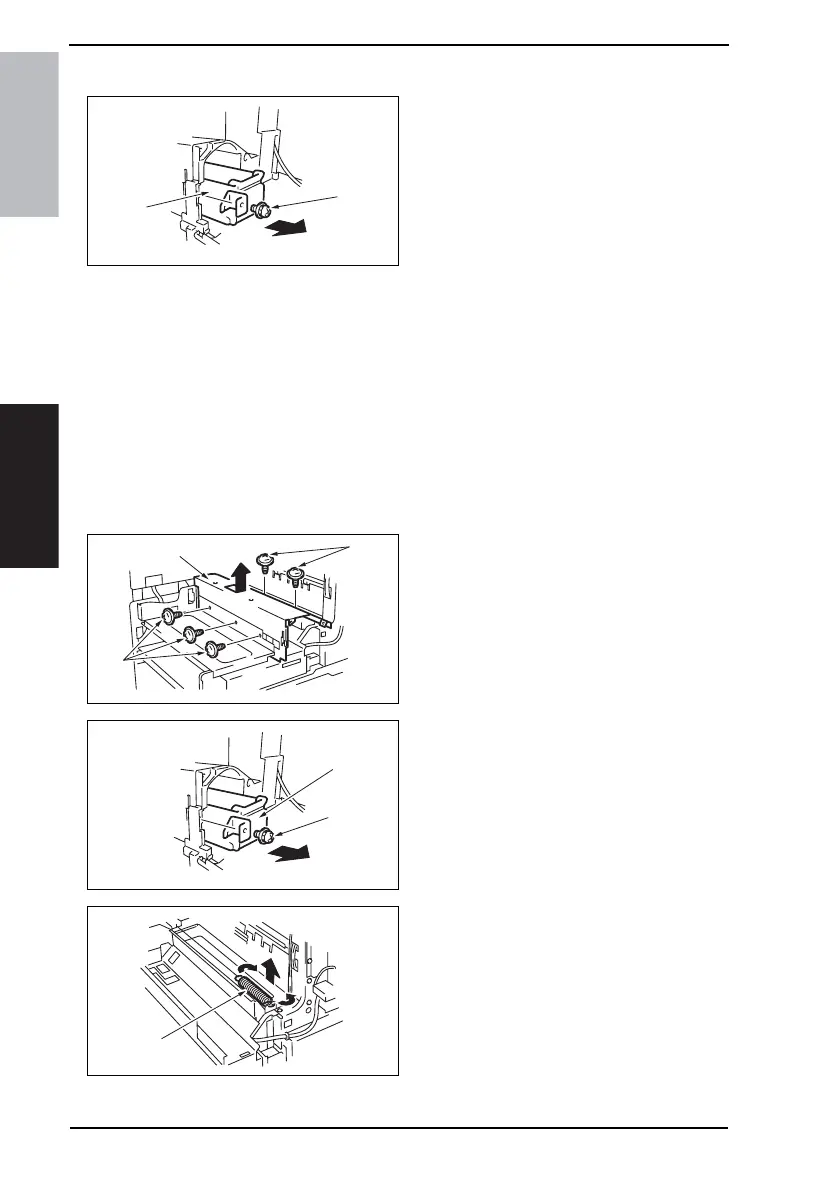
7.3.26 Toner Hopper Unit
1. Open the Front Door.
2. Remove the screw [1] and the Toner
Hopper Unit [2].
7.3.27 Toner Replenishing Drive Unit
1. Remove the Imaging Unit.
2. Remove the Front Door.
☞ 51
3. Remove the Paper Output Cover.
☞ 52
4. Open the Right Door.
5. Remove the Front Cover.
☞ 53
6. Remove the Lower Front Cover.
☞ 52
7. Remove five screws [1] and the toner
hopper protective metal bracket [2].
8. Remove the screw [3] and the Toner
Hopper Unit [4].
9. Close the right door and remove the
pressure spring [5].
NOTE
• Make sure that the right door is
kept closed.
4040F2C568DA
[1]
[2]
4040F2C603DA
[1]
[1]
[2]
4040F2C604DA
[3]
[4]
4040F2C605DA
[5]











 To Next Page