7. Other Field Service Ver. 1.0 Aug. 2005
102
bizhub 200/250/350
Maintenance
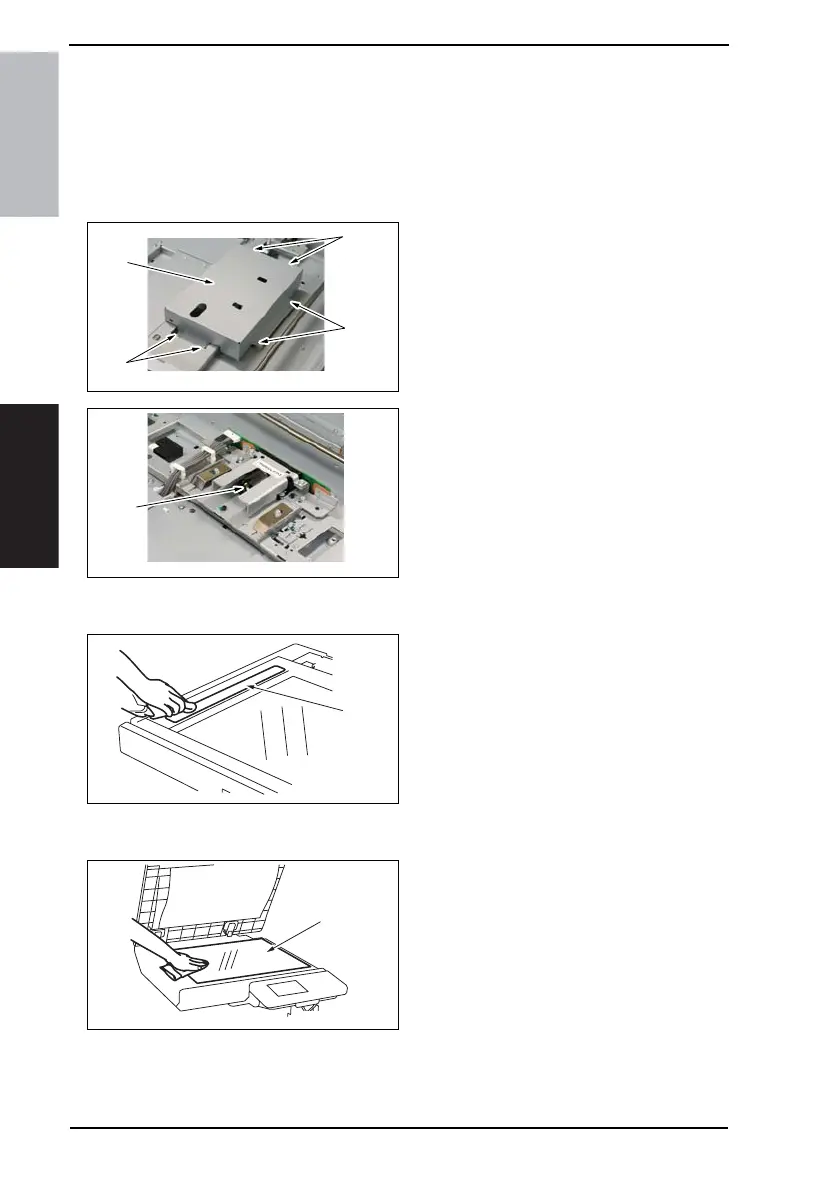
7.4.15 Lens
1. Remove the IR Upper Left Cover.
☞ 49
2. Remove the Front Holding Bracket.
☞ 49
3. Remove the Original Glass.
☞ 49
4. Remove six screws [1] and the CCD
Unit Cover [2].
5. Using a soft cloth dampened with
alcohol, wipe the Lens [3] clean of
dirt.
7.4.16 Original Scanning Glass
1. Using a soft cloth dampened with
alcohol, wipe the Original Scanning
Glass [1] clean of dirt.
7.4.17 Original Glass
1. Using a soft cloth dampened with
alcohol, wipe the Original Glass [1]
clean of dirt.
4040F2C675DA
[1]
[1]
[1]
[2]
4040F2C703DA
[3]
4040F2C551DA
[1]
4040F2C552DA
[1]











 To Next Page