Field Service Ver. 1.0 Aug. 2005 3. Other
15
DF-605Maintenance
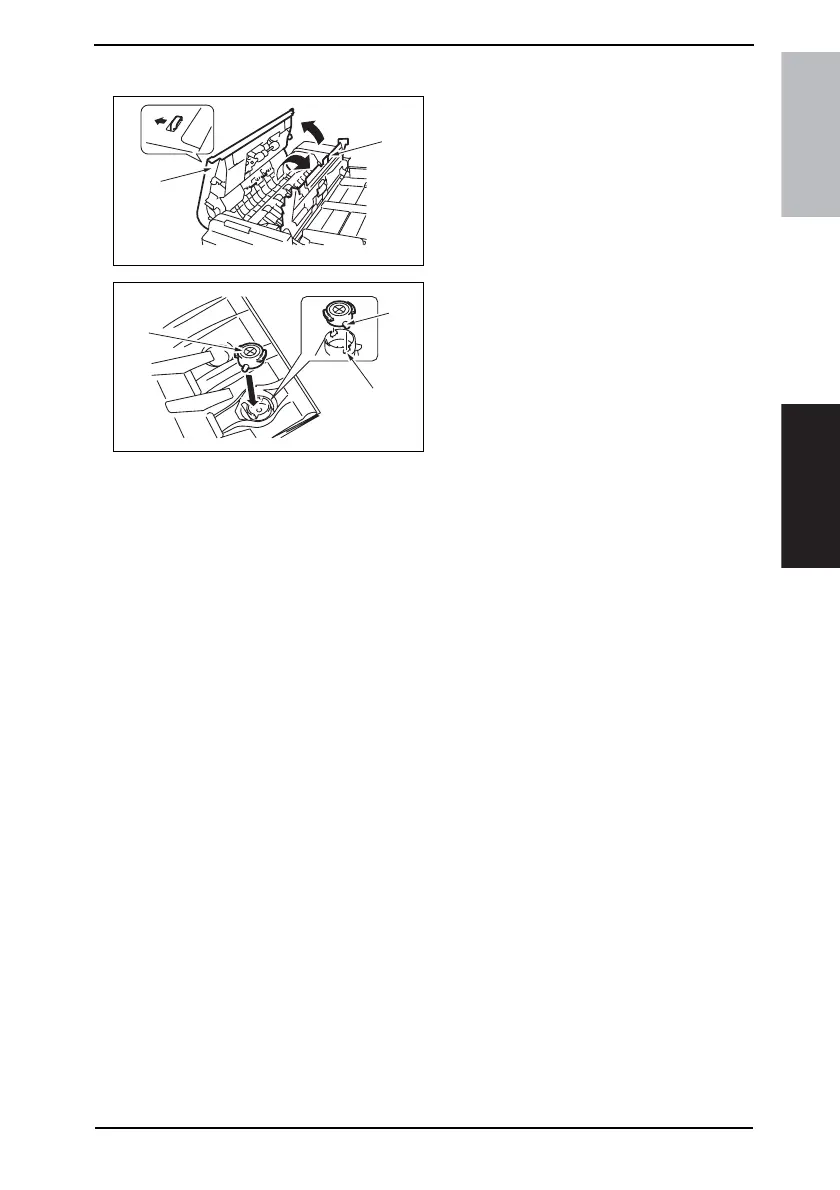
3.3.5 Replacing the Replace Stamp 2
1. Open the Upper Door [1].
2. Open the Processing Guide [2].
3. Remove the stamp.
4. Reinstall the new Replace Stamp 2
[3].
NOTE
• Align the protrusion of the stamp to
the crevice of the holder.
5. Close the Processing Guide.
6. Close the Upper Door.
4344F2C534DA
[1]
[2]
4344F2C537DA
[5]
[4]
[3]











 To Next Page