Field Service Ver. 1.0 Aug. 2005 18. Jam Display
221
bizhub 200/250/350
Troubleshooting
Troubleshooting
18. Jam Display
18.1 Misfeed Display
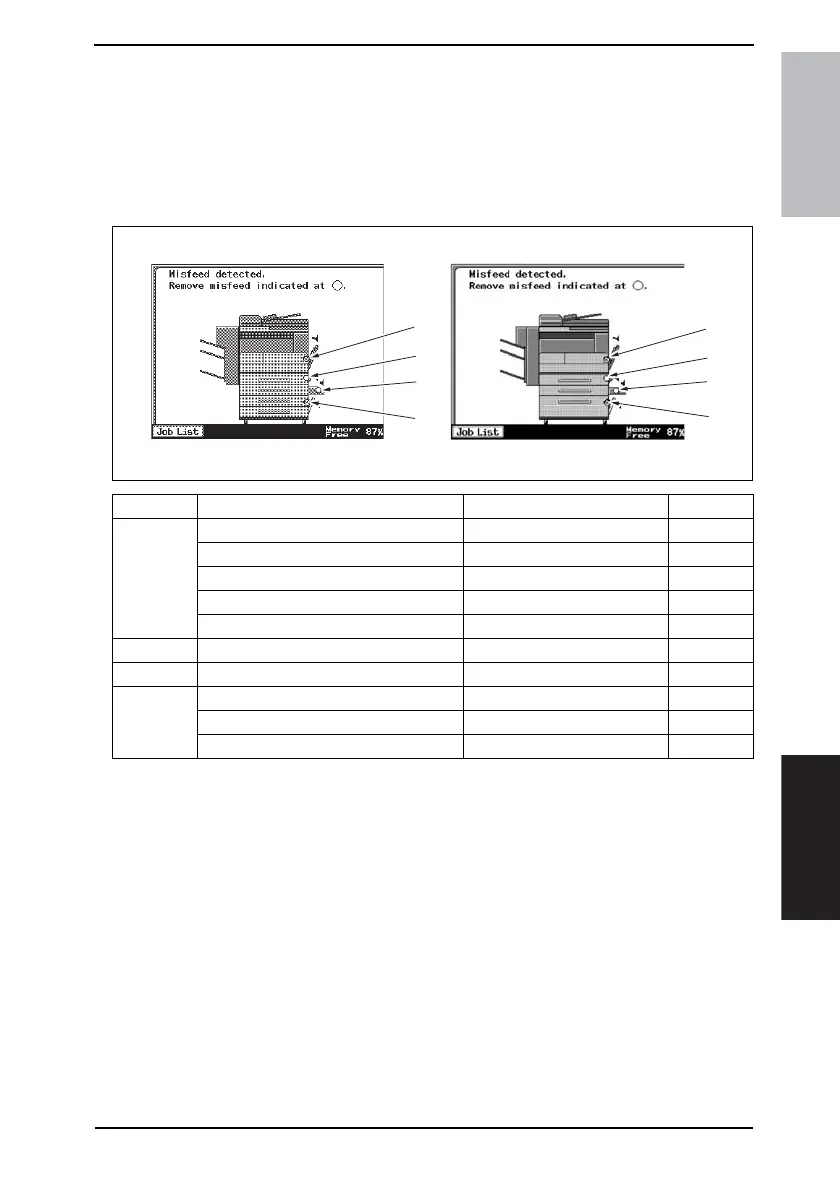
• When a paper misfeed occurs, the misfeed message, misfeed location, and paper loca-
tion are displayed on the Touch Panel of the machine.
18.1.1 Misfeed Display Resetting Procedure
• Open the corresponding door, clear the sheet of paper misfeed, and close the
door.
Display Misfeed Location Misfeed Processing Location Action
[1]
Tray 1 take-up section Right Lower Door
☞ 225
Image Transfer section Right Door
☞ 226
Fusing/Paper Exit section Right Door
☞ 227
Duplex Unit transport section Duplex Unit Right Door
☞ 228
Duplex Unit take-up section Duplex Unit Right Door
☞ 229
[2] Tray 2 take-up/Vertical Transport section Right Lower Door
☞ 230
[3] Manual Bypass take-up section Manual Bypass Slide Board
☞ 231
[4]
Tray 3 take-up section Paper Feed Unit Right Door
☞ 232
Tray 4 take-up section Paper Feed Unit Right Door
☞ 233
LCT take-up section LCT Right Door
☞ 234
4040F4E509DA
[1]
[2]
[3]
[4]
[1]
[2]
[3]
[4]











 To Next Page