9. Utility/Counter Mode Field Service Ver. 1.0 Aug. 2005
124
bizhub 200/250/350
Adjustment / Setting
9.3.7 Store Overlay
NOTE
• Available only when the HD-504 is mounted.
A. Set
B. Delete
C. Check
Functions • To store an image to be called up in overlay.
Use • To store image in the Hard Disk.
Setting/
Procedure
1. Place the original to be stored for overlay.
2. Press the Utility/Counter key.
3. Touch [User Setting] and then [Store Overlay].
4. Touch [Set] and select the number key, in which the image is to be stored.
5. Select the size of the range to be read.
6. Touch [Auto Detect] to let the machine automatically detect the reading range accord-
ing to the image of the original.
7. Touch [Custom Size]. Then, a screen that prompts the user to enter an irregular size
will appear. Touch [X] or [Y], enter the value from the 10-Key Pad, and touch [Enter].
8. Touch the [Enter].
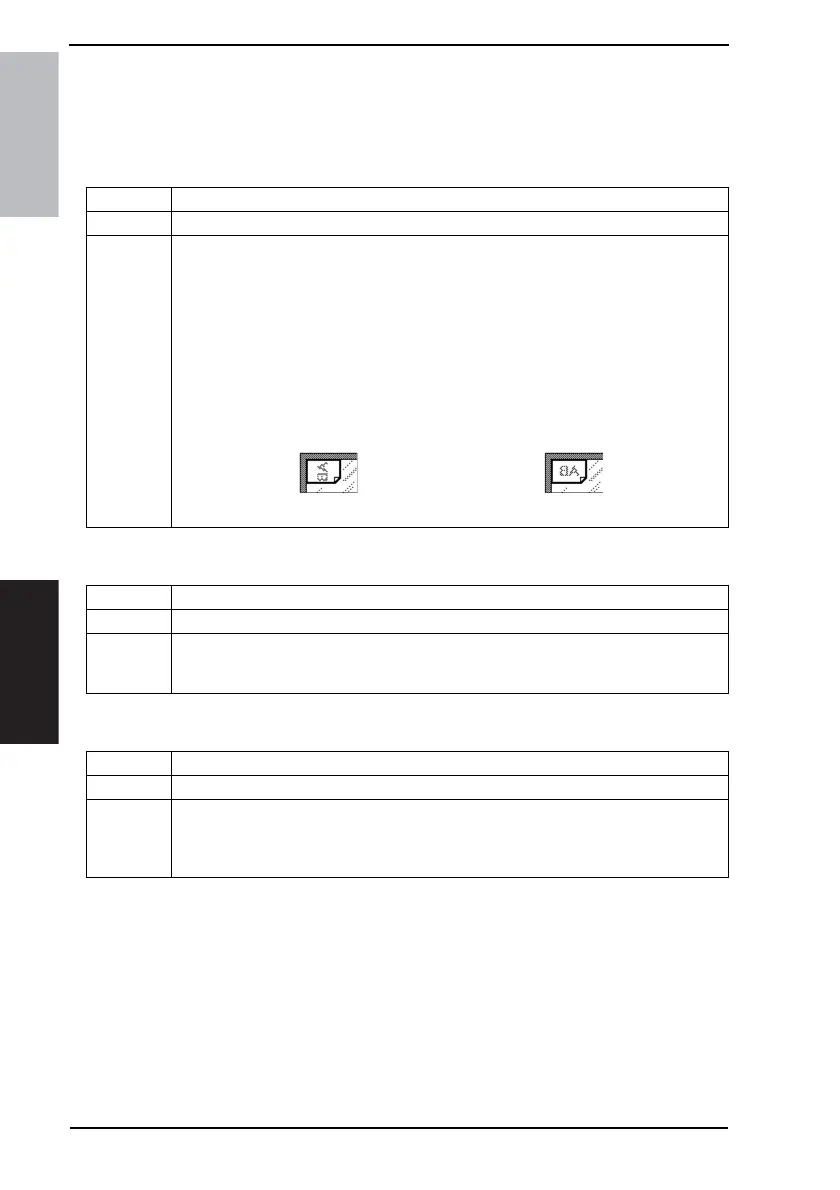
9. Select the orientation of the original.
Portrait: " " Landscape:
10.Press the Start key.
Functions • To delete an image that has previously been stored.
Use • To delete an image that has previously been stored in the Hard Disk.
Setting/
Procedure
1. Press the Utility/Counter key.
2. Touch [User Setting] and then [Store Overlay].
3. Touch [Delete] and select the number key, in which the image to be deleted is stored.
Functions • To check the image that has previously been stored by having it printed.
Use • To check the image that has previously been stored in the Hard Disk.
Setting/
Procedure
1. Press the Utility/Counter key.
2. Touch [User Setting] and then [Store Overlay].
3. Touch [Set] and select the number key, in which the image to be checked is stored.
4. Select paper and press the Start key.











 To Next Page