Field Service Ver. 1.0 Aug. 2005 14. Adjust Mode
205
bizhub 200/250/350Adjustment / Setting
B. Registration (FD)
Functions
• To adjust for variations in the accuracy of IR parts and their mounting accuracy by vary-
ing the scan start position in the sub scanning direction.
Use
• When the Original Glass is replaced.
• When the CCD Unit is with a new one.
Adjustment
Specifica-
tion
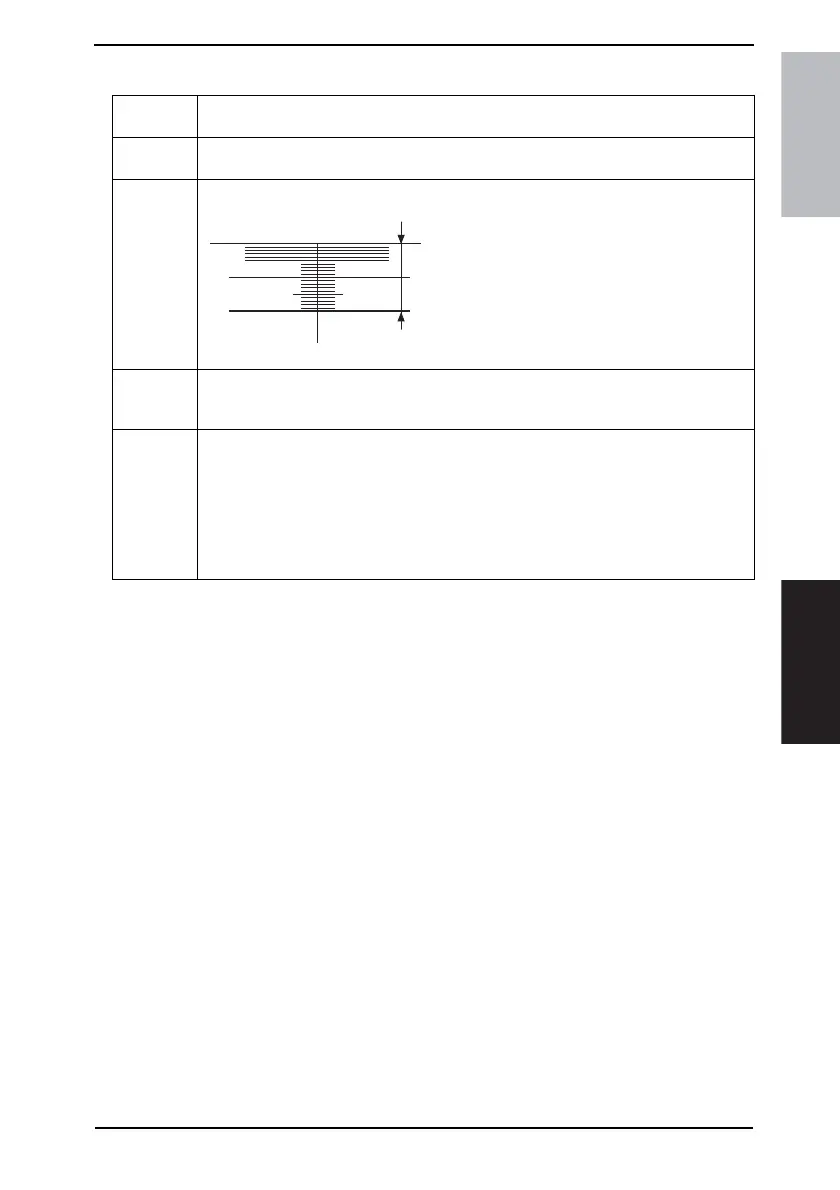
• Adjust so that width B on the sample copy
made falls within the following range.
• It is required that Registration (FD) of Printer be
adjusted so as to meet the specifications.
Specifications: 20 mm ± 1.0 mm
Setting Range: -24 to +72 (1 mm = 24 dot)
Adjustment
Instructions
If width B of the output copy falls outside the specified range and
if width B is 19 mm or less: decrease the setting value.
if width B is 21 mm or greater: increase the setting value.
Setting/
Procedure
1. Position the Test Chart correctly so that the original reference point is aligned with the
scale.
2. Press the Start key to make a copy.
3. Check point B on the image of the copy.
4. If width B on the copy falls outside the specified range, enter the Adjust mode.
5. Touch [Scanner] → [Registration] → [FD] in that order.
6. Press the Clear key and enter the value from the 10-Key Pad.
7. Make adjustments until the specifications are met.
4040F3C524DA
B











 To Next Page