16. Mechanical adjustment Field Service Ver. 1.0 Aug. 2005
214
bizhub 200/250/350
Adjustment / Setting
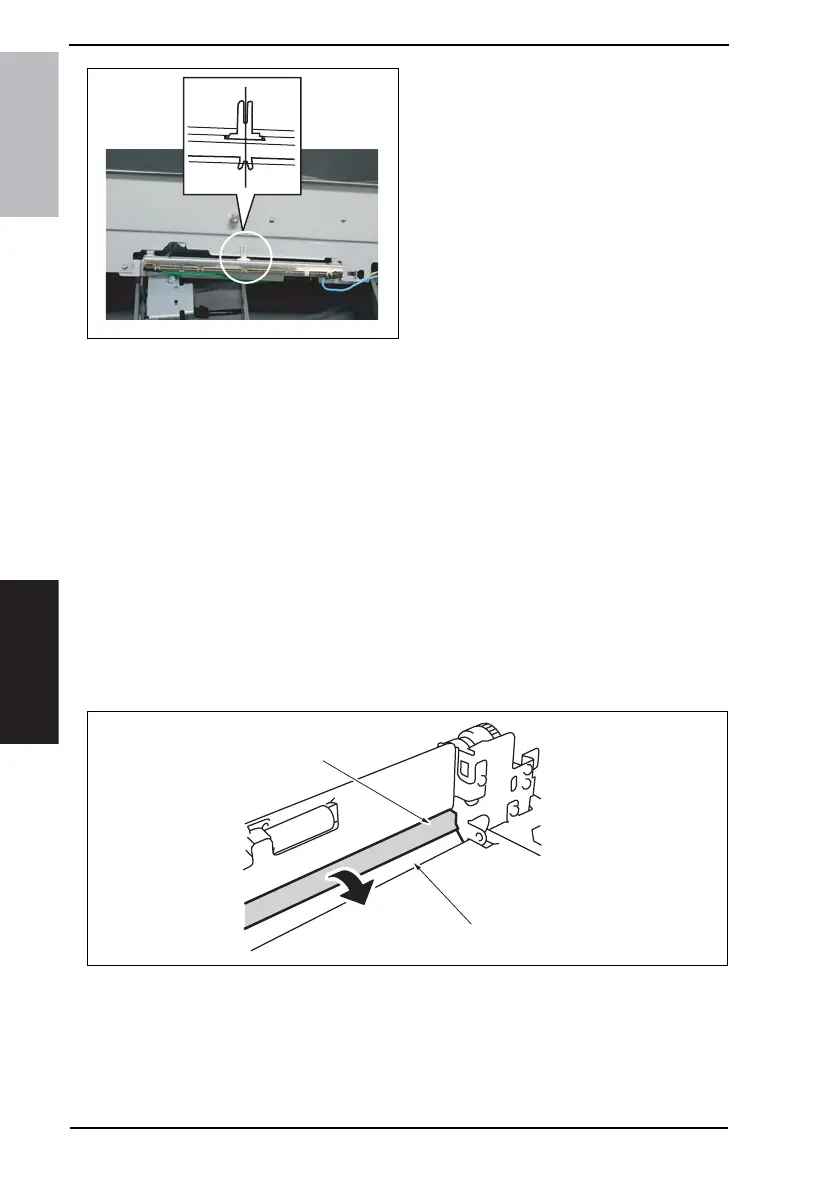
3. When the Bypass Paper Size Unit
base is mounted, align the lever
position of the Bypass Paper Size
Unit with the tab at the center in a
straight line.
4. After the Bypass Paper Size Unit base has been mounted, check that the lever of the
Bypass Paper Size Unit moves smoothly in a manner operatively connected to the
Bypass Guide.
5. Select [Function] from the Tech. Rep. mode and run [FD].
☞ 164
16.2.2 Manual Bypass Unit Installation Check
1. Remove the Rear Right Cover.
☞ 50
2. Remove the Lower Right Rear Cover.
☞ 49
3. Remove the Front Manual Bypass Cover.
☞ 55
4. Remove the Rear Manual Bypass Cover.
☞ 55
5. Check the Tray 2 Paper Feed Guide [1] and Manual Bypass Guide [2] for correct opera-
tion.
NOTE
• Pull open the Tray 2 Paper Fed Door in the direction of the arrow and check that it
opens smoothly without binding.
• If the door binds, perform the installation procedures again for the Tray 2 Feed Roll
Assy and Manual Bypass Unit.
4036fs3052c0
4040F3C536DA
[2]
[1]











 To Next Page