2. Firmware upgrade Field Service Ver. 1.0 Aug. 2005
4
Standard Controller
Maintenance
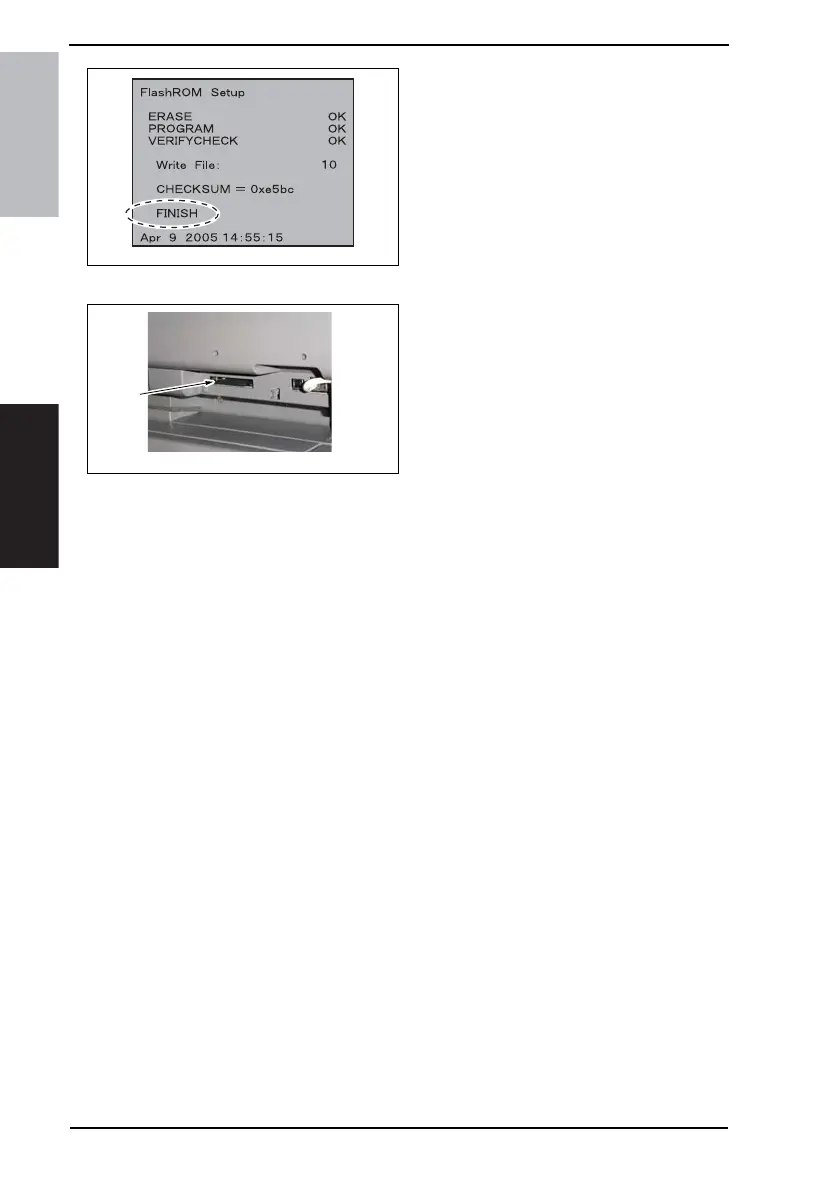
5. The firmware upgrading sequence
will start.
6. When the upgrading sequence is
completed, which is notified by the
message “FINISH” appearing on the
screen, turn OFF the main power
switch.
NOTE
• NEVER turn OFF the main power
switch until the message “FINISH”
appears on the screen.
7. Remove the Compact Flash [2] card
from the slot.
8. Turn ON the main power switch.
9. Call the Tech. Rep. Mode to the screen.
☞ For details of how to display the Tech. Rep. Mode screen, see the Adjustment/Setting
of the main unit service manual.
10. Select [ROM Version].
11. Make sure if the version of Firmware is updated.
4040F2C749DA
4040F2C597DA
[2]











 To Next Page