11. Soft Switch List Field Service Ver. 1.0 Aug. 2005
72
FK-503
Adjustment / Setting
NOTE
• The features with (*) are settable by users. *: Screen setting
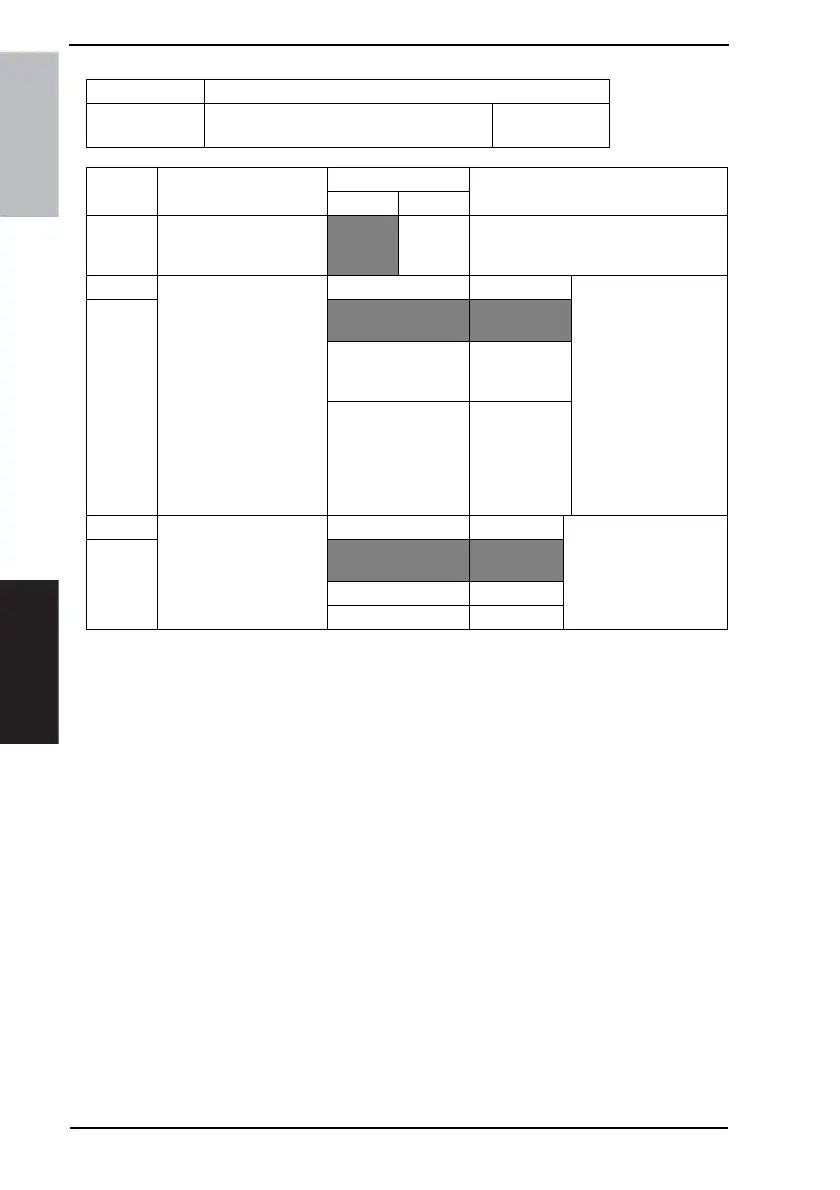
MODE Factory setting bit
033
Bit: 7654 3210
0001 0100
HEX:14
Bit Feature
Logic
Description
01
6 Initial setting of 2-sided
TX
No 2-
sided-TX
mode
2-sided
TX mode
5 Select draft printing mode. Bit 5-4: 00 No draft mode “Toner saving mode”
follows # of skipped pix-
els (Bit Nos. 3 to 2).
“High resolution saving
mode” in which each
pixel’s size will be
reduced, follows # of
skipped pixels (Bit Nos.
3 to 2) for only at points
of transition between
white-black along the
direction of main scan-
ning.
4
01 Toner saving
mode
10 High resolu-
tion saving
mode
11 Not available
3 Select draft printing level. Bit 3-2: 00 No skipping Specifies skipped print-
ing level for copy, RX,
and report printing.
2
01 Skip 1/4
pixel
10 Skip 2/4 pixel
11 Skip 3/4 pixel











 To Next Page