122 Hog 4 Operations Manual
5.5 Fixture Aggregation
Sometimes a cluster of fixtures, although separate and independent from one another,
frequently need to be selected and programmed together while still maintaining the ability to
be selected, programmed, and patched individually. Hog 4 OS solves this problem with a
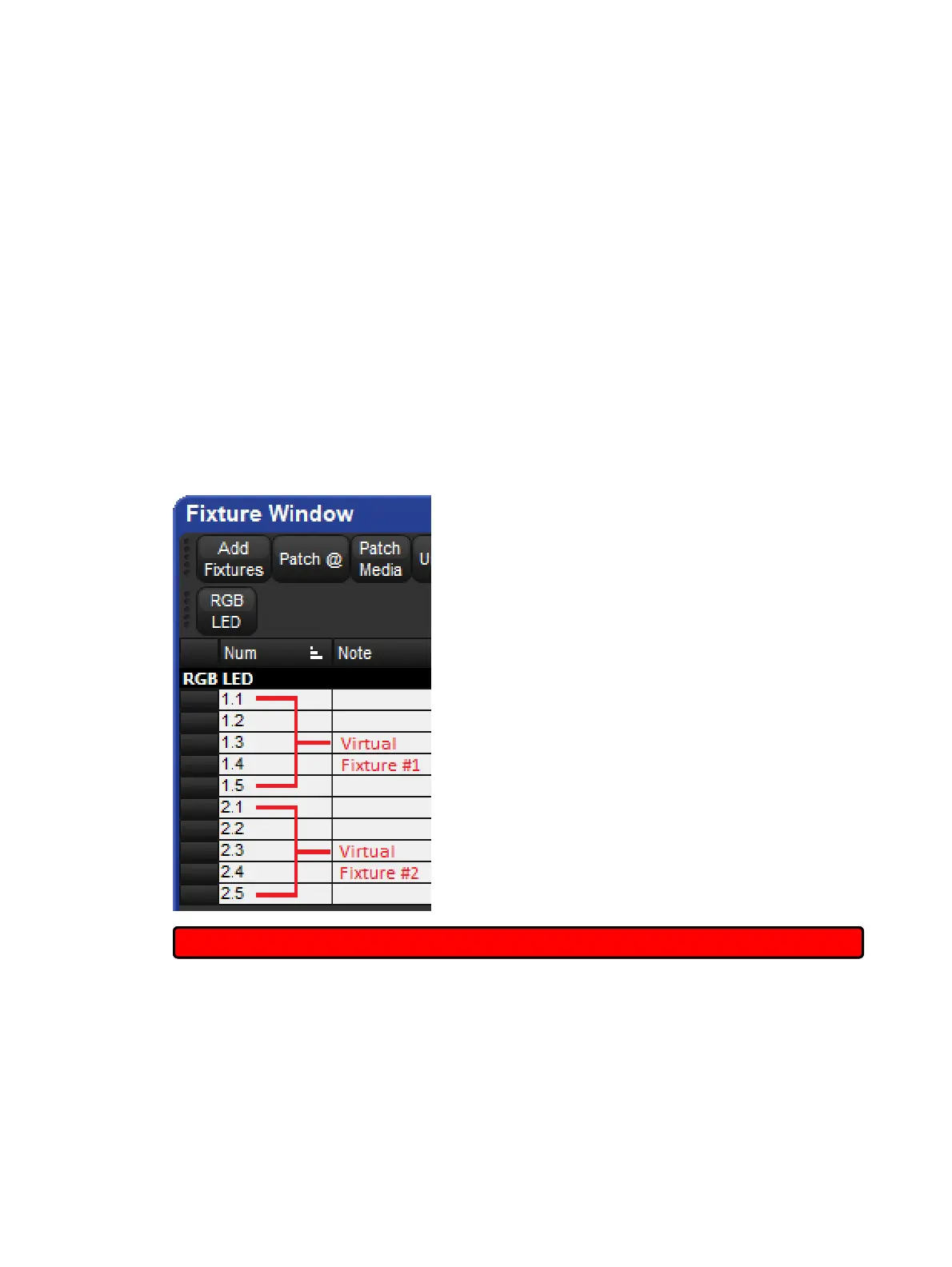
feature called fixture aggregation. To aggregate fixtures, simply assign dotted user numbers
to the fixtures you wish to cluster together, ensuring that they share a common whole number
and unique part numbers. For details on how to assign dotted user numbers to fixtures refer to
Assigning Dotted User Numbers to Fixtures.
To select all fixtures in an aggregation: enter the common whole number shared among the
fixtures on the command line and press enter.
To select an individual fixture in an aggregation: enter the whole number and part number of
the fixture on the command line and press enter.
The fixture selection mechanisms described in Selecting Fixtures can also be used to
further sub-select, range select, or laterally select specific fixtures in the aggregated fixture
cluster.
Fixture window showing aggregated RGB LED
Important: Compound fixtures cannot be aggregated.











 To Next Page