6. Selecting and Modifying Fixture Parameters 177
6.6 Separating Parameters
When recording a cue, scene or palette, Hog 4 OS only records parameters that have been
changed or touched since the last cue was recorded. See Tracking and Working with
Tracking.
However, some parameter types are treated as a single fixture ‘attribute’, so for example
when you touch one of the three colour parameters of a colour mixing fixture (cyan, magenta
or yellow), the other two are automatically touched at either their current value from playback,
or at their default values.
For most purposes this provides the results that you would expect but there may be
situations where you want to separate the linked parameters, for example to run separate
chases with the cyan, magenta and yellow parameters.
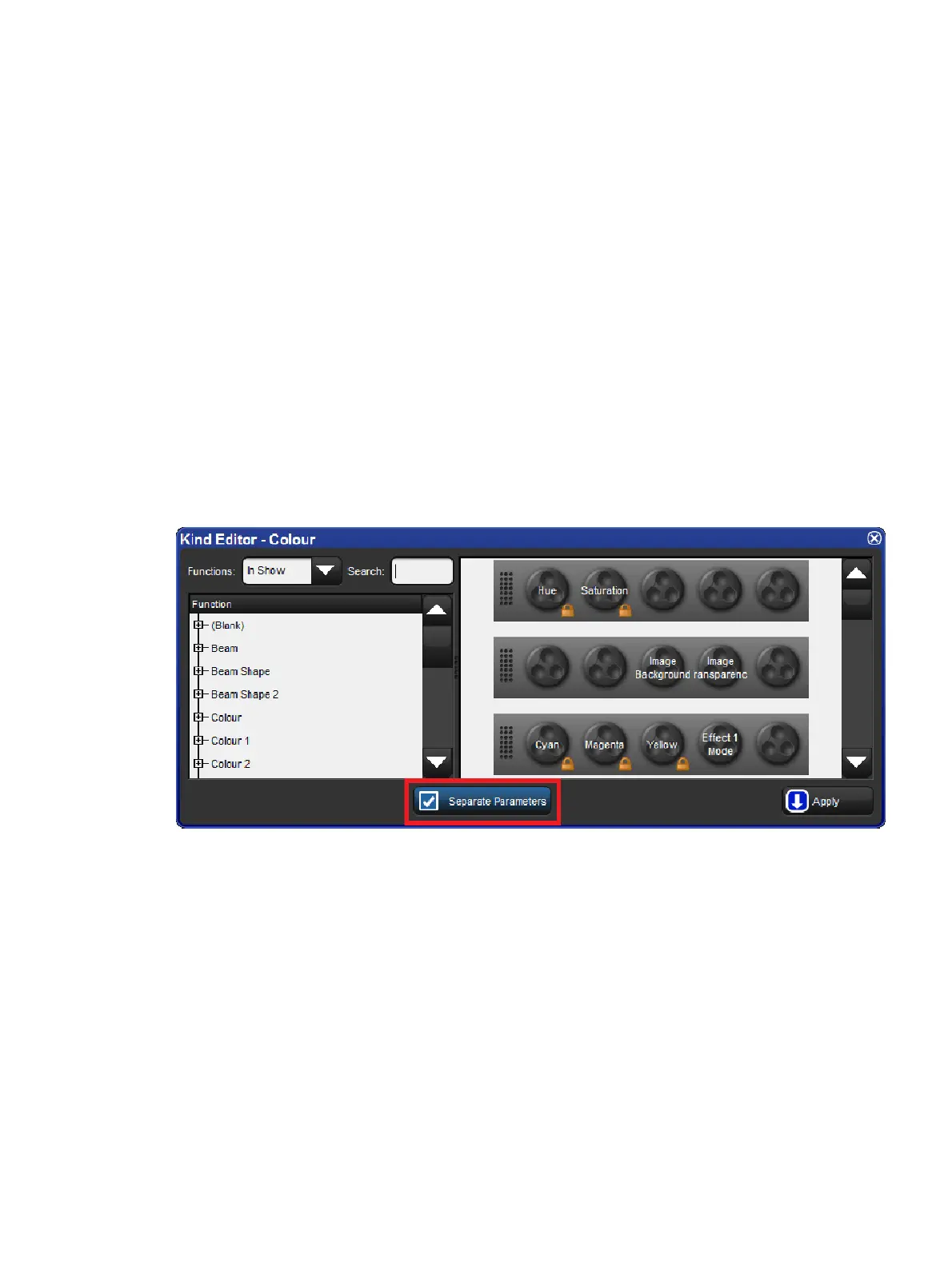
By default, Hog 4 OS links all position parameters together, and all colour parameters
together. You can separate linked parameter types in the kinds editor window for both fixed
and user kinds:
1. Hold Open key and select the Kin ds; button from the setup toolbar.
2. Toggle separating parameters on and off by pressing the parameter type buttons
Kind Editor showing the Separate Parameters Option











 To Next Page