15. Kinds and Wheelsets 287
15.2 Wheelsets
Wheelsets are the building blocks of both fixed kinds and user kinds. They specify how
fixture funtions assigned within a kind are displayed on the console's main encoder wheels
when a fixture selection is made.
Note: The center wheel located below the center touchscreen on the Hog 4 console's front
panel is configured separately from the wheelsets established in the fixed or user kinds. For
more information on the center wheel's function assignments: Center Wheel Preferences
Every effort has been made by the developers of the Hog 4 OS to provide you with a logical
wheelset arrangement by default but sometimes a re-arrangement of the functions within a
wheelset or a re-arrangement of the wheelsets themselves is neccessary. This section is
intended to increase your understanding of how to manage the wheelsets in your show.
To access the wheelset for any particular fixed or user kind:
1. Open + Kinds opens the Kinds Directory Window.
2. Hold Open and click on any existing kind in the Kinds Directory
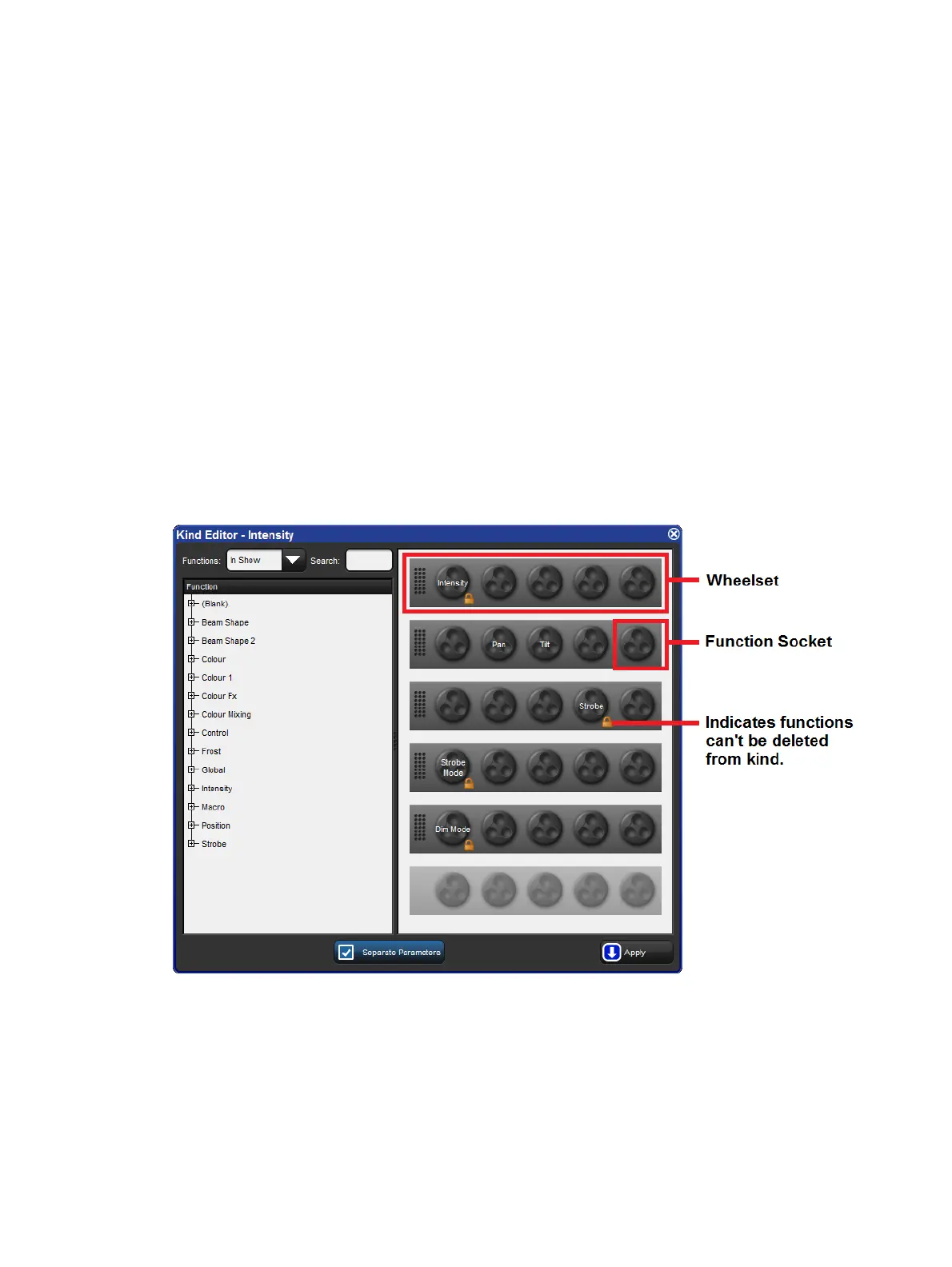
Within each kind editor are two main sections. On the left is a list of functions. On the right is
a graphical interface showing sets of encoder wheels arranged in groups of five. Each one of
these groups of encoder wheels is called a wheelset.
Wheels are holding places for fixture functions and coordinate with the encoders on the front
panel. You will notice that several wheelsets can exist within a single kind editor.
To assign a function to a wheelset: Click and drag a function from the list of functions on
the left hand side of the window to any wheel on one of the wheelsets.
To delete a function from a wheelset: Click on the function. It will highlight in blue. Press
the backspace key on the front panel. The function will be deleted from the wheelset.











 To Next Page