5. Adding, Patching and Managing Fixtures 121
To change the user numbers of several fixtures to dotted user numbers at once:
1. Open + Fixtu re
2. Select a range of User Number cells by clicking / pressing and dragging.
3. Set, [ w h o l e n u m b e r ] / [ p a r t s p e r w h o l e n u mb e r ] , Enter. This syntax will
allocate a range of User Numbers to the selected cells starting with the specified whole
number and will increment the value of each of the selected cells by one part number
until the specified number of parts per whole number is reached at which point the
whole number value will increase by one.
Example A: [1] / [3] will assign the selected user num cells values of [1] , [1.1] , [1.2] , [1.3] ,
[2] , [2.1] , and so on.
Example B: [1.1] / [3] will assign the selected user num cells values of [1.1] , [1.2] , [1.3] ,
[2.1] , [2.2] , [2.3] , [3.1] , and so on.
Example C: [1.1] / [1] will assign the selected user num cells values of [1.1] , [2.1] , [3.1] ,
and so on.
5.4 Compound Fixtures
Compound fixtures are single fixture entities comprised of one or more selectable fixture
parts. Compound fixtures are added to a show using the fixture schedule window the same
way as ordinary fixtures. Once a compound fixture is scheduled all of its parts can be viewed
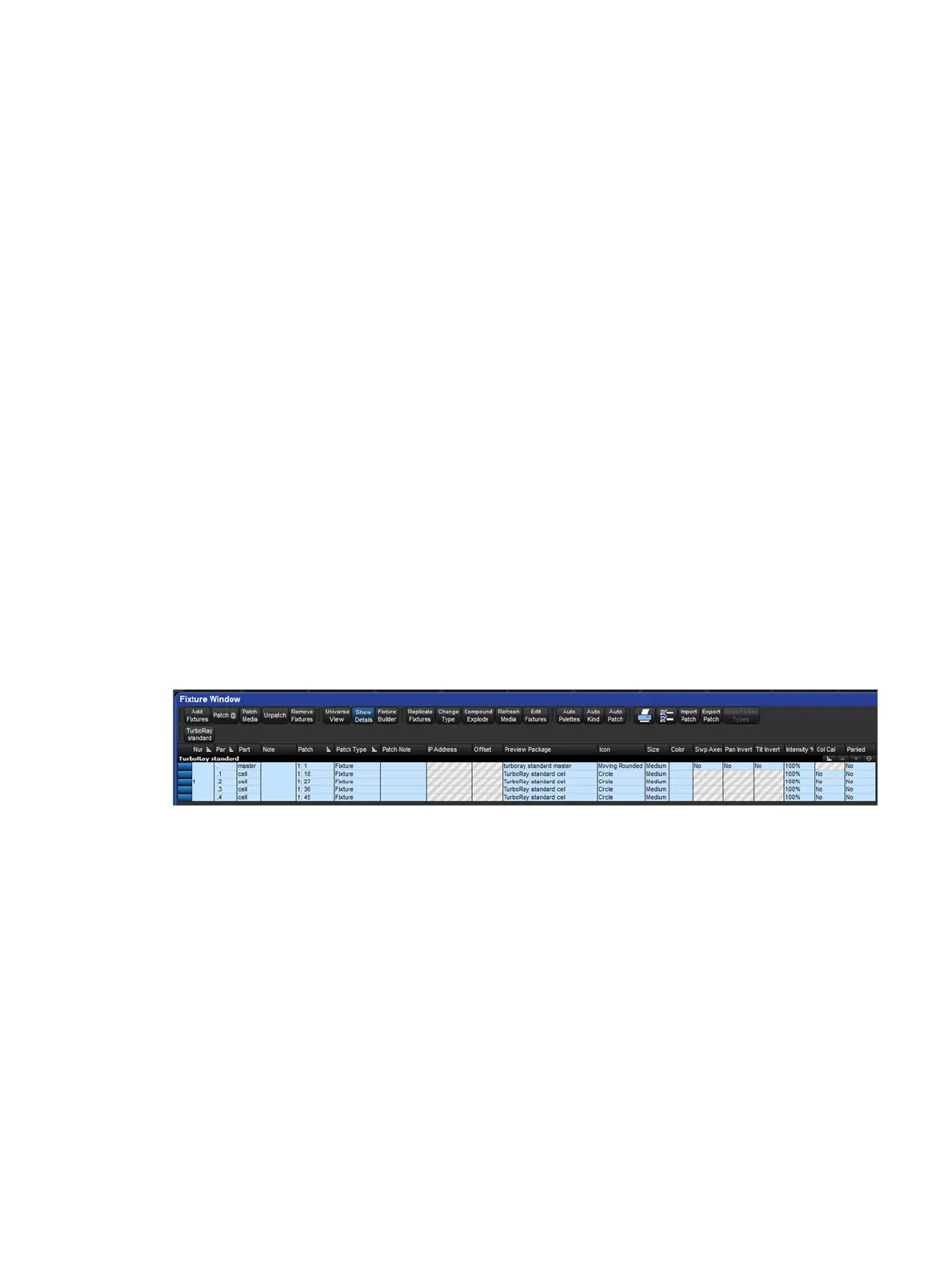
in the fixture window by enabling the show details button at the top of the fixture window. The
part numbers assigned to the individual parts of a compound fixture can be modified in the
fixture window when show details is enabled by clicking on the part number cell and pressing
the set key. Please note that every part number within a single compound fixture must be
unique and that dot (period) is a legitimate part number on its own.
Example of a compound TurboRay fixture shown in the fixture window when the show details
button is enabled:
All parts of a compound fixture can be selected by entering the whole number assigned to the
compound fixture on the command line and pressing enter. Individual parts of a compound
fixture can be selected by entering the whole number and part number of the fixture part on
the command line and pressing enter. See Selecting Fixtures for more details on selecting
compound fixtures and aggregated fixtures with dotted user numbers.
5.4.1 Compound Fixture Explode
The parts of a compound fixture can be broken up into individual stand-alone fixtures by
opening the fixture window, selecting the compound fixture, and pressing the Compound
Explode at the top of the fixture window. The new individual fixtures that result from the
compound explode retain their programming but now function as regular stand-alone fixtures
that can be patched, programmed, and change typed on an individual basis.











 To Next Page