3. Setting up the System 65
3.3 HogNet Network
On the back of every Hog 4 OS console is a dedicated Base-T Ethernet jack that can be used
for connecting to a network of DMX Processors, computers, and other consoles. If there is
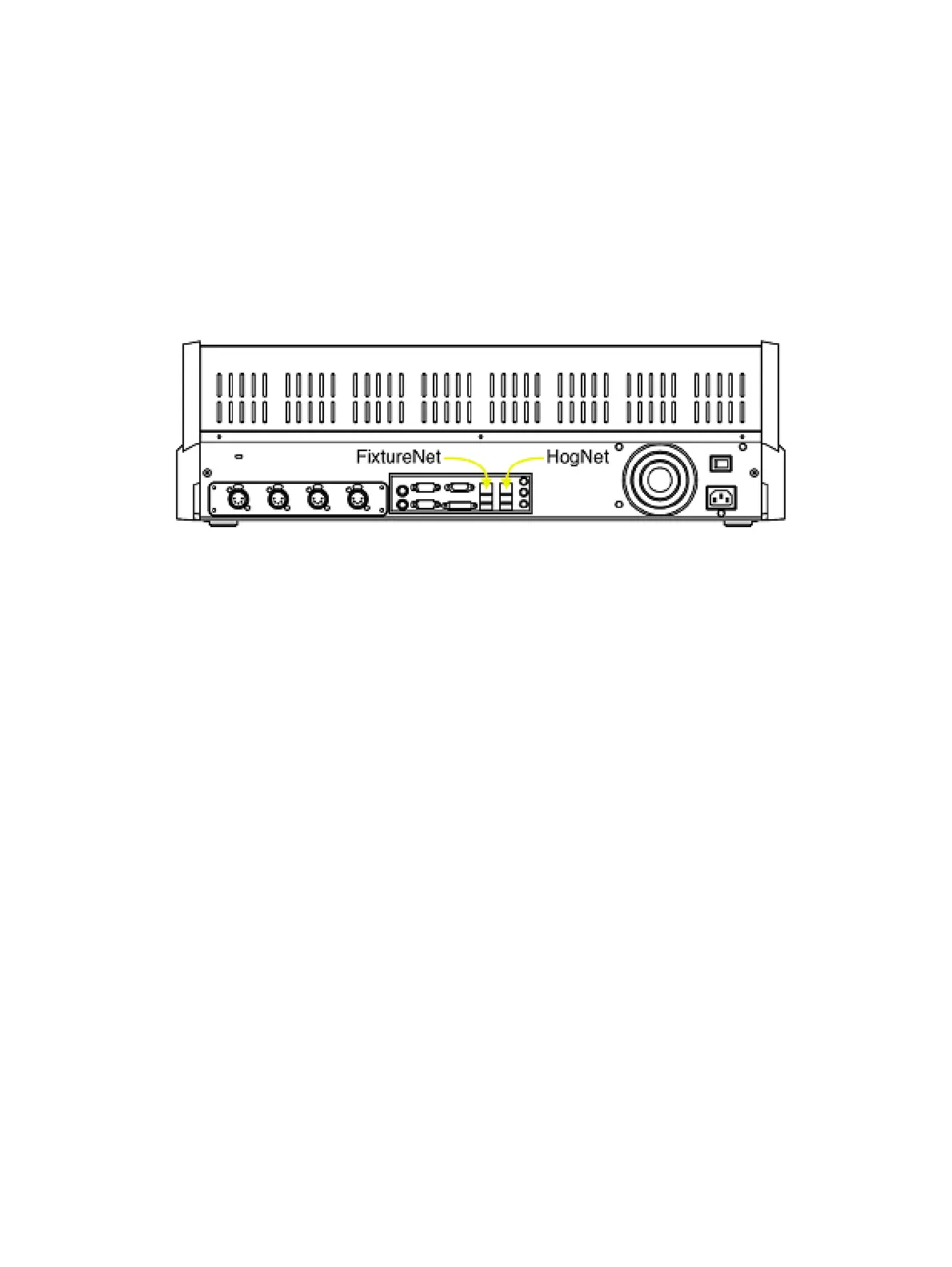
more than one Ethernet jack on the back of the console, then the jack labeled HogNet should
be used. The Ethernet jacks on some HedgeHog 4 and Road Hog 4 consoles may not labeled
in which case the HogNet port is the Ethernet jack on the RIGHT when viewing the console
from the rear (see backpanel drawing below) The hardware on personal computers running
Hog 4 PC will vary but at least one 100 Base-T Ethernet hardware device must be properly
installed and enabled in order for Hog 4 PC to successfully communicate to other nodes on a
network.
HogNet and FixtureNet Connections on back panel of Road Hog 4 Console
All components of a Hog network should be connected using category 5 Ethernet cables and
using at least a 100mb Ethernet switch or router. Gigabit switches are also HogNet
compatible.
The simplest HogNet network consists of a console and a DMX Processor connected to the
lighting rig. Only slightly more complex is the case of a system with a single console and
several DMX Processors connected together with an Ethernet switch. Large systems can
have several consoles, Hog 4 PC systems, and DMX Processors, controlling large lighting
rigs.











 To Next Page