9. Directory Windows 199
9.4 Directory Options
9.4.1 Button Sizes
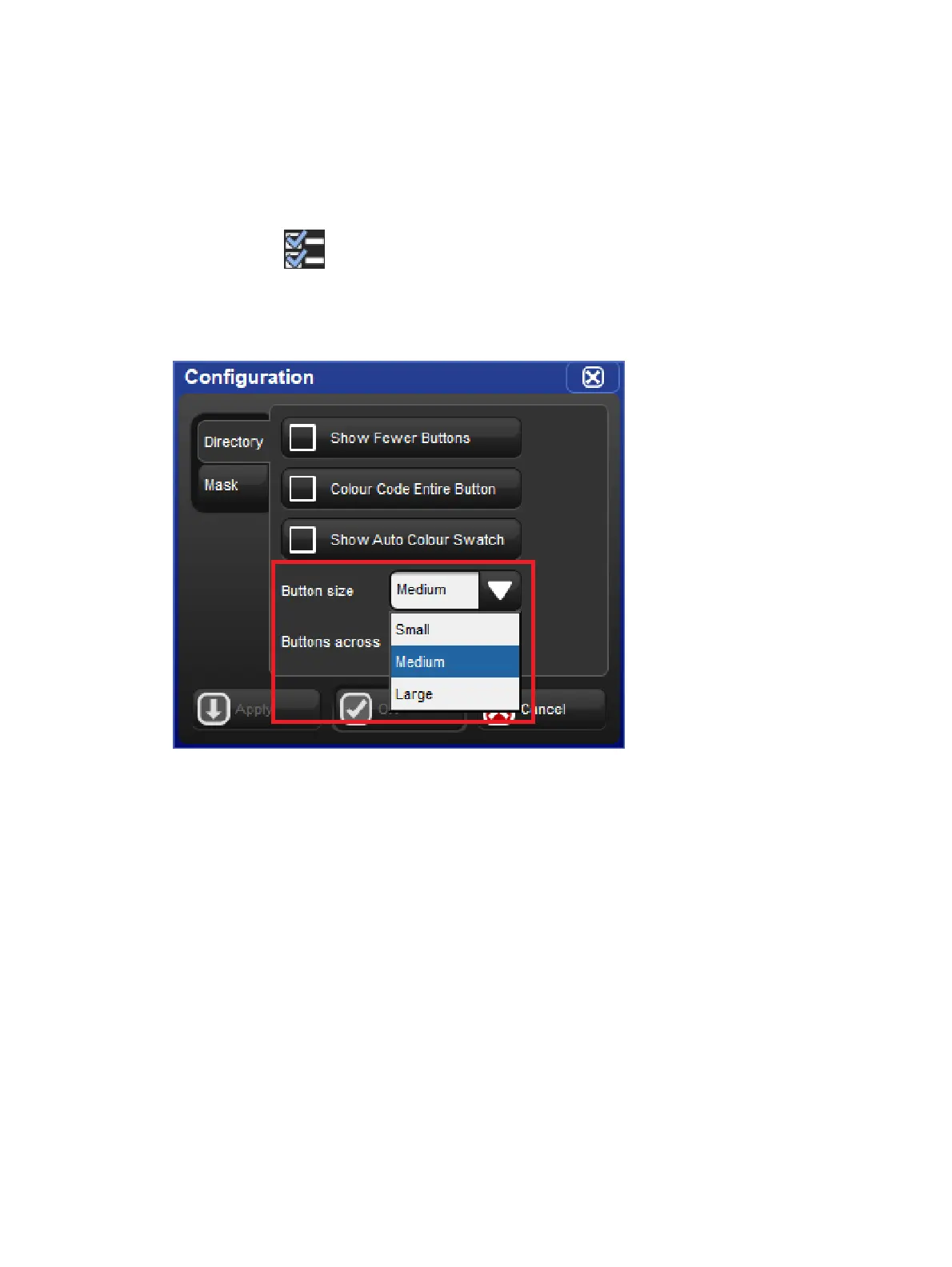
By default each directory window displays its buttons using a medium size. To change the
displayed button sizes in any directory window open the window configuration menu by
clicking on the icon located at the top of the directory window. Locate the drop down
menu option called "button sizes". Here you will see the option to display the directory's
buttons in three different sizes: small, medium, and large. Set the button size menu option to
the desired setting and press okay. The button size option you select for each directory is
unique to that directory and is also stored when you record a directory window into a view.











 To Next Page