13. Timing 263
13.5 Loops and Links
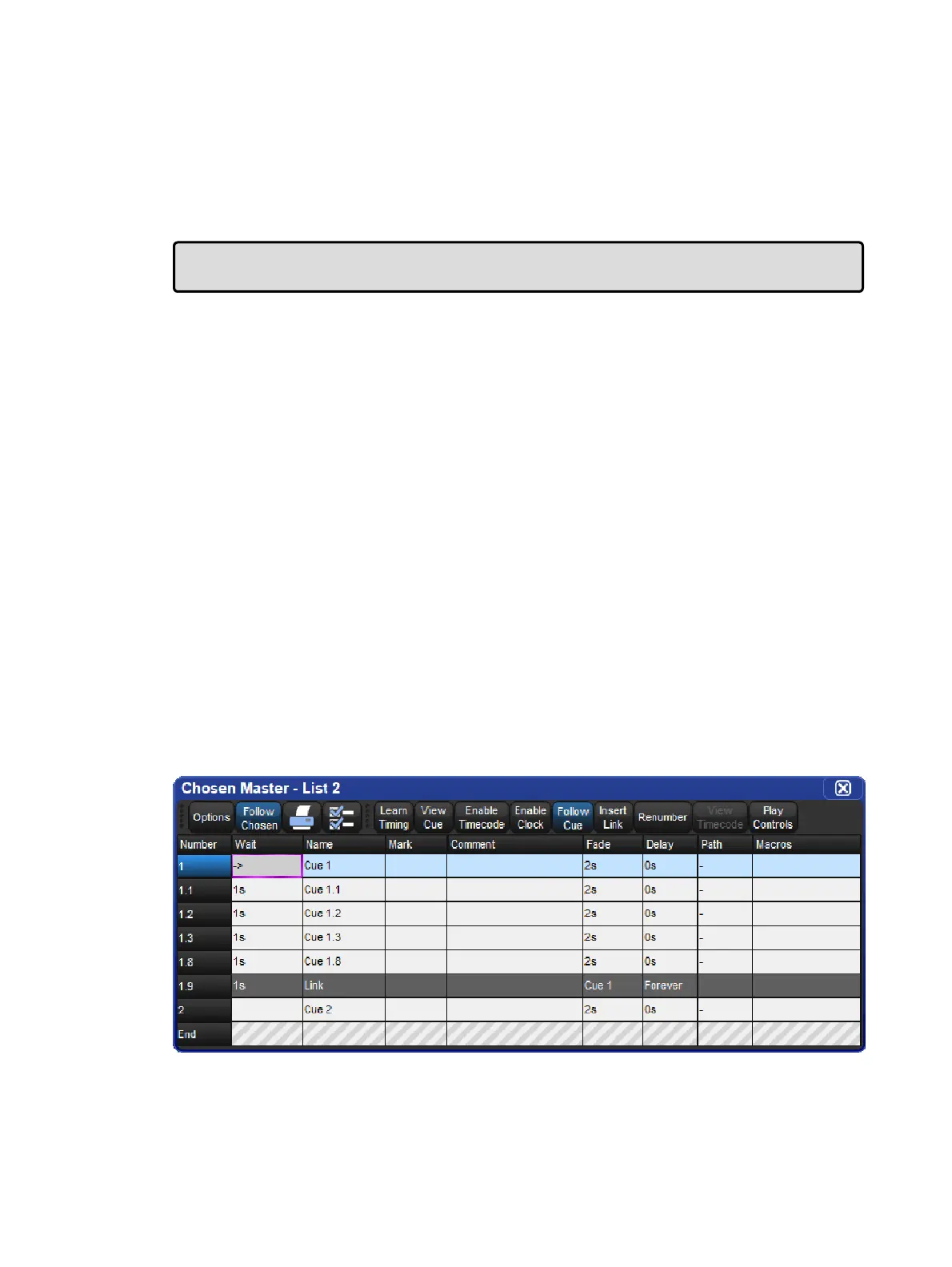
Normally cues in a cuelist will be replayed in numerical order, but you can use links to change
this. Links can be used to jump to other points in the cuelist, or to create loops.
Unlike some consoles, Hog 4 OS creates a link as a special type of cue, rather than an
attribute of an ordinary cue. Because it is a separate item in the cuelist, you can move cues
within the list without disturbing the link.
Tip: When a cuelist gets to the end, it will link back to the first cue by default, so there is no
need to put a link in.
13.5.1 Creating a Link
To create a link:
1. Open + [Cuelist 1] : open the cuelist window.
2. Play the cues in the list until the current cue (shown by -> in the wait column) is the cue
before where you want the link.
3. Click on the Insert Link button in the window. The link cue will be inserted after the
current cue.
4. Select the Fad e cell of the link.
5. Set [ c u e n u m b e r ] Enter : assign the cue number to be linked to.
You can delete link cues in the same way as any other type of cue. For example:
Cue 3 . 5 Delete
13.5.2 Creating a Loop
To create a loop, you need to have two things:
A link that points to a cue earlier in the cuelist.
All the cues in the loop (between the linked-to cue and the link cue) must be assigned
with wait or follow triggers; see Cue Wait Timing.
Hog 4 OS will recognize this as a loop











 To Next Page