344 Hog 4 Operations Manual
By default, group master intensity levels are persisted through page changes and
remain in the background as virtual group masters. To disable this feature and force
group masters back to 100% once they are no longer attached to a physical master on a
page, then disable the Leave Inhibitive Masters in Background option located in
the Misc section of the Preferences Window.
The release time of a group master can be adjusted in the master options window of a
physical group master or by holding down a virtual group master in the group directory
and adjusting the group's release time on the main toolbar.
To create a physical group master using the command line:
1. Record a group containing the required fixtures. See Recording Groups.
2. Grou p [ g r o u p n u m b e r ] Move Ch oose
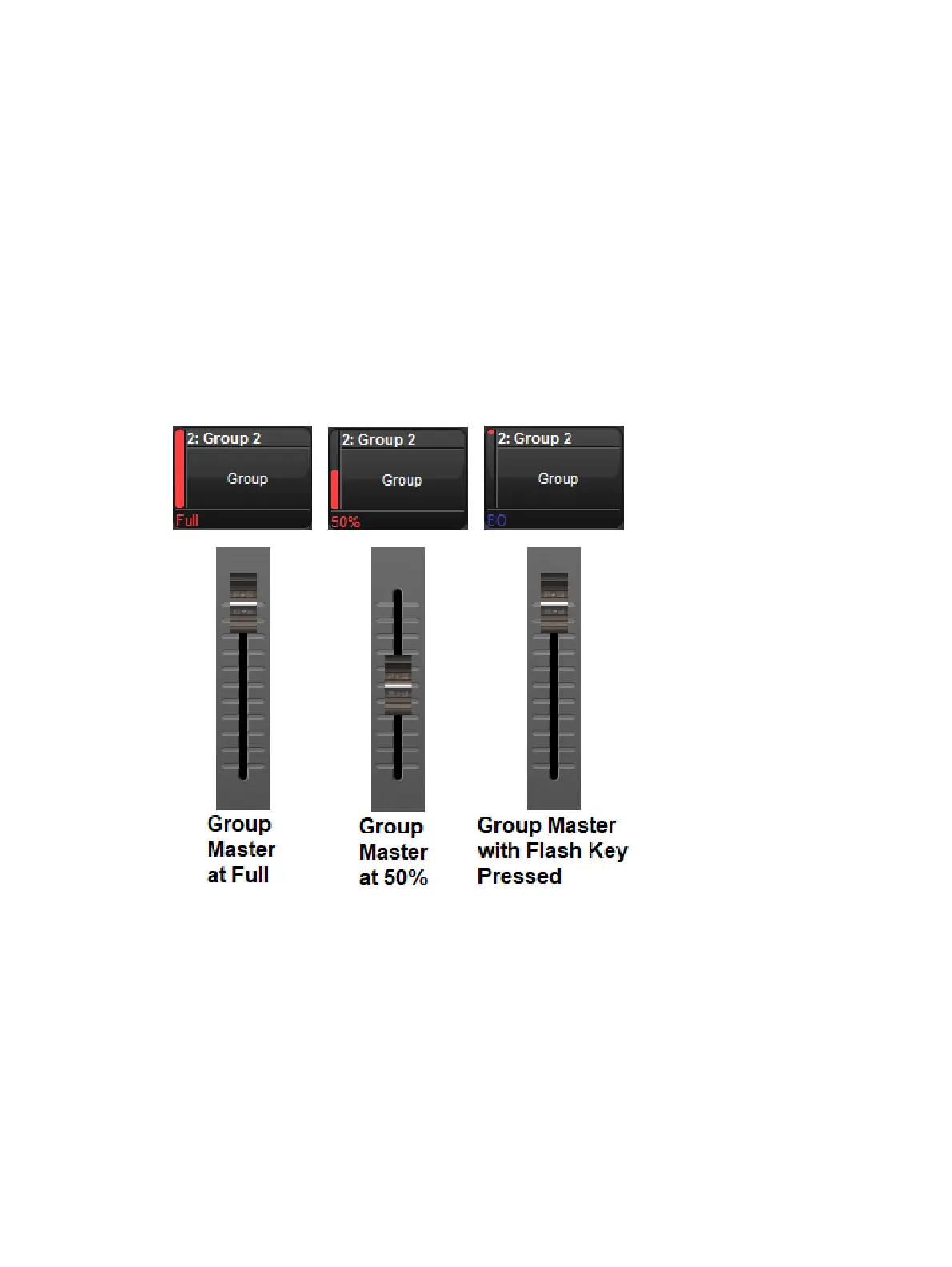
The Playback Bar will show the group name above the chosen master. When the master level
is less than 100%, the Playback Bar will also display a bar showing the level. When the Flash
key is pressed, the Playback Bar will display BO; see image below.
17.12 Batches
A batch is a playback object that is used to send playback and fader messages to a collection
of lists and scenes. Batches are stored in the batch directory (Pig + Open + List) and can be
assigned to the playback bar like any other playback object.
17.12.1 Creating Batches
Batches are created by moving multiple lists and / or scenes to a master on the playback bar
or to a batch cell in the batch directory window.
To create a batch on the playback bar:











 To Next Page