19. Command Keys 359
19.4 Changing the Action of a Command Key
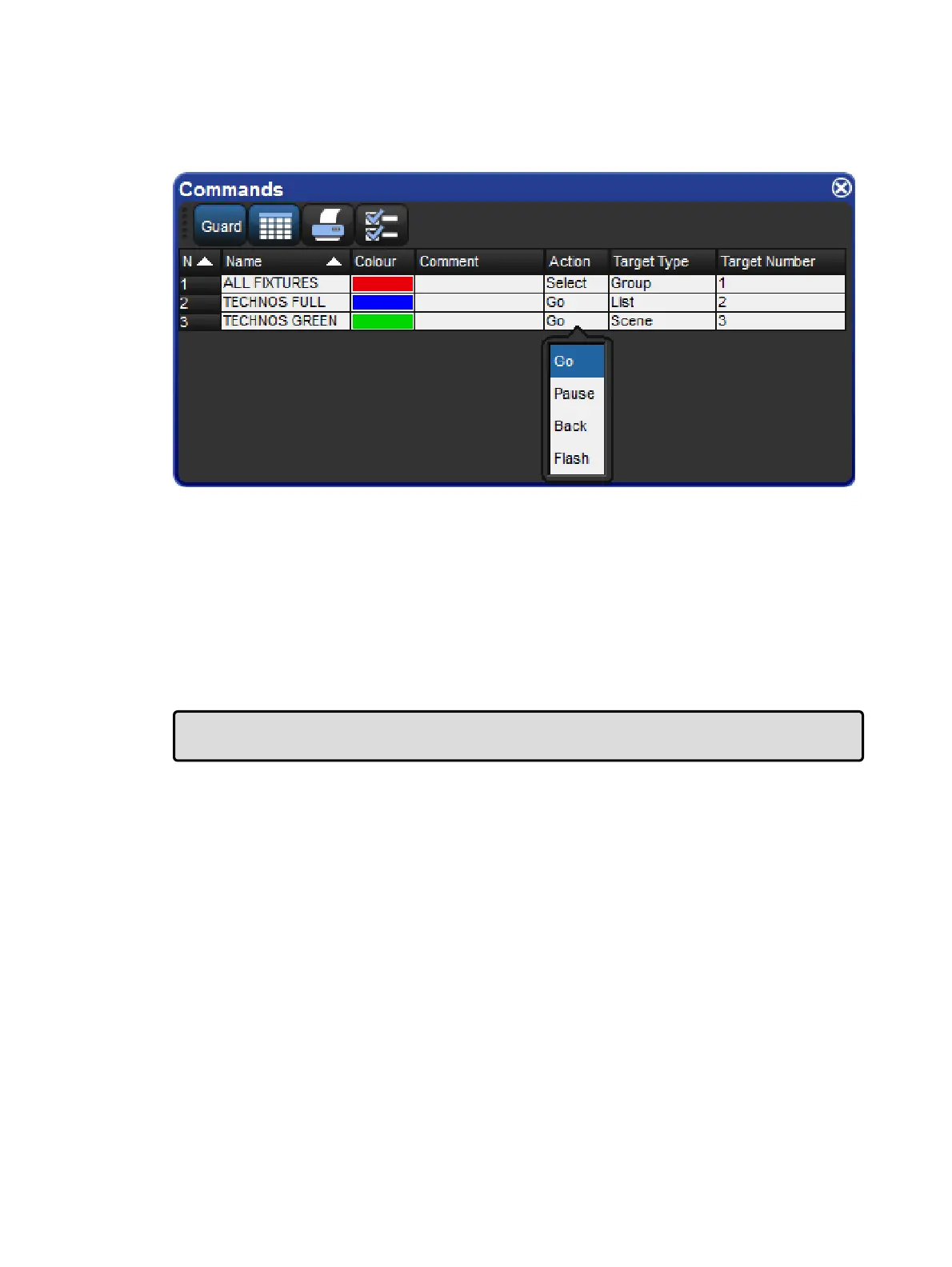
The action that occurs when a command key is pressed can be configured by viewing the
commands directory in spreadsheet view and editing the "Action" cell.
Command directory in list view; selecting an action
Not all command keys have the same action options. The list of available actions for a
Command Key depends on the capabilities of the show object that it is linked to:
For Command Keys linked to Groups, Pages, Views, Keystroke Macros & IPCBE
Palettes: The only available action is "Select"
For Command Keys linked to Lists and Scenes: The available actions include "Go",
"Pause", "Back", and "Flash". The default action is "Go".
Tip: Holding down the PIG key while pressing a command key linked to a lists or scene will
release that list or scene.











 To Next Page