84 Hog 4 Operations Manual
3.5 Adding Playback Wings
The physical playback controls of all Hog 4 Series consoles (including Hog 4 PC) can be
expanded through the use of external USB playback wings.
The following playback wings are supported:
PlayBack Wing 4 - 10 masters / motorized faders / play, pause, play backwards, flash,
skip fwd/bck controls / 15.6" touchscreen display
MiniWing 4 - 10 masters / manual faders / play, pause, flash, and skip fwd/bck controls
Master Wing 4 - 30 fader-less masters / play, flash, skip fwd/bck controls / 15.6"
touchscreen display
Hog 3 Mini Playback Wing - 10 masters / manual faders / play, pause, flash, skip
fwd/bck controls
Road Hog 3 / Full Boar 3 Playback Wing - 10 masters / manual faders / play, pause,
flash, skip fwd/bck controls / 12" touchscreen display
To attach a playback wing to the console:
1. Apply AC power to the wing and connect the wing to the console via USB.
For wings with a display, connect the DVI or VGA port on the back of the wing
to one of the Console's display outputs. An adapter may be required.
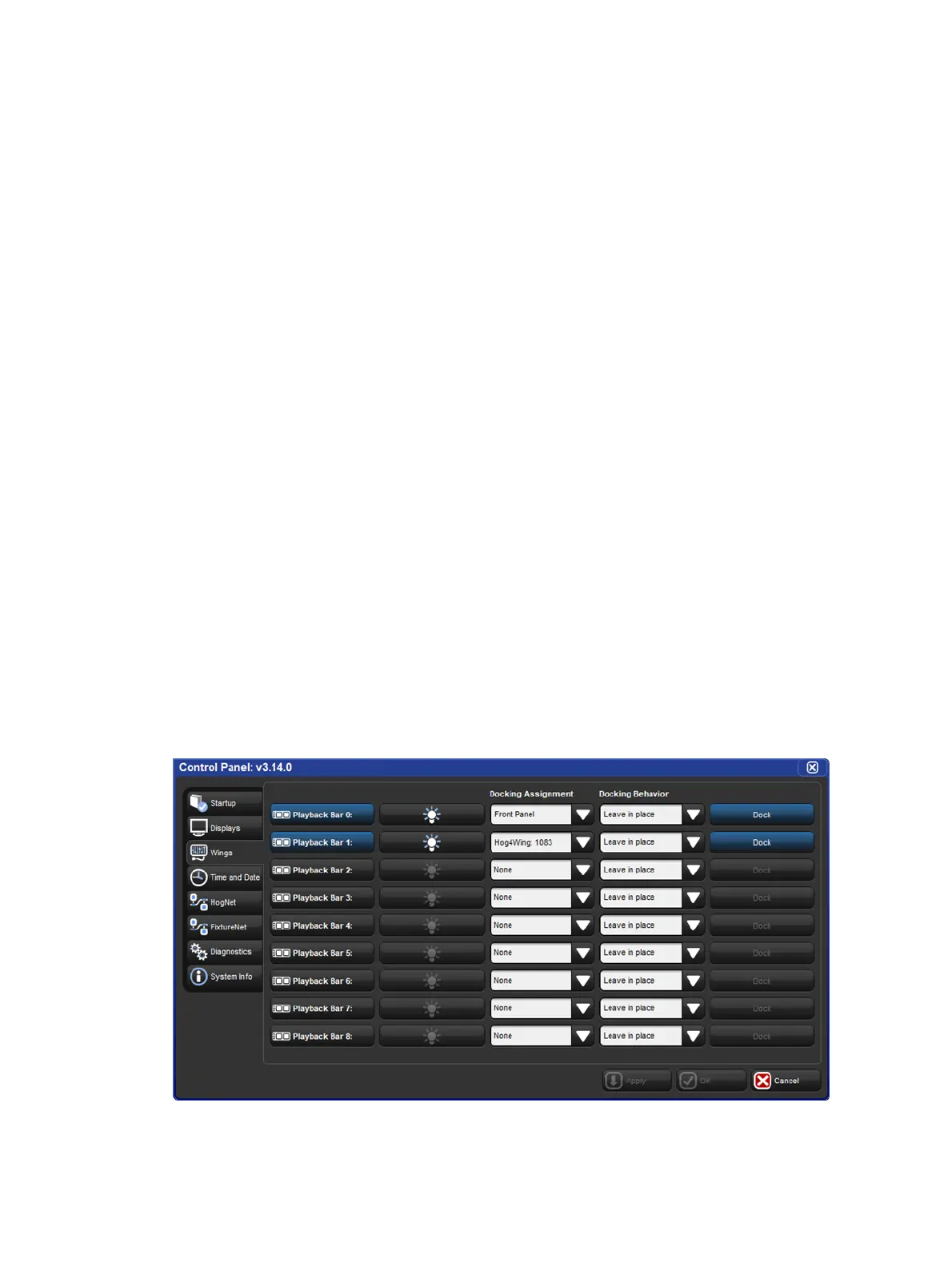
2. Setu p → Co ntrol Pan el → Wings : open the Wings pane of the Control Panel
window. (See image below).
3. Use the Docking Assignment drop down menus to assign the playback wing's ID
number to one or more playback bars.
4. Press the Dock button to activate a playback bar's docking assignment.
Docking a playback bar to its docking assignment can also be accomplished
by holding the center Choose key on the console front panel and pressing the
number on the numeric keypad that coordinates with the playback bar. For
example, to dock Playback Bar 1 press and hold the center Choose key and
then press the 1 key on the numeric keypad.
Wings pane of the Control Panel with active front panel and wing docking
assignments











 To Next Page