398 Hog 4 Operations Manual
22.1 Introduction to OSC
Open Sound Control (OSC) is a network based communication protocol that can be used to
send a variety of control messages between OSC enabled devices. OSC input is supported
on every console in the Hog 4 family including Hog 4 PC. When configured properly OSC will
enable you to use controllers such as a synthesizers, electronic music instruments,
production audio software, and mobile phone apps such as Touch OSC to control the basic
functions of the Hog 4 OS.
22.2 Configuring OSC Input
To bring OSC messages into the console:
1. Connect your OSC controller to a physical network port that is attached to the same
local area network as the console's HogNet port.
2. Setu p → Ne twork: opens the network window
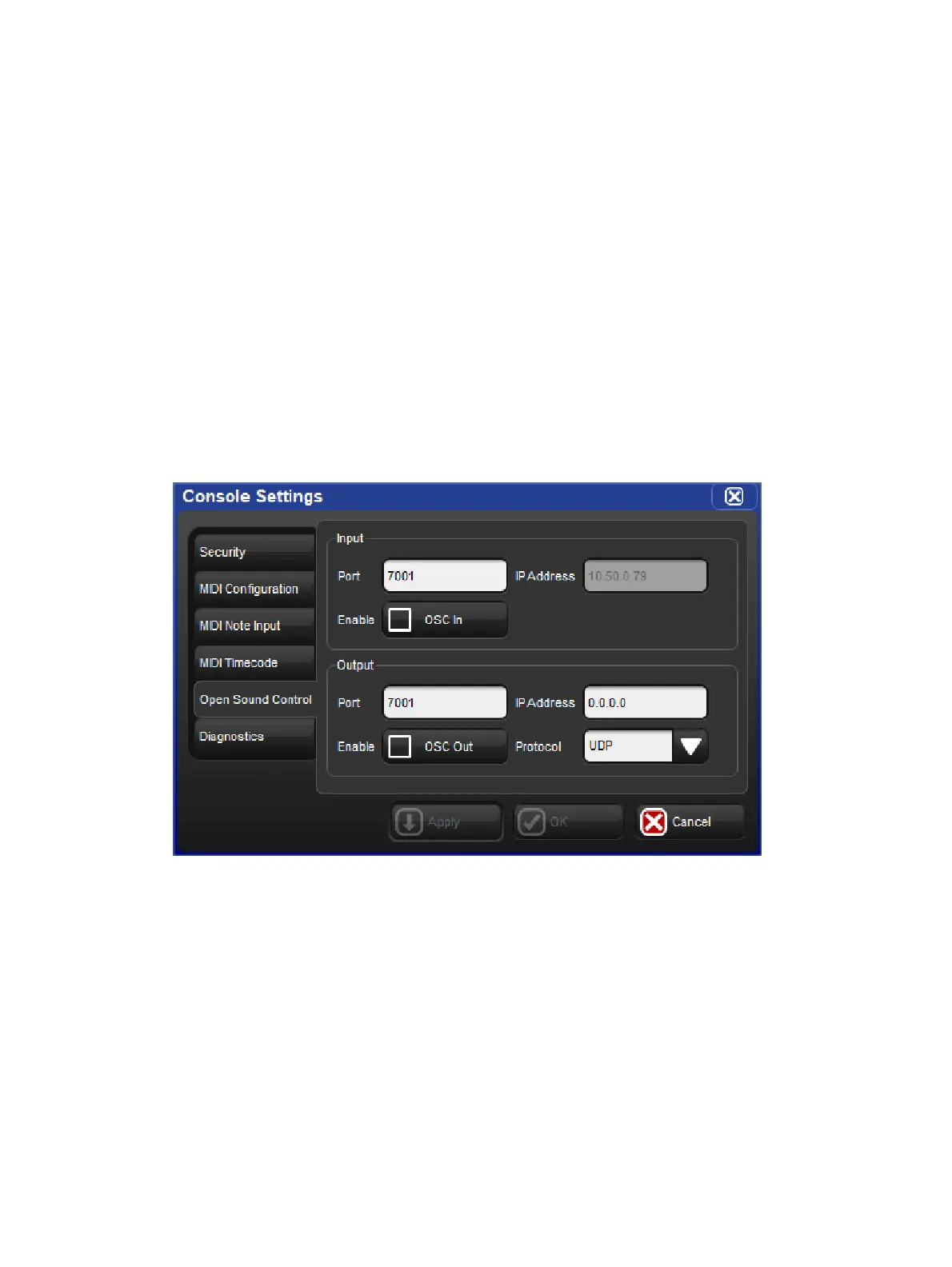
3. Right click on the console number and select Settings: opens the Se ttings window
4. In the Open Sound Control pane, enable OSC In and assign the input port to match the
output port of your OSC output device. For your convenience the console's IP address
is also listed to the right of the port number to assist in configuring the output of your
other OSC devices.











 To Next Page