284 Hog 4 Operations Manual
15.1 Kinds
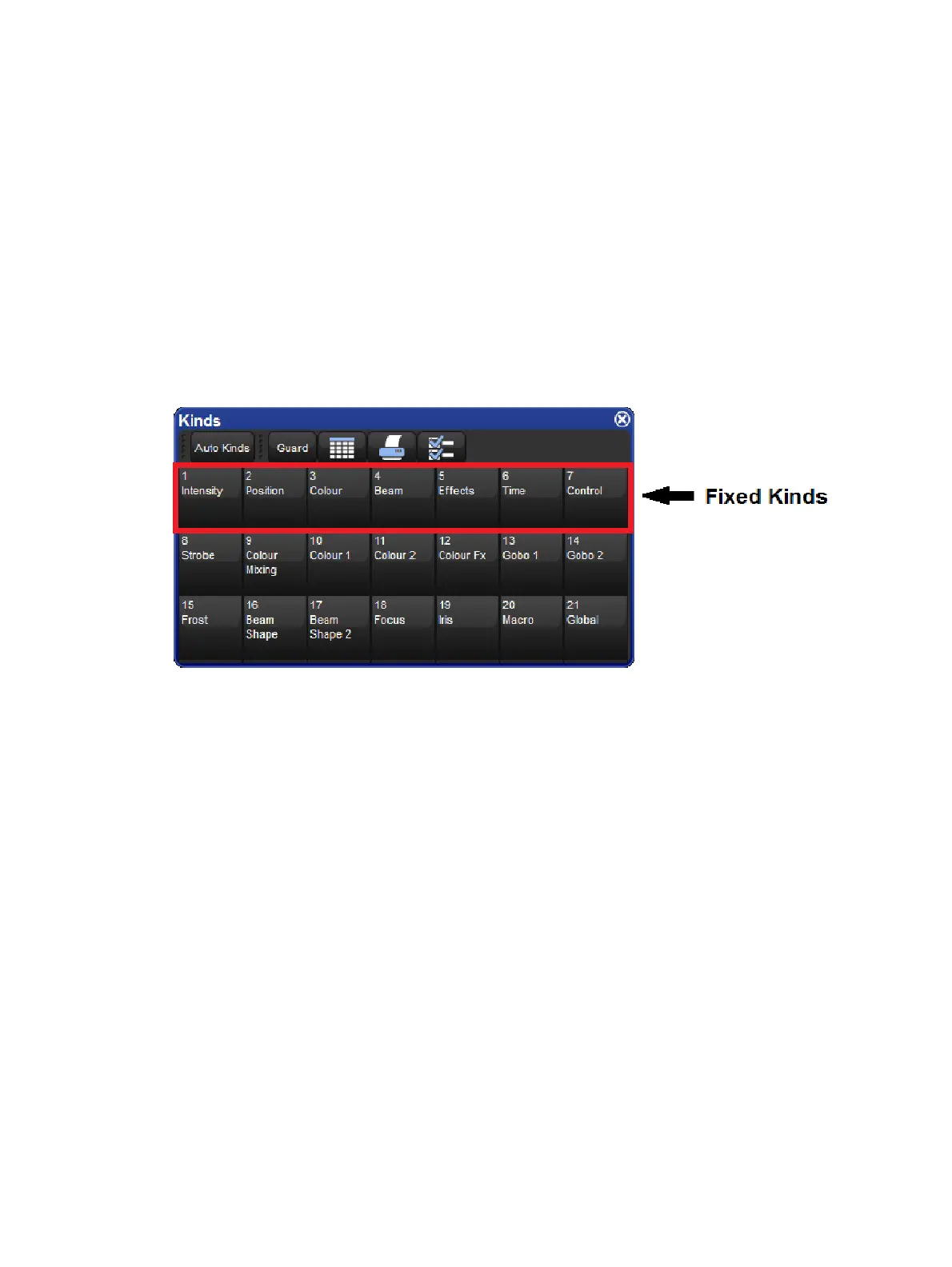
Kinds are collections of fixture functions organized into wheelsets. The wheelsets determine
how the fixture functions assigned to the kind will coordinate with the console's main encoder
wheels when the kind is selected and a fixture selection is made. Kinds are stored in the
kinds directory and exist in two different forms: fixed kinds and user kinds.
15.1.1 Fixed Kinds
Fixed kinds are automatically generated by the console and collectivity contain all of the
fixture functions used in your show. Every function of every fixture scheduled in your show
will exists in one of the seven fixed kinds: Intensity, Position, Colour, Beam, Effects, Time,
or Control. The fixed kinds can be selected using dedicated front panel keys or by clicking on
their respective buttons in the kinds directory. The kinds directory can be opened by holding
Open and then selecting Kinds from the main toolbar at the bottom of the right hand screen.
When a new fixture type is added to a show through the fixture scheduler its functions are
automatically populated in the fixed kinds and organized onto wheelsets based on a default
master wheelset template established by the Hog 4 OS. Fixed kinds cannot be deleted or
moved. This is why they are known as "fixed" kinds.
Functions that are marked with a lock icon on the wheelsets within a fixed kind cannot be
deleted. This is because those functions are considered to be permanent residents of that
fixed kind and are fundamental to the masking scheme of that fixed kind. However, you can
add additional functions to a fixed kind if you wish. For example, you can add a colour mixing
function such as Cyan to the fixed position kind if you desire. Be aware that any additional
functions you add to a wheelset in a fixed kind will not function as part of that fixed kind's
masking. The arrangement of the functions on the wheelsets within a fixed kind are
completely customizable regardless of whether or not they are marked with a lock icon.











 To Next Page