15. Kinds and Wheelsets 285
15.1.2 User Kinds
User kinds, unlike fixed kinds, are not automatically generated when adding fixtures to the
show. User kinds are custom built by the user, allowing you to create smaller collections of
fixture functions on fewer wheelsets.
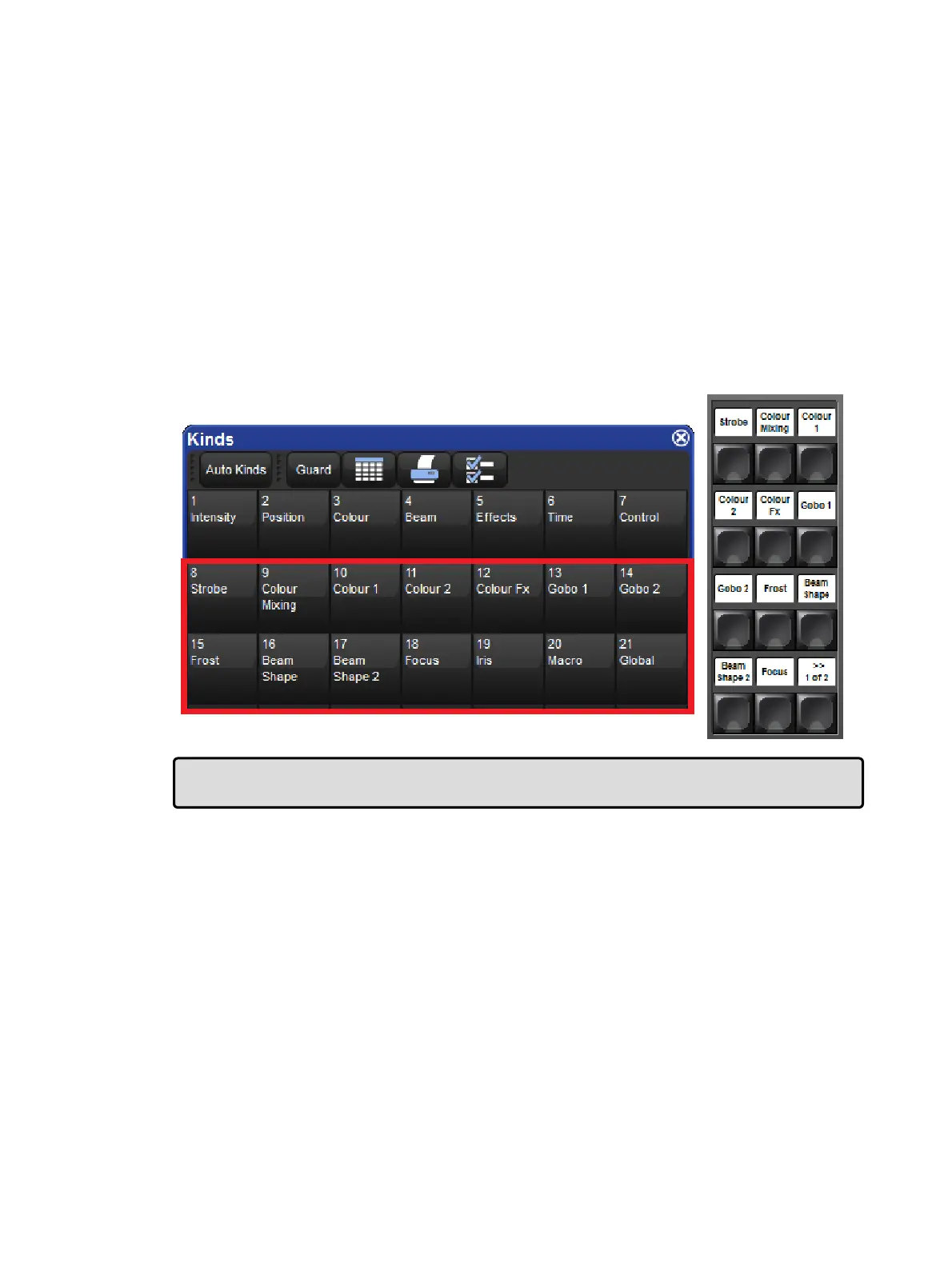
User kinds are stored in the kinds directory and are also accessible using the 12 function
keys on the front panel of the console (when the function keys are set to kind mode). To
toggle the function keys between "Kind" mode and "Command" mode hold down Pig and
press Enter . The mode of the function keys is displayed on the main toolbar. To open the
kinds directory hold the O pe n key and press the "kinds" button on the main toolbar. Note:
The user kind keys on the Road Hog 4 console do not have LCD displays. Once created, user
kinds can be selected by pressing the coordinating function key on the front panel or by
selecting the kind from the kinds directory when guard is turned off. If you create more than
12 user kinds the console will automatically change the last function key on the front panel to
a next button. You can create as many user kinds as you want.
Tip: To quickly edit a user kind simply hold Op en and press the user kind's button on the
front panel.
Manually Creating User Kinds
To manually create a new user kind:
1. Open + Kinds opens the Kinds Directory Window.
2. Press Record and then press any empty cell in the Kinds Directory window.











 To Next Page