5. Adding, Patching and Managing Fixtures 133
To patch and configure a video protocol fixture:
1. Setu p → Patch : this opens the Fixture window.
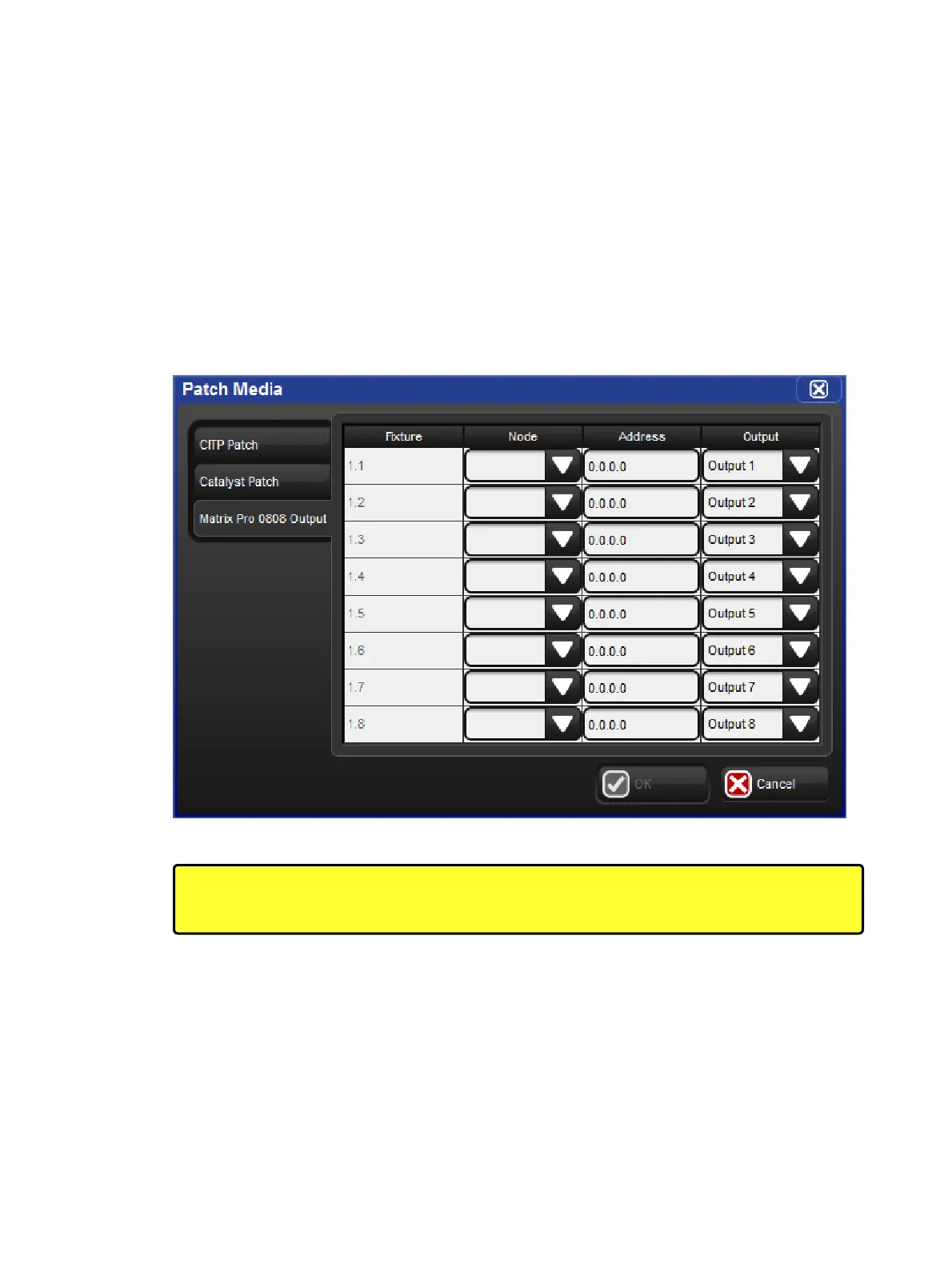
2. Press the Patch Media button located at the top of the fixture window.
3. Select the dedicated tab for the video switcher type to be patched. If a dedicated tab for
the video switcher is not shown in the media patch window, then the video switcher
fixture has not yet been scheduled in the show.
4. Fill in the appropriate data for each of the listed fixtures and press okay. See below for
addition info:
Node: the DMX Processor whose FixtureNet port is connected to the same network as
the video switcher's network port
Address: the IP address of the video switcher
Output: the physical output on the video switcher that the fixture will control
The Patch Media Window
Caution: Hog 4 PC supports the patching of video protocol devices but does not support
their control via the local Ethernet adapter. Control of video protocol devices is supported
on consoles and external DMX Processors only.











 To Next Page