20. Plots 373
There are four main ways to scroll the plot window horizontally and vertically:
1. Use the scroll bars in plot window.
2. Hold Open and turn the first and second main encoder wheels on the front panel.
3. Hold Open and move the trackball up/down/left/right.
4. Drag two fingers left/right and up/down in the plot area
20.4.3 Feedback
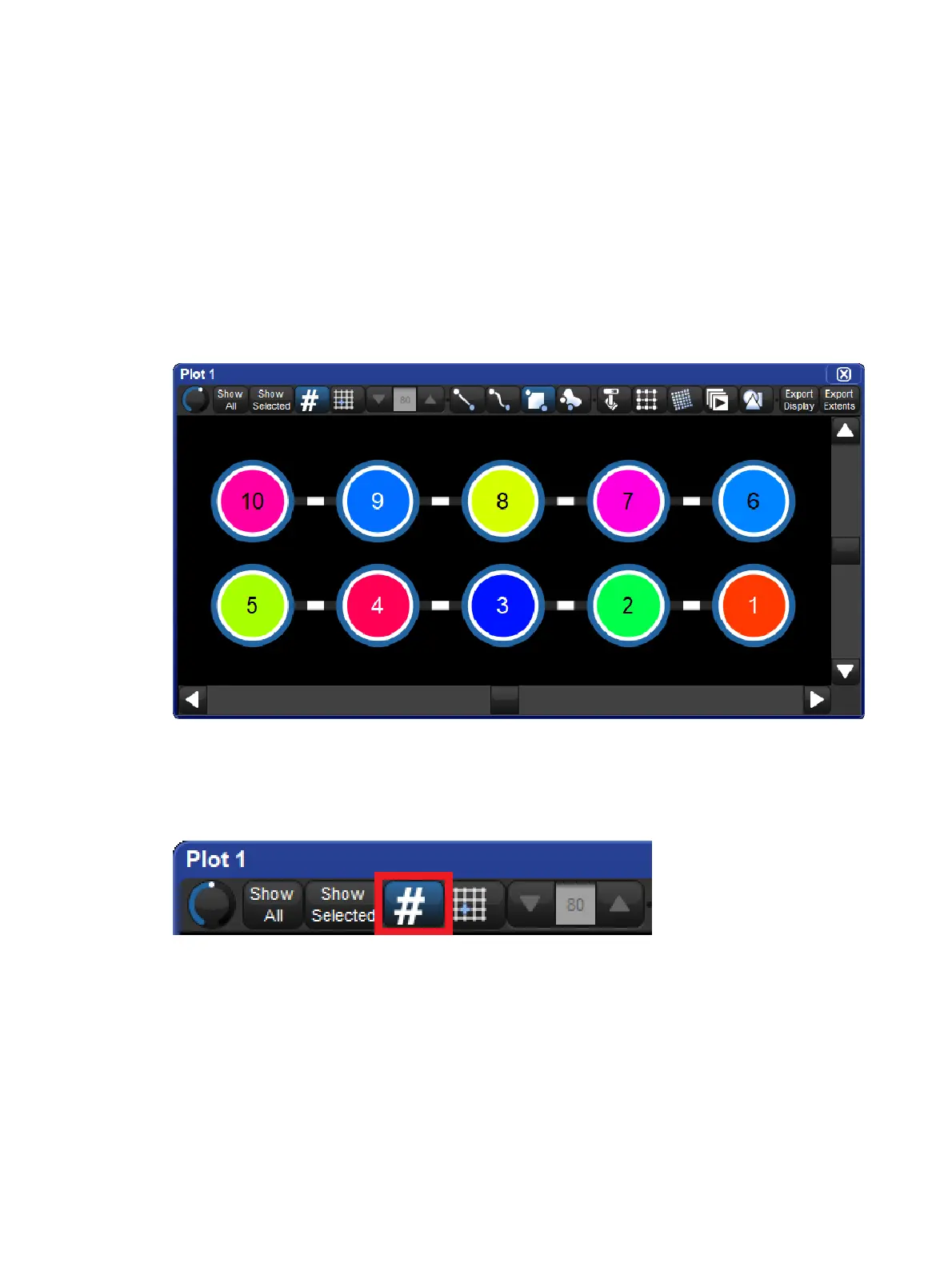
The plot window provides feedback for the fixtures in the plot in terms of intensity and mixed
colour (CMY, HS, RGB) where as show item objects display feedback similar to how they are
represented in the item's native directory window.
Note: Slotted colours, gobos, and other media are not yet supported in the plot feedback
system.
20.4.4 Show/Hide Fixture Numbers
The user numbers displayed inside of fixtures in a plot window can be shown / hidden by
toggling the # button at the top of plot window. The show/hide number setting is stored per
plot window and is persisted in views.
20.4.5 Executing Show Items in Plots
Show items (such as lists and scenes) in a plot can be executed simply by pressing on them
item in the plot window (make sure the edit button for "show items" is turned off at the top of
the plot window). Holding the pig key and pressing a show item will not execute the show
item but rather token its name onto the command line allowing for even more complex
operations.











 To Next Page