27. Fixture Library 439
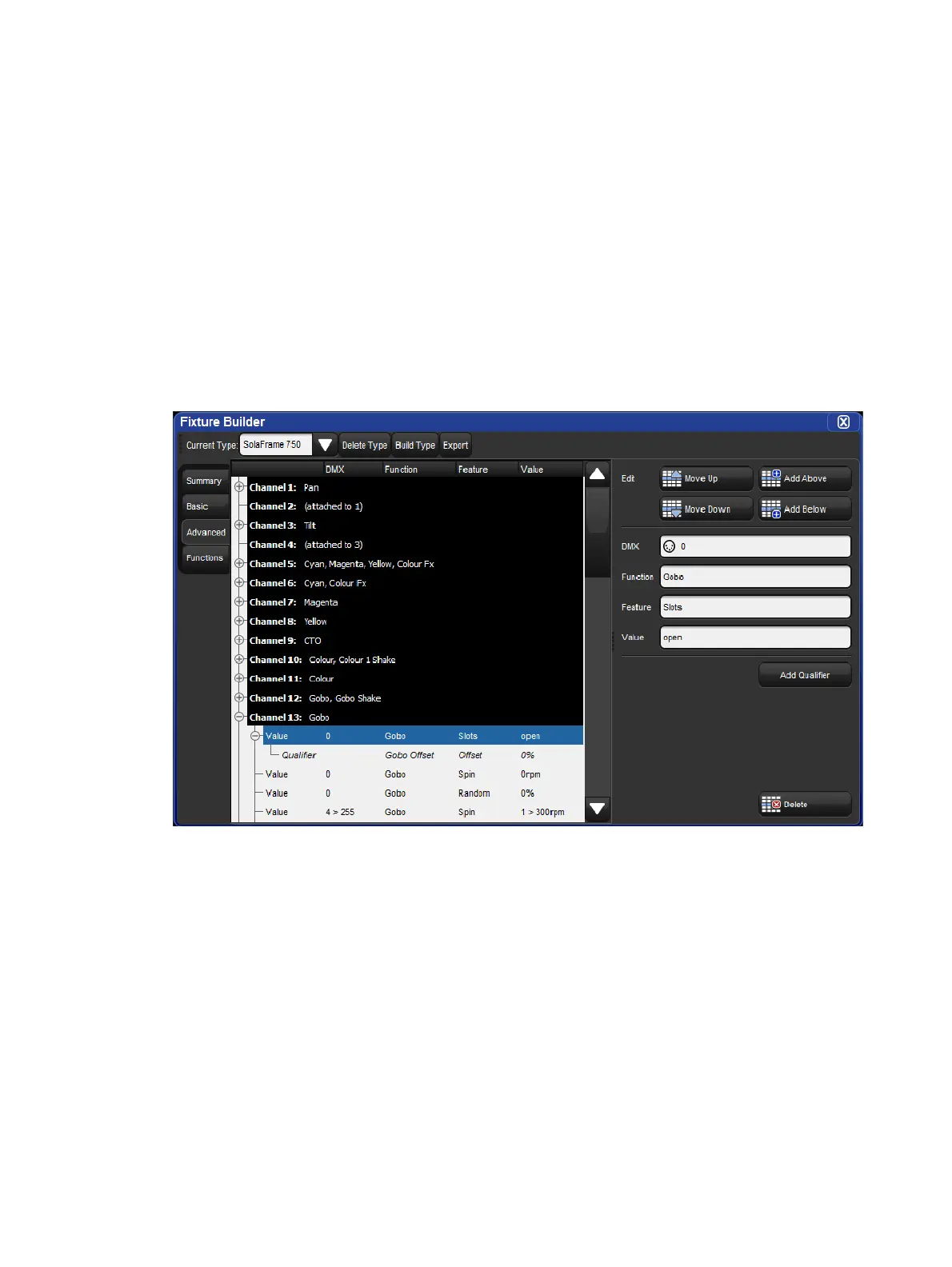
Fixture Builder Advanced View
The Advanced tab of the fixture builder provides a detailed and fully comprehensive view of
a fixture type's DMX channel structure and allows for advanced editing of each DMX channel.
Unlike the basic view, the advanced view give users access to every fixture function and
feature supported by Hog 4 OS and allows for more complex relationships between fixture
functions to be established through qualifiers (see Fixture Builder Terminology for details
on qualifiers).
The advanced view organizes the fixture type's DMX channel information into a collapsible
tree structure. The black aggregation bars with white text represent the DMX channels.
Nested within each channel are DMX entries (function / feature definitions) that make up the
channel. To the right of the tree view is the edit pane which provides a contextual interface
with menus and buttons that update based on the selected row in the tree view.
Advanced Diagram
To add a new DMX channel, select a pre-existing DMX channel aggregation header
(white text / black background) and then press the Add Abo ve or Add Below button in
the edit pane.
To remove a DMX channel, select the DMX channel's aggregation header (white text /
black background) and then press the Delete button at the bottom of the edit pane.
To move a DMX channel up or down, select the DMX channel's aggregation header
(white text / black background) and then press the Move Up or Move Down button in
edit pane.
To add / remove / move a DMX entry select the DMX entry row in the tree and then
use the coordinating buttons in the edit pane.











 To Next Page