27. Fixture Library 449
19. You might be questioning why we added a strobe / shutter definition to DMX channel 11
and channel 10. The reason is that Hog 4 OS must initialize every function / feature pair
for all channels that refer to a specific function.
20. By now you should be getting the hang of adding and removing DMX channels and DMX
entries. Let's move forward with adding and defining channel 12 using the 16-bit
intensity component from the template menu. The reason we are using the 16-bit
intensity component is because the fixture's intensity parameter is split into two DMX
channels. Much like 16-bit Pan and 16-bit Tilt, the first DMX channel in the intensity's
definition is for coarse control while the second DMX channel is for fine control.
21. Now we are ready to define channel 14 of our fixture which is mSpeed. Controlling the
fixture's mSpeed value is optional, since Hog 4 OS has it's own programmable timing
for every function and feature. Therefore, channel 14 should be assigned to a
"Constant" DMX value of 0 to ignore the motion control function in the light. Select
Con stan t in the template menu and set the DMX value to 0 . This will ensure the
fixture's mSpeed is always set to 0 seconds. Certain use cases may prefer to use the
internal motion control function of the fixture, where this value would be variable and
not constant.
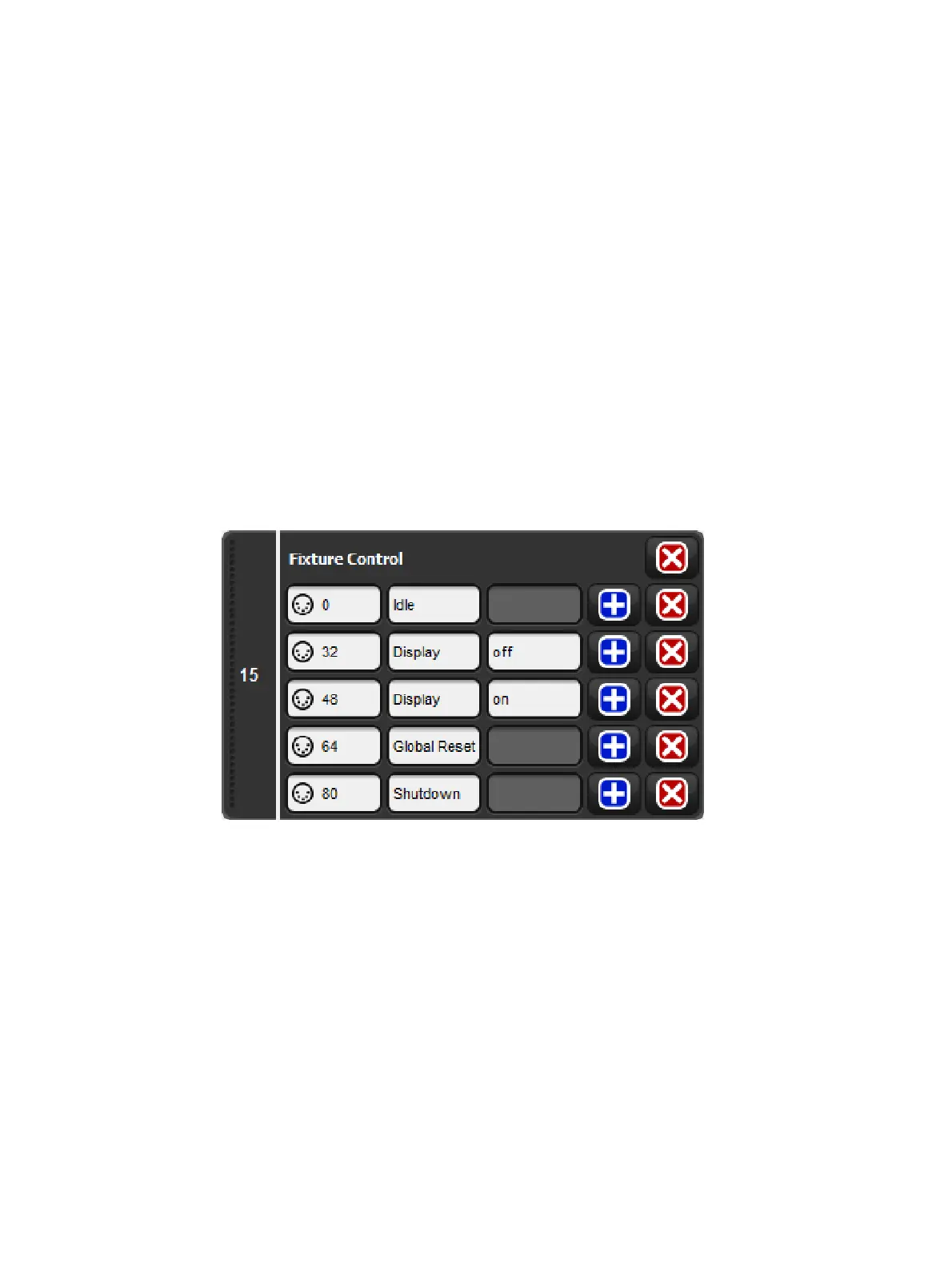
22. Finally we've reach channel 15. Look at the DMX chart. Channel 15 is a control
channel. Click on the Blue Plus button in the Add chann el rectangle to add channel
15.
23. Select Fixture Control from the template menu. Use the fixture builder basic view to
edit the DMX entries for channel 15 so that they match the DMX protocol.
Fixture Builder Tutorial, Uno Channel 15
24. Congratulations! You have now finished defining all of the DMX channels of the Uno
tutorial fixture.
25. Select the Functions tab of the fixture builder. The functions tab lists all of the
fixture's functions and features in an easy to read spreadsheet. The default values and
virtual intensity assignments can also be edited using the functions view.
26. The Uno has dedicated 16-bit intensity functions assigned to DMX channels 12 and 13,
which means we do not need to add virtual intensity to the Uno profile. Un-check the
virtual intensity option for all functions.
27. The default features and default real world values also don't need to be altered since
the Uno's DMX profile matches the pre-populated default values provided by the
console. However, it might be good idea to experiment with changing the defaults as a
part of your learning experience with this tutorial.











 To Next Page