2. Hog OS Fundamentals 47
2.12.4 Burning files to CD
To burn files onto a recordable CD:
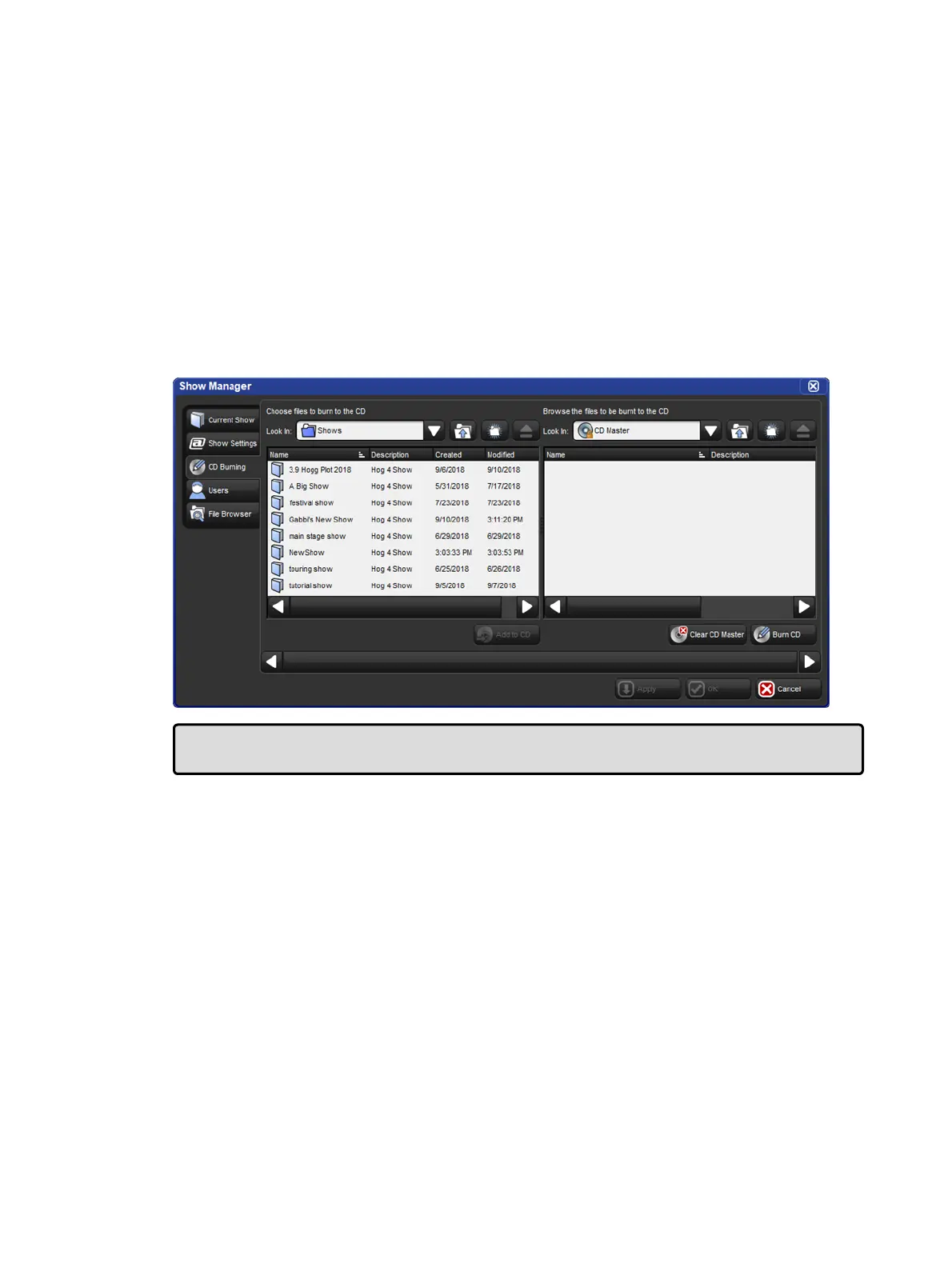
1. Setu p → Shows → CD Bu rning : see image below.
2. Select a file to be copied in the left-hand list, and click the Add to CD button to move it
to the right-hand list. You may be asked to archive the file before adding it to the list;
click OK to agree to this.
3. Repeat for all the files you want to copy to the CD.
4. Insert a recordable CD into the CD drive, located under the console's front wrist rest.
5. Press the Burn button, and then the Start Burn button in the CD Bu rning tab. The
window will show the progress of the writing operation.
The CD Burning pane of the Show Manager
Tip: You can use drag and drop to move files to the CD Master list. Note that files will
always be copied, not moved.











 To Next Page