3. Setting up the System 51
3.1.2 Start Processor
Pressing the start processor button on the Hog start screen launches a processor on the
console which enables the console to connect to shows on the HogNet network and utilize
the console's hardware to provide DMX, ArtNet, and sACN output similar to the traditonal
function of a rackmount DMX Processor. If a console is shut down, restarted, or powercycled
while running as a processor the console will automatically launch the processor again when
it boots. Processor mode is also available on Hog 4 PC but requires an ETC Nomad key or
High End Sytems widget to license output.
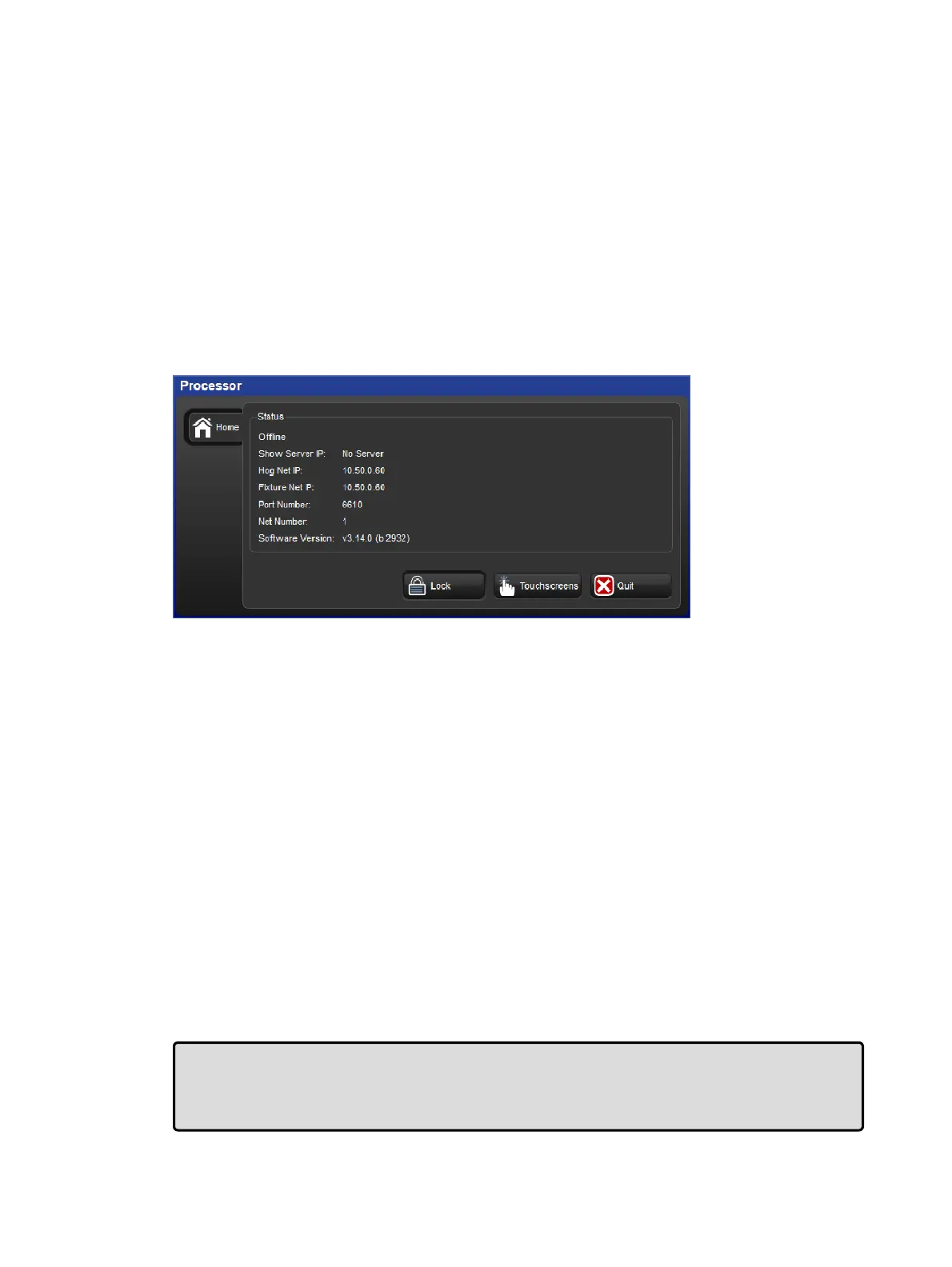
The processor window provides basic details about the processor's connection status, IP
addresses, net number, port number, and software version.
Processor Window
To adjust the HogNet IP and/or FixtueNet IP of the processor:
1. Press the Quit button on the processor window
2. Select L og Off from the shut down menu
3. Press the Co ntrol Pan el button on the Hog Start screen
4. Adjust the IP settings in the HogNet and Fixtu reNet tabs and press Apply
5. Close the Con trol Pane l window and press Start Pro cessor on the launch screen
6. The console will now run as a processor using the IP settings you specified.
To adjust the Port Number and Net Number of the processor:
1. Press the Quit button on the Processor window
2. Select L og Off from the shut down menu
3. Press the Co ntrol Pan el button on the Hog Start screen
4. Select the Sta rtUp tab of the Co ntrol Pan el.
5. Adjust the net number value located under the Processor section and / or adjust the
Port Number value located under the Network section. When you are finished press
Apply
6. Close the Con trol Pane l window and press Start Pro cessor on the launch screen
7. The console will now run as a processor using the settings you specified.
Tip: The "run processor" option located in the console section of the start up tab in the
control panel relates to whether or not a local processor will run when launching shows or
connecting to shows on the console. This setting has no effect on the standalone "start
processor" option.











 To Next Page