60 Hog 4 Operations Manual
If you forget the passcode and are locked out of the console you will need to powercycle the
console and relaunch the show in order to regain access to the show. Lock pin codes are
stored per show and per console.
Custom Lock Screen Image
To specify a custom lock screen image:
1. Open the Control Panel and select the Displays tab.
2. Press the Set Lock Image button.
3. Choose an image file using the file browser window that pops up and then press OK.
The following formats are supported for custom lock images: JPEG, PNG, and BMP.
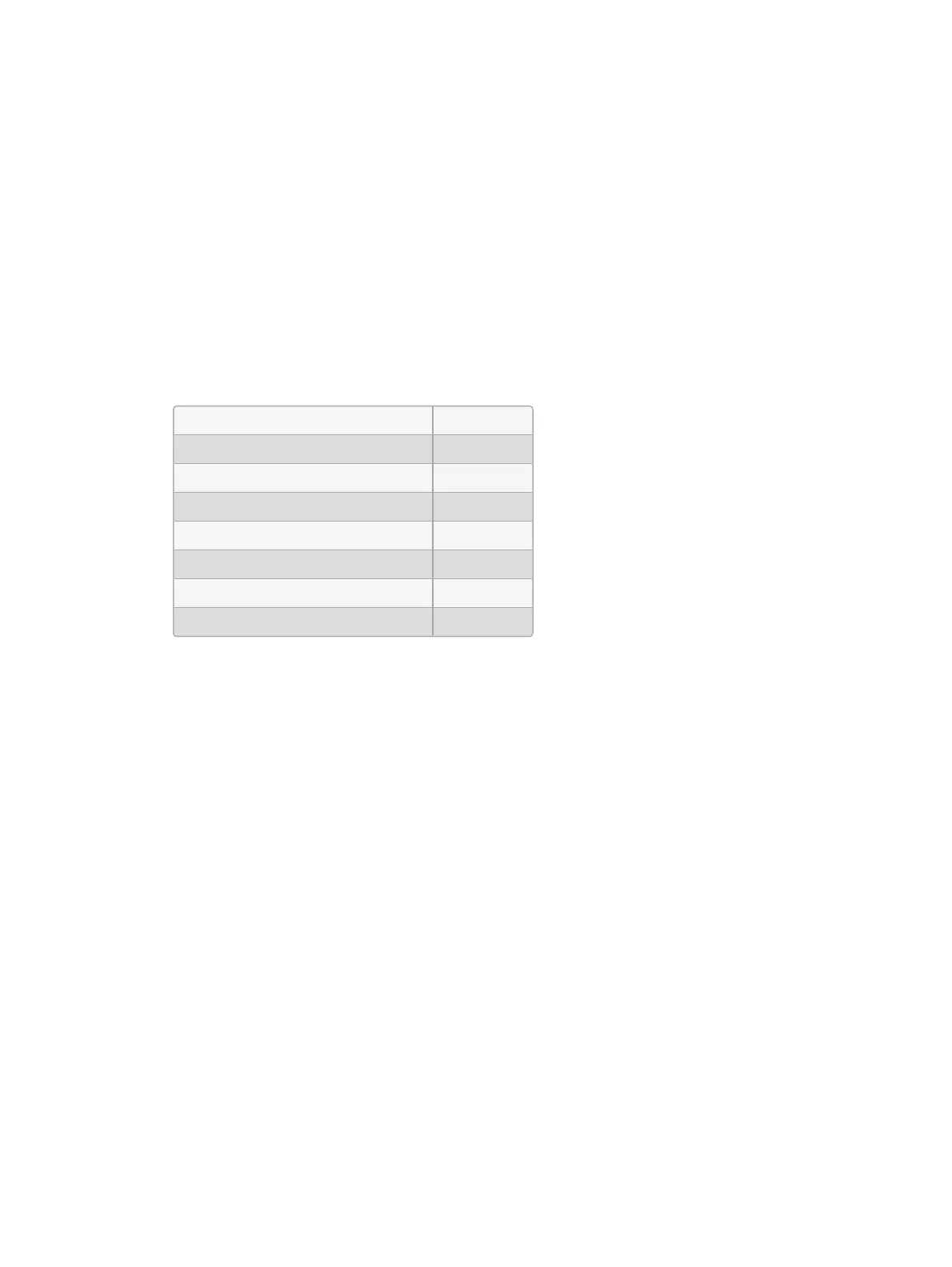
High End Systems recommends the following image resolutions for each console:
Hog 4-18 1920 x 1080
Hog 4 1280 x 768
Full Boar 4 1366 x 768
HPU 1600 x 480
Full Boar 4 (2016 and later model) 1920 x 1080
Road Hog 4 1680 x 1050
Road Hog 4-21 1920 x 1080
HedgeHog 4 1280 x 800
To revert the console back to the standard lock screen image press the Reset Lock Ima ge
button in the displays tab of the control panel. Custom lock screen images are stored per
console and persist for all show files loaded on the console. Lock screen images are NOT
stored per show.
3.1.12 Mounting Accessories to Hog 4-18
The Hog 4-18 console features two 5/8" spigot receivers; one on the left arm and one right
arm of the console. These mounting receivers can be used to attached accessories arms for
mounting monitors, laptops, tablets, and other devices to the console.











 To Next Page