78 Hog 4 Operations Manual
3.3.7 Configuring the Network for Console Tracking
Console tracking allows two or more consoles to track each other in terms of the chosen
page, the chosen master, and playback state while still maintaining individual
desktop/programmer experiences between the desks. A backup secondary networked show
server console set to the same net number as the primary console is recommended when
setting up Hog control systems for live shows. This creates system redundancy and protects
from total loss of control should the primary console fail.
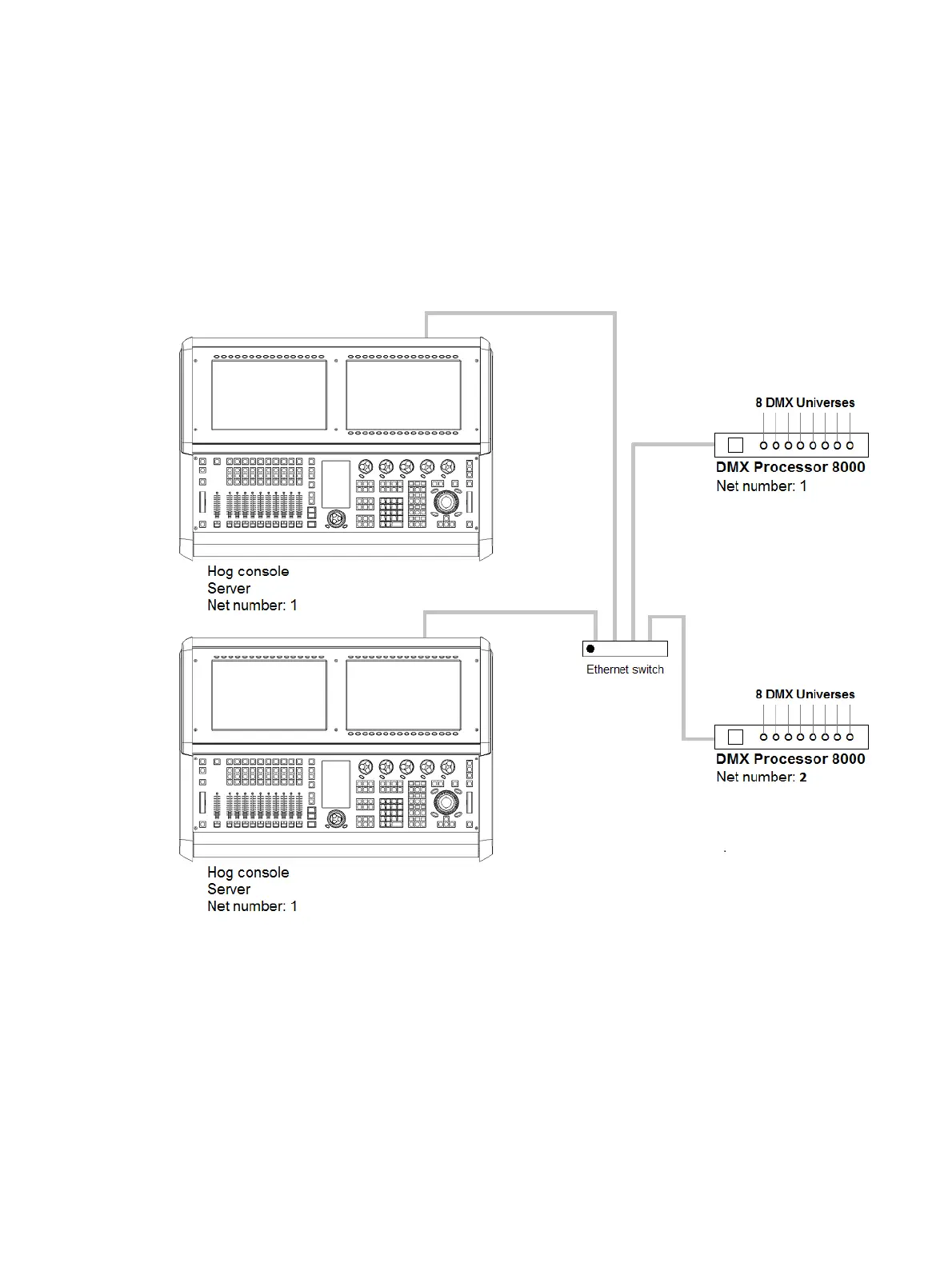
Multiple consoles as Console Tracking
To enable Console Tracking:
1. Connect two consoles via an Ethernet switch.
2. Enable the Run Server option located in the StartUp tab of the control panel on at least
one of the consoles. You can choose to enable the Run Se rver option on both
consoles to also engage fail over functionality.
3. Set both consoles to Net number 1.
4. Log the primary console to a show and then connect the secondary console to the same
show.











 To Next Page