CONTROLS
1001 DFB
Drilling & Sawing Line
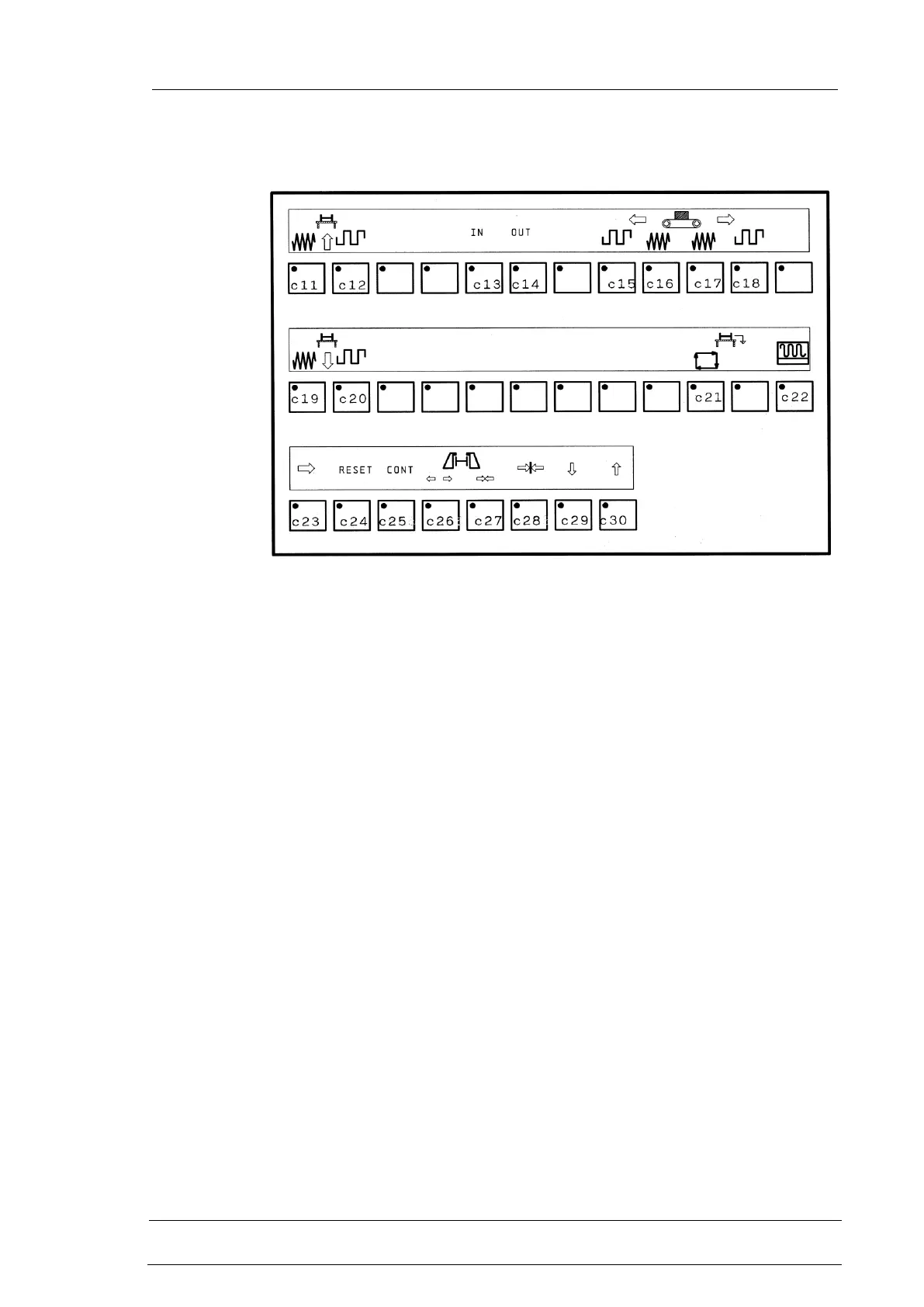
c11 Push button for slow forward of transfer table
c12 Push button for fast forward of transfer table
c13 Push button to activate the control of entry transfer table
c14 Push button to activate the control of exit transfer table
c15 Push button for fast forward of roller way
c16 Push button for slow forward of roller way
c17 Push button for slow backward of roller way
c18 Push button for fast backward of roller way
c19 Push button for slow backward of transfer table
c20 Push button for fast backward of transfer table
c21 Push button for automatic unloading
c22 Push button for manual activation/disactivation of the magnet
c23 Push button for activation/disactivation of T4 unloading device
c24 Reset push-button
Always active in presence of messages or alarms on the video (a).
It performs the reset of the displayed message or alarm. If the
message or the alarm is due to a machine physical situation
(example: insufficient oil level) the message or the alarm is
automatically reset when the physical cause has been removed.
To restart the program :
if the message has forced the machine into stand by (8) mode:


 To Next Page
 Loading...