6-78 ELECTRICAL SYSTEM / FUEL LEVEL SENSOR
ICON A5 / MAINTENANCE MANUAL CHANGE C2
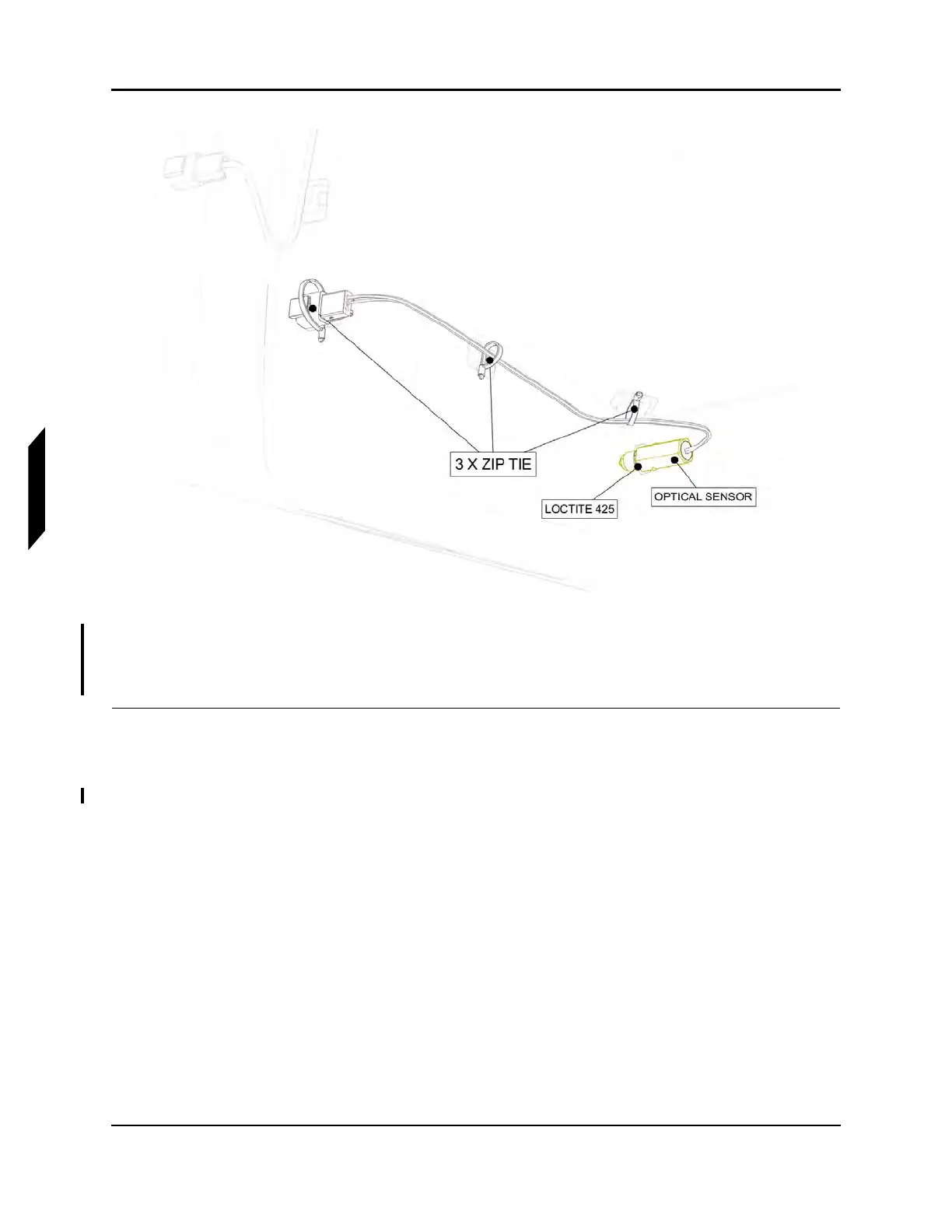
FIGURE 6-27
INSTALL OPTICAL SENSOR
20. Install the right seat back closeout. (See “Seat Back Installation” on page 3-51.)
21. Install the right baggage floor. (See “Baggage Floor Installation” on page 3-42.)
VERIFICATION METHOD:
Step 16 operates as the verification method for this task.
RELATED INFORMATION:
"Baggage Floor Removal" on page 3-41
"Seat Back Removal" on page 3-50
"Baggage Floor Installation" on page 3-42
"Seat Back Installation" on page 3-51



 To Next Page