INSTRUMENTS (AND AVIONICS) / DAC MEMORY UNIT 13-69
CHANGE C2 ICON A5 / MAINTENANCE MANUAL
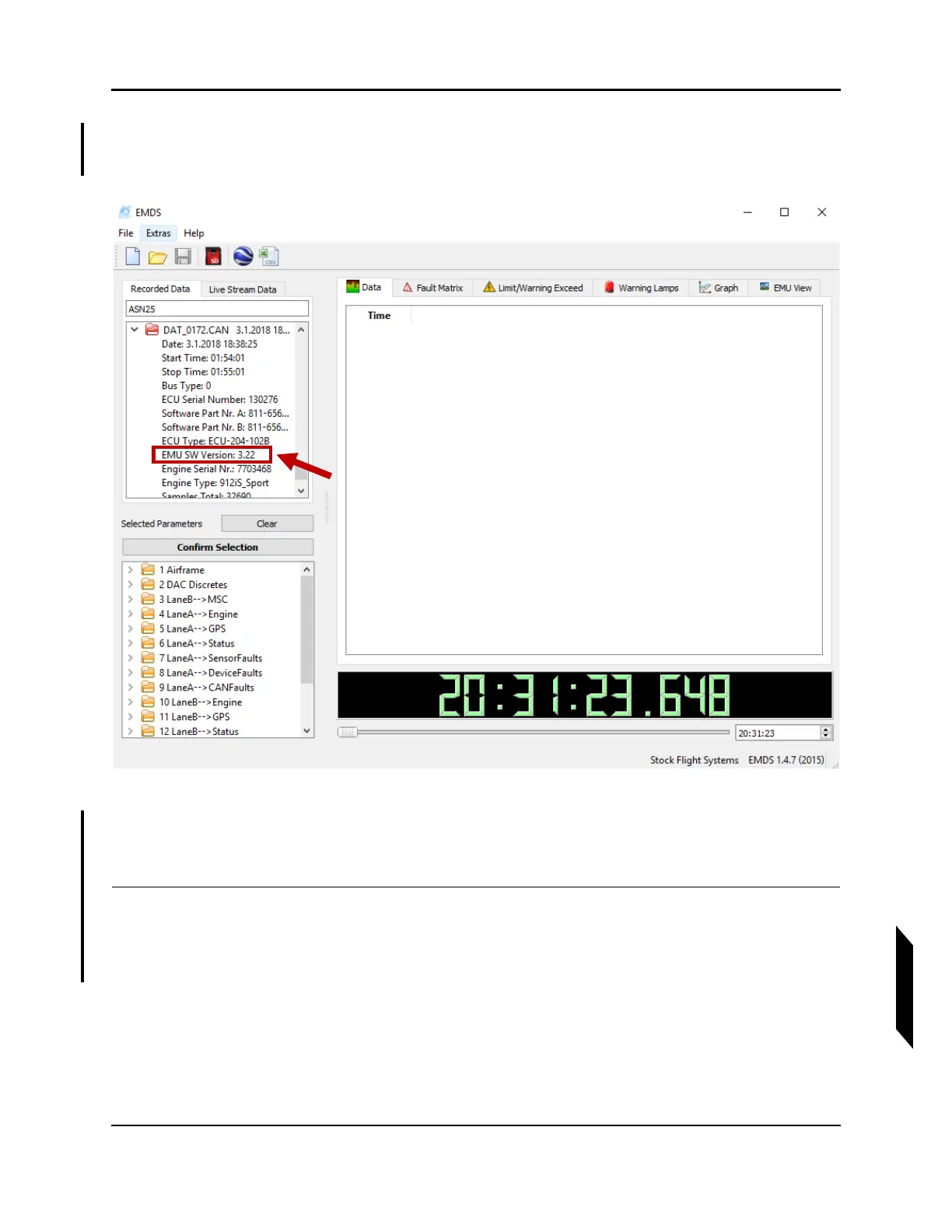
7. From the EMDS interface, expand the DAT file by clicking the downward point arrow located to
the left of the DAC data file. The expanded view shows the file’s basic information. Verify the
“EMU SW Version” indicates the latest software. (See Figure 13-20.)
FIGURE 13-20
VERIFY DAC SOFTWARE VERSION
8. If the software is not the most current version, contact ICON to send DAC unit for software
update.
VERIFICATION METHOD:
This task is complete upon successful verification of current version for the DAC software version.



 To Next Page